تسجيل الدخول مطلوب
سجّل الدخول بحساب iOSGods للمتابعة.
Hack Features:
- Infinite Coins
- Infinite Gems
قم بتنزيل Idle Submarine: Raft to Boat Hack modded IPA من الروابط أعلاه. اضغط على زر التثبيت واتبع التعليمات لتثبيت هذا التعديل لـ iOS على iPhone أو iPad أو Apple Silicon.
هل تحتاج إلى مزيد من المساعدة؟ راجع الأسئلة الشائعة لتطبيق iOSGods للحصول على إجابات مفصلة ونصائح لاستكشاف الأخطاء.

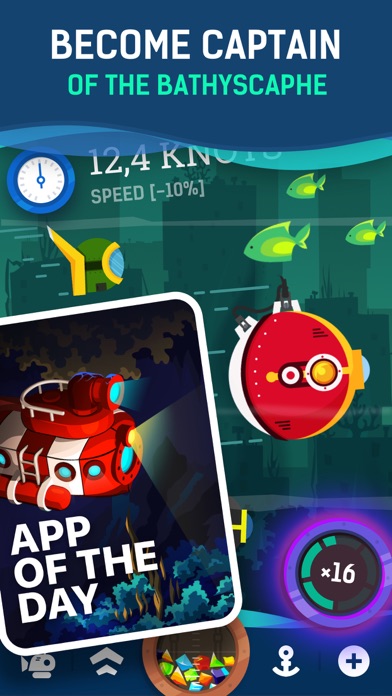
Idle Submarine is an adventure idle - game. Start commanding of Submarine, join the international round-the-world race and become the best captain. The race will not be an easy walk, the opponents are strong, and to become the first, upgrade the boat on the move: engine, production system, jet section, cargo hold. Collect unexplored resources at the bottom, complete quests for Mr. Dave Johnson, explore caves and design your unique Submarine. Seal the hatch and let's go!
Key features
Quests.
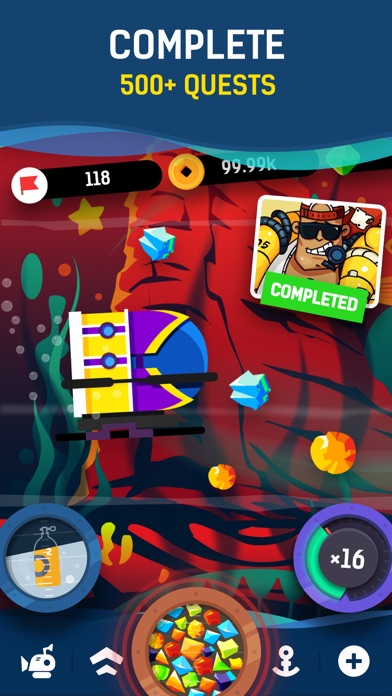
Help to 8 unique characters, and they will help you to win the race, rewarding you with resources, gold, and blueprints of details. There are many tasks, the ocean is full of surprises, so you won't be bored.
A variety of minerals and automatic collection.
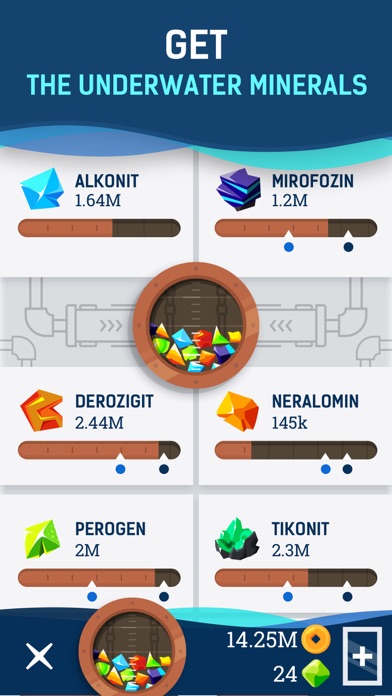
Explore more than 20 types of underwater resources. Each of them can be mined and used for selling or crafting new parts. Fill the air into the extraction system cylinders and it will automatically fill your hold even if you are offline.
Crafting and upgrades.
Create and improve new parts for the Submarine or design a new one. Available over 400 different parts and 20 different submarines. Increasing the speed in knots, enhanced mining, increasing resilience will help to win.
Various locations.
Visit 23 locations around the world: underwater cities, dark caves, coral reefs, underwater cemeteries of bathyscaphes, seas, and oceans.
World ranking.
Win in the round-the-world race and become the best captain in the world ranking.
Caves.
There are underground caves on the way, take a chance to visit them to find treasures (or problems :-) ).
Clan system
Create your flotilla or join an existing one to fight others for victory. Together - more fun!
How far will you move up?
Did you like to explore the depths? We will be very pleased with your good reviews!
Auto-Renewal Subscription
"1-rank Lieutenant": No ads - 1 month.
"2-rank Commander": No ads, Keys, Partial sale, Repair kits - 1 month.
"3-rank Captain": "2-rank Commander" + Daily special bonus, Badge - 3 months.
Auto-Renewal Subscription. Payment will be charged to iTunes Account at confirmation of purchase. Subscription automatically renews unless auto-renew is turned off at least 24-hours before the end of the current period. Account will be charged for renewal within 24-hours prior to the end of the current period, and identify the cost of the renewal. Subscriptions may be managed by the user and auto-renewal may be turned off by going to the user's Account Settings after purchase. Any unused portion of a free trial period, if offered, will be forfeited when the user purchases a subscription to that publication, where applicable.
Terms of Use https://blackbears.mobi/legal/us/terms
Privacy Policy https://blackbears.mobi/legal/us/privacy
Something is wrong? Feel free to write:
- https://vk.com/blackbearsmobi
- iPhone أو iPad بجيلبريك أو بدون جيلبريك.
- Sideloadly أو بدائلها.
- كمبيوتر يعمل بنظام Windows/macOS/Linux مع تثبيت iTunes.
الخطوة 1: قم بتنزيل ملف .IPA المعدّل مسبقًا من الرابط أعلاه إلى الكمبيوتر الخاص بك. للتنزيل من تطبيق iOSGods App، اطلع على دليل تنزيل IPA من تطبيق iOSGods App الذي يتضمن مثالًا بالفيديو.
الخطوة 2: قم بتنزيل Sideloadly وتثبيته على جهاز Windows أو Mac.
الخطوة 3: افتح Sideloadly على الكمبيوتر، ووصّل جهاز iOS الخاص بك، وانتظر حتى يظهر اسم جهازك داخل Sideloadly.
الخطوة 4: بمجرد التعرّف على جهاز iDevice الخاص بك، اسحب ملف .IPA المعدّل الذي قمت بتنزيله وأفلِته داخل تطبيق Sideloadly.
الخطوة 5: أدخل البريد الإلكتروني لحساب Apple Account الخاص بك، ثم اضغط على «Start». سيُطلب منك بعد ذلك إدخال كلمة المرور. تابع وأدخل المعلومات المطلوبة.
الخطوة 6: انتظر حتى ينتهي Sideloadly من تحميل/تثبيت ملف IPA المعدّل. في حال واجهت أي مشاكل أثناء التثبيت، يرجى قراءة الملاحظة أدناه.
الخطوة 7: بعد اكتمال التثبيت ورؤية التطبيق على الشاشة الرئيسية، انتقل إلى Settings → General → Profiles / VPN & Device Management. ثم اضغط على البريد الإلكتروني الذي أدخلته في الخطوة 6، ثم اضغط على «الوثوق بـ [email protected]».
الخطوة 8: الآن انتقل إلى الشاشة الرئيسية وافتح التطبيق الذي تم تثبيته للتو وسيعمل كل شيء بشكل صحيح. قد تحتاج إلى اتباع تعليمات إضافية خاصة بكل تطبيق داخل النافذة المنبثقة للتعديل أثناء اللعب.
ملاحظة: بدءًا من iOS/iPadOS 16 وما بعده، يجب تفعيل وضع المطور (Developer Mode). بالنسبة لحسابات Apple Developer المجانية، ستحتاج إلى تكرار هذه العملية كل 7 أيام. إذا كانت لديك أي أسئلة أو مشاكل، يرجى قراءة قسم الأسئلة الشائعة حول Sideloadly في الموضوع.