Accesso richiesto
Accedi con il tuo account iOSGods per continuare.
Accedi con il tuo account iOSGods per continuare.
Zombastic: Time to Survive Hack ti offre la modalità dio, il congelamento dei nemici e i trucchi per il bottino AFK in questo gioco di sopravvivenza zombie ricco di azione su iOS. Domina gli non-morti con l'invincibilità e i nemici congelati, anche se la raccolta del bottino AFK comporta un rischio di ban.
- Modalità Dio → diventa invincibile ai danni dei nemici
- Congelamento Nemici → ferma tutti gli zombie sul posto
- BOTTINO AFK [ AGGIUNGI Valore Inferiore ] → guadagna ricompense mentre sei inattivo, anche se il rischio di ban si applica
Questa app include anche iGameGod, che ti offre accesso ad Auto Touch per automatizzare attività ripetitive, App Speed Manager per regolare la velocità di gioco, modifica dei valori con Memory Engine e altri potenti strumenti per giochi iOS.
Scarica Zombastic: Time to Survive Hack modded IPA dai link sopra. Tocca il pulsante di installazione e segui le istruzioni per installare questo hack iOS sul tuo iPhone, iPad o Mac con Apple Silicon.
Hai bisogno di altro aiuto? Consulta le nostre Domande frequenti sull'app iOSGods per risposte dettagliate e consigli per la risoluzione dei problemi.
Entra nell'apocalisse zombie di Zombastic: un gioco di sopravvivenza zombie, zombie shooter e action roguelike dove orde infinite attaccano da ogni direzione.
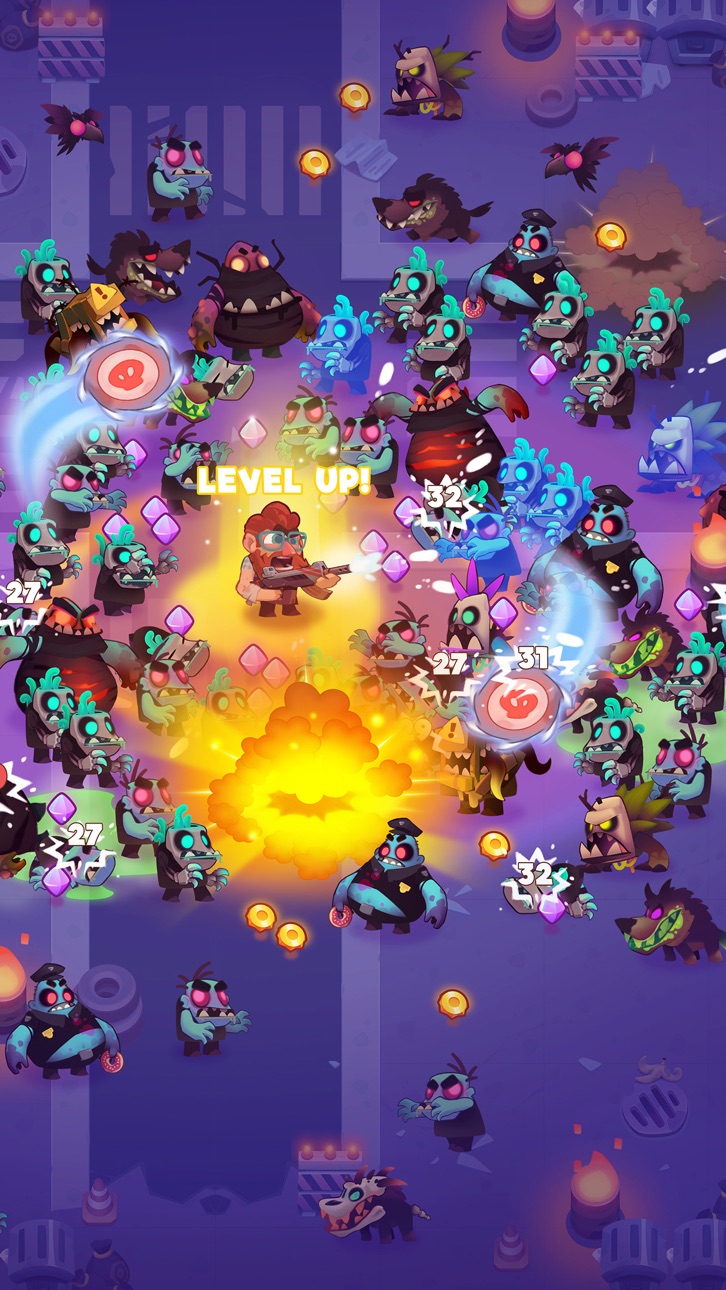
Muovi il tuo eroe, spara automaticamente agli zombie, raccogli esperienza e scegli una delle tre abilità ogni volta che sali di livello. Potenzia le skill, sblocca armi potenti, crea build devastanti e lotta per sopravvivere a ogni ondata. I comandi sono semplici, ma solo le scelte giuste di armi e abilità ti faranno superare le battaglie di sopravvivenza zombie più dure.
Esplora un mondo fantastico pieno di orde di zombie, boss pericolosi, equipaggiamento potente, loot epico e azione senza sosta. Potenzia il tuo eroe, migliora l'equipaggiamento e diventa il sopravvissuto definitivo.
SPARA AGLI ZOMBIE
Affronta sparatorie frenetiche mentre orde gigantesche circondano il tuo eroe. Continua a muoverti, schiva gli attacchi e abbatti gli zombie prima che ti travolgano.
Questo top-down shooter combina sparo automatico, horde survival e progressione roguelike. Ogni run offre nuove abilità, nuove build e nuovi modi di combattere.
Affronta nemici più forti, orde più grandi, mostri élite e pericolosi boss zombie. Padroneggia armi potenti, usa abilità potenziate e conquista ricompense preziose dopo ogni battaglia.
SBLOCCA ABILITÀ POTENTI
Scegli una delle tre carte ogni volta che sali di livello.
Sblocca nuove abilità o potenzia quelle che possiedi. Chiama il supporto aereo, lancia asce e boomerang, schiera droni, scatena fulmini e distruggi ondate di zombie con esplosioni devastanti.
Porta le abilità principali al livello 5 ed evolvile in super abilità. Combina skill attive e passive, crea potenti sinergie e sperimenta build diverse per ogni sfida di sopravvivenza zombie.
SBLOCCA E POTENZIA LE ARMI
Raccogli armi ed equipaggiamento potenti per sopravvivere all'apocalisse zombie.
Sblocca nuove armi, potenzia l'equipaggiamento e aumentane la rarità. Indossa guanti, cinture, elmi, armature e stivali per aumentare danni, difesa e potenza in combattimento contro zombie sempre più forti.
Crea il loadout perfetto, distruggi orde di zombie, sconfiggi i boss e avanza nella campagna.
SBLOCCA EROI UNICI
Colleziona eroi unici con potenti abilità ultimate.
Carica l'ultimate del tuo eroe in combattimento e attivala al momento giusto. Spazza via interi gruppi di zombie, sfuggi alle orde o infliggi danni enormi ai boss.
Potenzia gli eroi, migliora le loro statistiche e preparali a missioni di sopravvivenza zombie sempre più difficili.
COLLEZIONA E POTENZIA I PET
Non devi combattere da solo! Colleziona pet che lottano al fianco del tuo eroe in ogni battaglia.
Potenzia i pet, equipaggiali e aumenta la loro forza. Scegli la combinazione di pet ed equipaggiamento ideale per supportare la tua build, eliminare zombie, controllare le orde e sconfiggere mostri potenti.
I pet aggiungono un nuovo livello di strategia a ogni battaglia di sopravvivenza zombie e ti aiutano ad avanzare nell'apocalisse.
ESPLORA OLTRE 100 LIVELLI
Combatti in oltre 100 livelli della campagna pieni di orde di zombie, nemici élite, boss fight e loot prezioso.
Completa missioni, sblocca nuove sfide, ottieni ricompense, potenzia gli eroi, migliora armi ed equipaggiamento e scopri nuovi modi per sopravvivere.
Zombastic combina sopravvivenza zombie, sparo automatico, upgrade roguelike, horde survival, progressione degli eroi e intense boss fight in un frenetico gioco d'azione.
Ami i giochi di zombie, i survival game, gli action shooter e le avventure roguelike?
Entra nell'apocalisse zombie, sconfiggi orde infinite e inizia la tua avventura survival in Zombastic!
Screenshot © rispettivi proprietari · App Store


iOSGods non è affiliata, approvata né sponsorizzata da Apple Inc., Google LLC o dagli sviluppatori delle app elencate qui. Apple, iOS e App Store sono marchi di Apple Inc. Android e Google Play sono marchi di Google LLC. Tutti gli altri nomi delle app, icone, immagini e marchi appartengono ai rispettivi proprietari.

- iPhone o iPad non jailbroken/jailed oppure jailbroken.
- Sideloadly o alternative.
- Computer con Windows/macOS/Linux con iTunes installato.
PASSO 1: Scarica il file .IPA pre-modificato dal link sopra sul tuo computer. Per scaricarlo dall'iOSGods App, consulta il nostro Tutorial download IPA dell'iOSGods App, che include un esempio video.
PASSO 2: Scarica Sideloadly e installalo sul tuo Windows o Mac.
PASSO 3: Apri Sideloadly sul tuo computer, collega il tuo dispositivo iOS e attendi finché il nome del dispositivo non appare in Sideloadly.
PASSO 4: Una volta riconosciuto il tuo iDevice, trascina il file .IPA moddato che hai scaricato e rilascialo nell'applicazione Sideloadly.
PASSO 5: Inserisci l'email del tuo Apple Account, poi premi “Start”. Ti verrà quindi chiesto di inserire la password. Procedi e fornisci le informazioni richieste.
PASSO 6: Attendi che Sideloadly completi il sideload/installazione dell'IPA modificata. Se ci sono problemi durante l'installazione, leggi la nota qui sotto.
PASSO 7: Una volta completata l'installazione e vista l'app sulla schermata Home, dovrai andare in Impostazioni → Generali → Profili / Gestione VPN e dispositivi. Una volta lì, tocca l'email inserita al passo 6 e poi tocca “Autorizza [email protected]”.
PASSO 8: Ora vai sulla schermata Home e apri l'app appena installata: tutto dovrebbe funzionare correttamente. Potrebbe essere necessario seguire ulteriori istruzioni specifiche all'interno del popup dell'hack nel gioco.
NOTA: Per iOS/iPadOS 16 e versioni successive, devi attivare la Modalità sviluppatore. Per gli account Apple Developer gratuiti, dovrai ripetere questa procedura ogni 7 giorni. Se hai domande o problemi, leggi la nostra sezione FAQ Sideloadly del topic.
Hack Features:
- Inf Coins (Spend)
App Installation Instructions:
---------------------------------------------------------
----------------------------------------------------------
If you require more information or help, please read our Frequently Asked Questions topic on iOSGods.com.
----------------------------------------------------------
--------------------------------------------------