Accesso richiesto
Accedi con il tuo account iOSGods per continuare.
Accedi con il tuo account iOSGods per continuare.
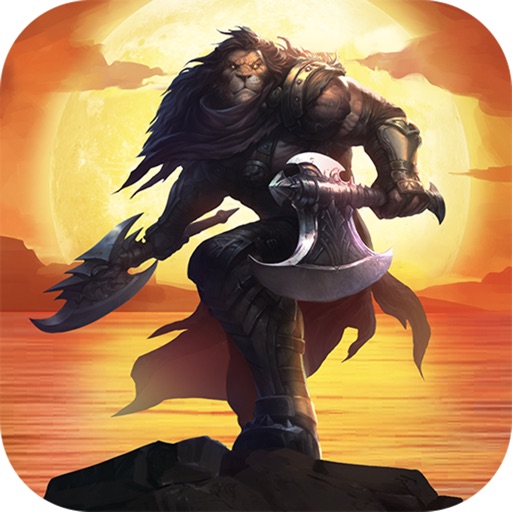
Ace Defender Hack rimuove i tempi di ricarica delle abilità e ti concede mana e oro illimitati in questo strategico gioco tower defense, permettendoti di schierare le abilità istantaneamente e costruire il tuo esercito senza limiti di risorse. Questo mod IPA trasforma la modalità TD in una sandbox dove la tattica regna suprema, liberandoti dalla fatica in modo che tu possa concentrarti sul perfezionamento della tua strategia e sul dominio del campo di battaglia.
- Nessun Tempo di Ricarica Abilità → lancia le abilità istantaneamente senza aspettare
- Mana Illimitato → alimenta i tuoi incantesimi senza limiti
- Oro di Gioco Illimitato [vendi eroe] → costruisci e migliora il tuo esercito liberamente
* Solo per la modalità TD
Questa app include anche iGameGod, che ti offre accesso ad Auto Touch per automatizzare attività ripetitive, App Speed Manager per regolare la velocità di gioco, modifica dei valori con Memory Engine e altri potenti strumenti per giochi iOS.
Scarica Ace Defender Hack modded IPA dai link sopra. Tocca il pulsante di installazione e segui le istruzioni per installare questo hack iOS sul tuo iPhone, iPad o Mac con Apple Silicon.
Hai bisogno di altro aiuto? Consulta le nostre Domande frequenti sull'app iOSGods per risposte dettagliate e consigli per la risoluzione dei problemi.
The most original and entertaining tower defense game in 2021! A high-quality SRPG masterpiece.
In this magic world, every player can become a great hero. Choose your favorite warriors and fight for your country.
Come to join the great expedition with your friends. Fight for glory and win with your wits, strategy and tactics!
Game Features:
1. Super rich game content:
Fight, idling, collection, cultivation, strategic tower defense
Demon Tower, Ultimate Arena
Thousands of element combinations: barricades, totem buff, element runes
A breakthrough of the traditional tower defense, manually-activated ultimate skills, play it at your will
The richness of its content is waiting for you to discover!
2. Fascinating and highly strategic:
Battles of wits among players from different camps, interrupting opponent's skills and removing their ultimate skill buff
Seize the right moment of using skills. Attack, defense, and overall planning, the world is in your hands!
3. “Hands-free” idle cultivation:
Easy game, one-click upgrade
Send hero squad for autofight, one-click victory
Simple operation, enjoy the pleasure of relaxation and freedom
4. Fierce PVP:
Online cross-server battle with players from all over the world, claim the top spot!
Fight monsters with clever use of ultimate skills, guard the crystal, act now!
[Contact us]
Customer Service Email: [email protected]
Screenshot © rispettivi proprietari · App Store



iOSGods non è affiliata, approvata né sponsorizzata da Apple Inc., Google LLC o dagli sviluppatori delle app elencate qui. Apple, iOS e App Store sono marchi di Apple Inc. Android e Google Play sono marchi di Google LLC. Tutti gli altri nomi delle app, icone, immagini e marchi appartengono ai rispettivi proprietari.
- iPhone o iPad non jailbroken/jailed oppure jailbroken.
- Sideloadly o alternative.
- Computer con Windows/macOS/Linux con iTunes installato.
PASSO 1: Scarica il file .IPA pre-modificato dal link sopra sul tuo computer. Per scaricarlo dall'iOSGods App, consulta il nostro Tutorial download IPA dell'iOSGods App, che include un esempio video.
PASSO 2: Scarica Sideloadly e installalo sul tuo Windows o Mac.
PASSO 3: Apri Sideloadly sul tuo computer, collega il tuo dispositivo iOS e attendi finché il nome del dispositivo non appare in Sideloadly.
PASSO 4: Una volta riconosciuto il tuo iDevice, trascina il file .IPA moddato che hai scaricato e rilascialo nell'applicazione Sideloadly.
PASSO 5: Inserisci l'email del tuo Apple Account, poi premi “Start”. Ti verrà quindi chiesto di inserire la password. Procedi e fornisci le informazioni richieste.
PASSO 6: Attendi che Sideloadly completi il sideload/installazione dell'IPA modificata. Se ci sono problemi durante l'installazione, leggi la nota qui sotto.
PASSO 7: Una volta completata l'installazione e vista l'app sulla schermata Home, dovrai andare in Impostazioni → Generali → Profili / Gestione VPN e dispositivi. Una volta lì, tocca l'email inserita al passo 6 e poi tocca “Autorizza [email protected]”.
PASSO 8: Ora vai sulla schermata Home e apri l'app appena installata: tutto dovrebbe funzionare correttamente. Potrebbe essere necessario seguire ulteriori istruzioni specifiche all'interno del popup dell'hack nel gioco.
NOTA: Per iOS/iPadOS 16 e versioni successive, devi attivare la Modalità sviluppatore. Per gli account Apple Developer gratuiti, dovrai ripetere questa procedura ogni 7 giorni. Se hai domande o problemi, leggi la nostra sezione FAQ Sideloadly del topic.
Game Name iOS Mod IPA is an action adventure game enhanced with powerful gameplay boosts and quality-of-life improvements. Win battles faster, earn rewards quicker, and enjoy uninterrupted play without ads.
- Unlimited Gold - spend freely to unlock premium content
- Damage Multiplier - deal significantly more damage in combat
- Defense Multiplier - take less damage and survive longer
- Reward Multiplier - earn more loot from every battle
- Max Level - instantly reach the highest player rank
- No Ads - play without interruptions or advertisements
This app also comes with iGameGod, giving you access to Auto Touch to automate repetitive tasks, App Speed Manager for adjustable gameplay speed, Memory Engine value editing, and more powerful iOS game tools.
Scarica Game Name Mod IPA dai link sopra. Tocca il pulsante di installazione e segui le istruzioni per installare questo hack iOS sul tuo iPhone, iPad o Mac con Apple Silicon.
Hai bisogno di altro aiuto Consulta le nostre Domande frequenti sull'app iOSGods per risposte dettagliate e consigli per la risoluzione dei problemi.
----------------------------------------------------------
--------------------------------------------------