Accesso richiesto
Accedi con il tuo account iOSGods per continuare.
Accedi con il tuo account iOSGods per continuare.
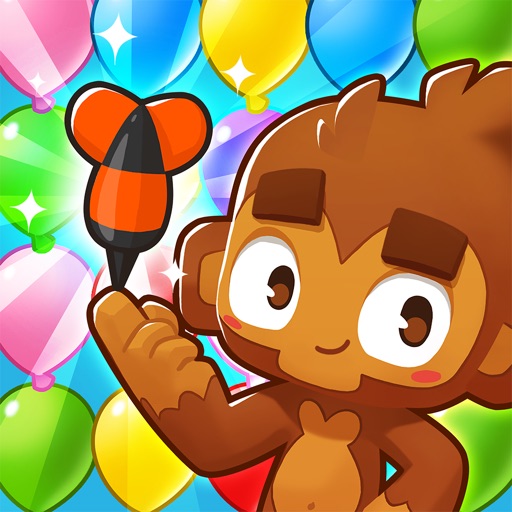
Questo hack del gioco di puzzle Bloons Pop! ti offre valuta illimitata e potenziamenti per superare i livelli senza grinding. Fai scoppiare i Bloons colorati, unisci i colpi in potenti Mega Monkey e ricostruisci Monkey Town al tuo ritmo con questa versione iOS modificata.
- Valuta Illimitata [Spendi/Guadagna] → spendi e guadagna liberamente senza limiti
- Potenziamenti Illimitati [Spendi] → usa i potenziamenti tutte le volte che vuoi
Questa app include anche iGameGod, che ti offre accesso ad Auto Touch per automatizzare attività ripetitive, App Speed Manager per regolare la velocità di gioco, modifica dei valori con Memory Engine e altri potenti strumenti per giochi iOS.
Scarica Bloons Pop! Hack modded IPA dai link sopra. Tocca il pulsante di installazione e segui le istruzioni per installare questo hack iOS sul tuo iPhone, iPad o Mac con Apple Silicon.
Hai bisogno di altro aiuto? Consulta le nostre Domande frequenti sull'app iOSGods per risposte dettagliate e consigli per la risoluzione dei problemi.
Quei bloon avranno anche un aspetto allegro e simpatico, ma hanno messo sottosopra Città delle scimmie e ora sta a te scoppiarli tutti per rimettere a posto le cose!
Punta le tue amiche scimmie nella direzione giusta e guardale lanciarsi in mezzo alle combinazioni di bloon per farne scoppiare il più possibile grazie alle loro abilità. Fondi più colpi per creare Mega scimmie e sbloccare colpi bonus delle scimmie eroe che ti aiuteranno a vincere!
Ogni vittoria ti aiuta a ricostruire i diversi scenari del bellissimo villaggio messo a soqquadro dai bloon. Posiziona edifici, personaggi, animaletti, decorazioni e tanti altri oggetti animati interattivi per creare la tua personalissima Città delle scimmie.
CARATTERISTICHE PRINCIPALI:
* 10 adorabili scimmie animate pronte a lanciarsi in mezzo ai bloon
* Migliaia di coloratissimi e stimolanti livelli, con un mix sempre nuovo di bloon, ostacoli e formazioni in movimento
* 8 scenari unici di Città delle scimmie da riportare al loro antico splendore e da decorare con 120 magnifici oggetti animati
* Fondi le scimmie tra di loro per creare delle potenti Mega scimmie, capaci di far esplodere sezioni enormi degli enigmi senza bisogno di aiuto
* Sali di punteggio e vinci potenti scimmie eroe bonus
* Guadagna e accumula potenziamenti capaci di eliminare tutti gli elementi nemici sullo schermo, per aiutarti a superare i livelli più duri
* Condividi le tue vittorie insieme ad altri giocatori per completare gli Obiettivi di squadra e ottenere ricompense speciali
Aguzza la mente e la punta delle tue freccette, e avanza verso la vittoria a suon di scoppi nell'incredibile mondo animato di Bloons Pop!
**********
Note di Ninja Kiwi:
Ti preghiamo di leggere i nostri Termini del servizio e la nostra Politica sulla privacy. Durante il gioco, ti verrà chiesto di accettare i termini e le condizioni, al fine di salvare su cloud e non perdere i tuoi progressi:
https://ninjakiwi.com/terms
https://ninjakiwi.com/privacy_policy
Bloons Pop! contiene pubblicità video che puoi scegliere di guardare per ottenere ricompense all'interno del gioco, nonché alcuni oggetti di gioco che possono essere acquistati con denaro reale. Puoi disabilitare gli acquisti in-app nelle impostazioni del tuo dispositivo oppure contattarci su https://support.ninjakiwi.com/hc/en-us. Le visualizzazioni delle pubblicità e i tuoi acquisti finanziano lo sviluppo di aggiornamenti e nuovi giochi, apprezziamo molto questo genere di supporto.
Community di Ninja Kiwi:
Siamo molto felici quando i giocatori ci contattano. Quindi, non esitare a contattarci per lasciarci una tua opinione, sia positiva che negativa, tramite https://support.ninjakiwi.com/hc/en-us. Puoi anche unirti alla community per non perderti nessun aggiornamento di Ninja Kiwi sui questi social media:
https://www.facebook.com/ninjakiwigames/
https://twitter.com/ninjakiwigames
https://www.instagram.com/realninjakiwi/
Streamer e creatori di video:
Ninja Kiwi sta promuovendo attivamente i creatori di canali su YouTube e Twitch! Se non collabori già con noi, continua a creare video e segnalaci il tuo canale contattando [email protected]
Screenshot © rispettivi proprietari · App Store



iOSGods non è affiliata, approvata né sponsorizzata da Apple Inc., Google LLC o dagli sviluppatori delle app elencate qui. Apple, iOS e App Store sono marchi di Apple Inc. Android e Google Play sono marchi di Google LLC. Tutti gli altri nomi delle app, icone, immagini e marchi appartengono ai rispettivi proprietari.
- iPhone o iPad non jailbroken/jailed oppure jailbroken.
- Sideloadly o alternative.
- Computer con Windows/macOS/Linux con iTunes installato.
PASSO 1: Scarica il file .IPA pre-modificato dal link sopra sul tuo computer. Per scaricarlo dall'iOSGods App, consulta il nostro Tutorial download IPA dell'iOSGods App, che include un esempio video.
PASSO 2: Scarica Sideloadly e installalo sul tuo Windows o Mac.
PASSO 3: Apri Sideloadly sul tuo computer, collega il tuo dispositivo iOS e attendi finché il nome del dispositivo non appare in Sideloadly.
PASSO 4: Una volta riconosciuto il tuo iDevice, trascina il file .IPA moddato che hai scaricato e rilascialo nell'applicazione Sideloadly.
PASSO 5: Inserisci l'email del tuo Apple Account, poi premi “Start”. Ti verrà quindi chiesto di inserire la password. Procedi e fornisci le informazioni richieste.
PASSO 6: Attendi che Sideloadly completi il sideload/installazione dell'IPA modificata. Se ci sono problemi durante l'installazione, leggi la nota qui sotto.
PASSO 7: Una volta completata l'installazione e vista l'app sulla schermata Home, dovrai andare in Impostazioni → Generali → Profili / Gestione VPN e dispositivi. Una volta lì, tocca l'email inserita al passo 6 e poi tocca “Autorizza [email protected]”.
PASSO 8: Ora vai sulla schermata Home e apri l'app appena installata: tutto dovrebbe funzionare correttamente. Potrebbe essere necessario seguire ulteriori istruzioni specifiche all'interno del popup dell'hack nel gioco.
NOTA: Per iOS/iPadOS 16 e versioni successive, devi attivare la Modalità sviluppatore. Per gli account Apple Developer gratuiti, dovrai ripetere questa procedura ogni 7 giorni. Se hai domande o problemi, leggi la nostra sezione FAQ Sideloadly del topic.
Game Name iOS Mod IPA is an action adventure game enhanced with powerful gameplay boosts and quality-of-life improvements. Win battles faster, earn rewards quicker, and enjoy uninterrupted play without ads.
- Unlimited Gold - spend freely to unlock premium content
- Damage Multiplier - deal significantly more damage in combat
- Defense Multiplier - take less damage and survive longer
- Reward Multiplier - earn more loot from every battle
- Max Level - instantly reach the highest player rank
- No Ads - play without interruptions or advertisements
This app also comes with iGameGod, giving you access to Auto Touch to automate repetitive tasks, App Speed Manager for adjustable gameplay speed, Memory Engine value editing, and more powerful iOS game tools.
Scarica Game Name Mod IPA dai link sopra. Tocca il pulsante di installazione e segui le istruzioni per installare questo hack iOS sul tuo iPhone, iPad o Mac con Apple Silicon.
Hai bisogno di altro aiuto Consulta le nostre Domande frequenti sull'app iOSGods per risposte dettagliate e consigli per la risoluzione dei problemi.
----------------------------------------------------------
--------------------------------------------------





![[ Kyoutou Kotoba RPG: Kotodaman ] コトダマン-共闘ことばRPG Hack](https://is1-ssl.mzstatic.com/image/thumb/Purple126/v4/1a/00/95/1a009543-5a2c-8f8e-8c58-3ac74d754a1e/AppIcon-1x_U007emarketing-0-7-0-85-220.png/100x100bb.jpg)

![[VIP] SwordArtOnline: IntegralFactor SAOIF Hack](https://is1-ssl.mzstatic.com/image/thumb/Purple116/v4/6d/2b/48/6d2b4890-100a-afff-6286-f7af91d94529/AppIcon-1x_U007emarketing-0-7-0-85-220.png/100x100bb.jpg)










![[ The Quintessential Quintuplets JP ] 五等分の花嫁 五つ子ちゃんはパズルを五等分できない。 Hack](https://is1-ssl.mzstatic.com/image/thumb/Purple122/v4/60/ce/b7/60ceb702-7ca2-4383-af6a-d1cd31cf3032/AppIcon-0-0-1x_U007emarketing-0-0-0-7-0-0-sRGB-0-0-0-GLES2_U002c0-512MB-85-220-0-0.png/100x100bb.jpg)