تسجيل الدخول مطلوب
سجّل الدخول بحساب iOSGods للمتابعة.
Hack Features:
- Inf Coins (Spend/Get)
- Inf Food (Spend/Get)
- Inf Energy (Spend/Get)
- Inf Cubes (Spend/Get)
قم بتنزيل Walkr - A Gamified Fitness App Hack modded IPA من الروابط أعلاه. اضغط على زر التثبيت واتبع التعليمات لتثبيت هذا التعديل لـ iOS على iPhone أو iPad أو Apple Silicon.
هل تحتاج إلى مزيد من المساعدة؟ راجع الأسئلة الشائعة لتطبيق iOSGods للحصول على إجابات مفصلة ونصائح لاستكشاف الأخطاء.

*** Winner of App Store's Best Game Award***
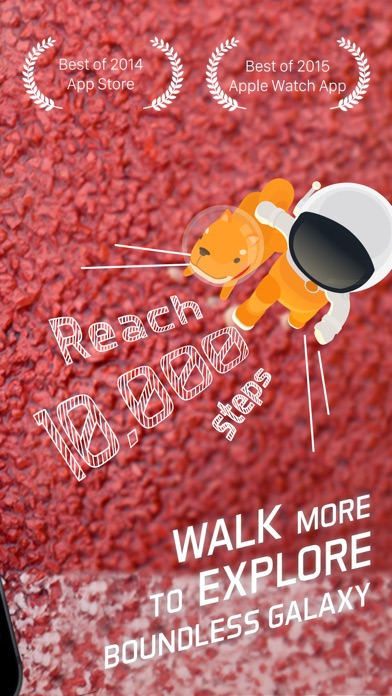
- Walkr combines your phone’s pedometer with a fun galaxy adventure game!
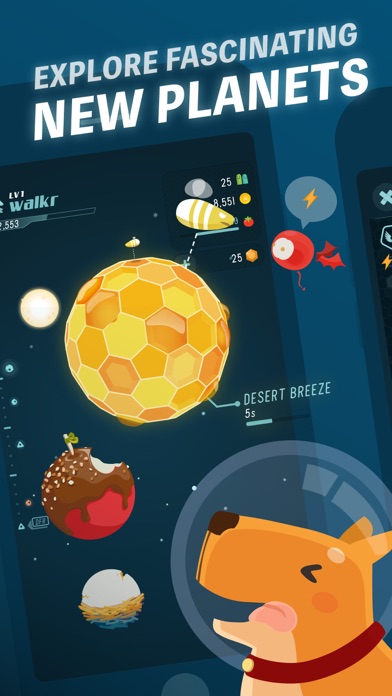
- Up to 100+ fascinating planets and 30+ mission goals that motivates you to walk more
- Thanks to the support of our over 3,000,000+ iOS players in Walkr!
Walkr is the second offering in a series of health-conscious games from Fourdesire, creators of the Plant Nanny app with more than 10 million players! Hop on the Walkr spaceship and begin your adventure across the boundless cosmos!
= KEEP UP GOOD WALKING HABITS =
- With Walkr in your pocket, your daily steps are automatically recorded and converted into energy fuel for your spaceship
- Tracks and records the amount of calories you burn and recommends daily fitness goals
- Start up the booster when you begin walking to accumulate even more energy fuel
= EXPLORE THE BOUNDLESS UNIVERSE =
- Encourages you to stay active with up to 100+ fascinating planets and 30+ mission goals
- Build your own collection of unique planets, spacefoods, and rare elements in the ever-expanding universe
- Undertake missions to help adorable creatures from across the galaxy find their way back home
= GET SOCIAL =
- Invite friends to become your co-pilot and receive extra energy fuel
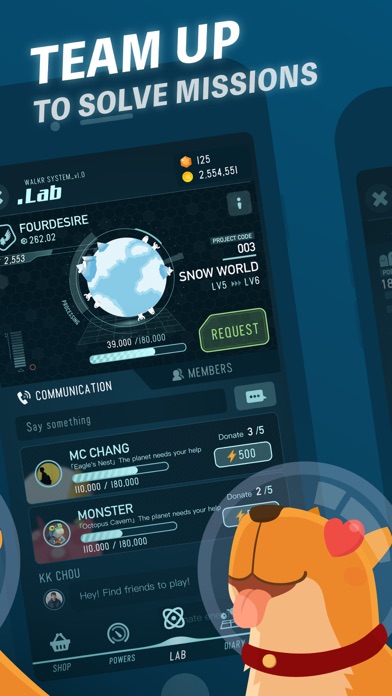
- Join a fleet, and start your adventure with other captains for even more rewards
- Visit the Planet Lab with friends to share energy fuel and unlock amazing planet wonders
- Compete with friends from Comet to Galaxy League and grow together
*Walkr uses the iPhone’s m7/m8 to record your movements accurately with minimal battery consumption.
*If you’re using iPhone 5 or devices below, the continued use of GPS running in the background can decrease battery level.
= Support for Apple Watch =
- Control your own galaxy quickly and easily
- Receive notifications of delivery missions and rewards
- Check the weather at your current location
- Participate in special Apple Watch booster events
Any problems or suggestions? We would love to hear from you!
Find us on Facebook: http://facebook.com/walkrgame
Or visit us: http://walkrgame.com/en
--
Super Pilot is a monthly subscription service that allows you to get an extra co-pilot position with 80% conversion rate.
US$1.99 will be charged on your iTunes Account after confirmation and when the subscription renews monthly.
The subscription will renew automatically each month. Account will be charged US$1.99 for renewal within 24-hours prior to the end of the current period. Subscriptions may be managed by the user and auto-renewal may be turned off by going to the user’s Account Settings after purchase.
Any unused portion of the free trial period will be forfeited when the user purchases a subscription.
--
Privacy Policy and Term of Service: http://walkrgame.com/terms
- iPhone أو iPad بجيلبريك أو بدون جيلبريك.
- Sideloadly أو بدائلها.
- كمبيوتر يعمل بنظام Windows/macOS/Linux مع تثبيت iTunes.
الخطوة 1: قم بتنزيل ملف .IPA المعدّل مسبقًا من الرابط أعلاه إلى الكمبيوتر الخاص بك. للتنزيل من تطبيق iOSGods App، اطلع على دليل تنزيل IPA من تطبيق iOSGods App الذي يتضمن مثالًا بالفيديو.
الخطوة 2: قم بتنزيل Sideloadly وتثبيته على جهاز Windows أو Mac.
الخطوة 3: افتح Sideloadly على الكمبيوتر، ووصّل جهاز iOS الخاص بك، وانتظر حتى يظهر اسم جهازك داخل Sideloadly.
الخطوة 4: بمجرد التعرّف على جهاز iDevice الخاص بك، اسحب ملف .IPA المعدّل الذي قمت بتنزيله وأفلِته داخل تطبيق Sideloadly.
الخطوة 5: أدخل البريد الإلكتروني لحساب Apple Account الخاص بك، ثم اضغط على «Start». سيُطلب منك بعد ذلك إدخال كلمة المرور. تابع وأدخل المعلومات المطلوبة.
الخطوة 6: انتظر حتى ينتهي Sideloadly من تحميل/تثبيت ملف IPA المعدّل. في حال واجهت أي مشاكل أثناء التثبيت، يرجى قراءة الملاحظة أدناه.
الخطوة 7: بعد اكتمال التثبيت ورؤية التطبيق على الشاشة الرئيسية، انتقل إلى Settings → General → Profiles / VPN & Device Management. ثم اضغط على البريد الإلكتروني الذي أدخلته في الخطوة 6، ثم اضغط على «الوثوق بـ [email protected]».
الخطوة 8: الآن انتقل إلى الشاشة الرئيسية وافتح التطبيق الذي تم تثبيته للتو وسيعمل كل شيء بشكل صحيح. قد تحتاج إلى اتباع تعليمات إضافية خاصة بكل تطبيق داخل النافذة المنبثقة للتعديل أثناء اللعب.
ملاحظة: بدءًا من iOS/iPadOS 16 وما بعده، يجب تفعيل وضع المطور (Developer Mode). بالنسبة لحسابات Apple Developer المجانية، ستحتاج إلى تكرار هذه العملية كل 7 أيام. إذا كانت لديك أي أسئلة أو مشاكل، يرجى قراءة قسم الأسئلة الشائعة حول Sideloadly في الموضوع.