Требуется вход
Войдите в учётную запись iOSGods, чтобы продолжить.
Войдите в учётную запись iOSGods, чтобы продолжить.

Бесконечные сердца и разблокировка всех покупок в приложении дают вам неограниченную любовь и премиум-функции в этом уютном симуляторе Adorable Home Mod APK. Украшайте свой виртуальный дом, ухаживайте за кошками и создавайте идеальную жизнь со своим партнером без трат реальных денег и изнурительной игры за игровую валюту.
- Бесконечные сердца → неограниченная любовь для покупок и улучшений
- Бесплатные покупки в приложении → все внутриигровые покупки разблокированы бесплатно
Скачайте Adorable Home Mod APK по кнопке выше. После начала загрузки следуйте инструкциям, чтобы установить модифицированный APK на устройство Android или эмулятор.
Нужна помощь? Посмотрите наши Часто задаваемые вопросы по Android, чтобы получить подробные ответы и советы по устранению неполадок.
Are you the couple that just moved to town? Are you wondering what to do first? Let's clean up so you can start unpacking! There's a couch, a table, and a TV stand, but not much else. What's missing here?! Oh... silly me, a TV of course. Let's buy that first! But we can't just watch TV all day. Your partner needs to work, and you have important chores around the house to do.
GATHER LOVE
- Be sure to prepare meals for your partner and feed Snow, your kitty (or adopt multiple kitties if you wish it so) to earn love.
- Use that love to buy furniture, decorations, and yes... more CATS for your house to make it utterly adorable!
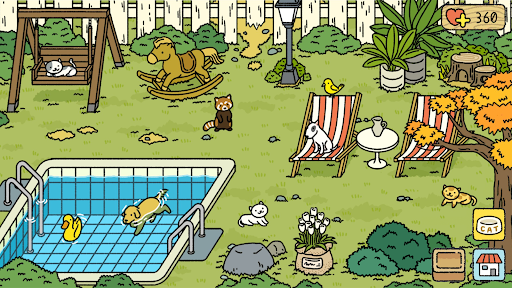
- Unlock new areas like the Garden, where you can gather love from cute woodland creatures that come to visit.
ENJOY THE BONDING TIME
- The more cats you have, the more adorable moments you'll get. Capture them in snapshots with your retro camera and collect them all in your photo album.
- Buy new aesthetic rooms and decor them with pride so you and your partner can chill and have special moments in them.
Adorable Home is a passive and relaxing experience. Come back and check in on the game every couple hours to see something new, eat some miso soup, gather some love and continue furnishing your home.
We hope you enjoy!
Adorable Home is LGBTQ+ friendly for its diverse team of developers and the sensibility of themes treated with care. It also references mature themes and, on occasion, depicts characters in revealing outfits; this is a game about partners inside their home (Bedroom, Bathroom, etc.) after all. It could be inappropriate for children.