Inicio de sesión requerido
Inicia sesión con tu cuenta de iOSGods para continuar.
Inicia sesión con tu cuenta de iOSGods para continuar.
- Unlimited Currency
- Unlimited Energy
- Skip Ads
- Free IAP
- Only You Can Bid
- Free Auction
Descarga Bid Master : Auction Game iOS Mod IPA desde los enlaces de arriba. Toca el botón de instalación y sigue las instrucciones para instalar este hack iOS en tu iPhone, iPad o Mac con Apple Silicon.
¿Necesitas más ayuda? Consulta nuestras Preguntas frecuentes de la app iOSGods para respuestas detalladas y consejos de solución de problemas.
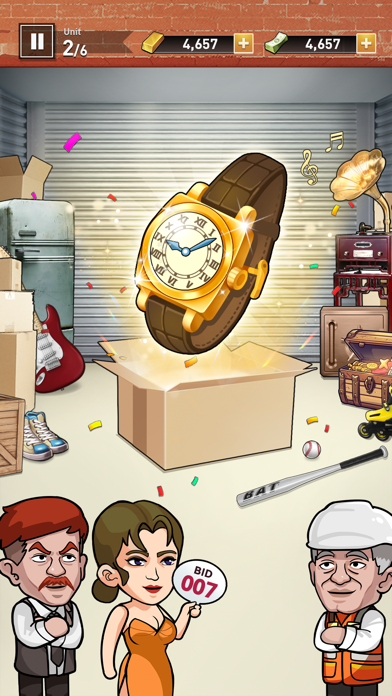
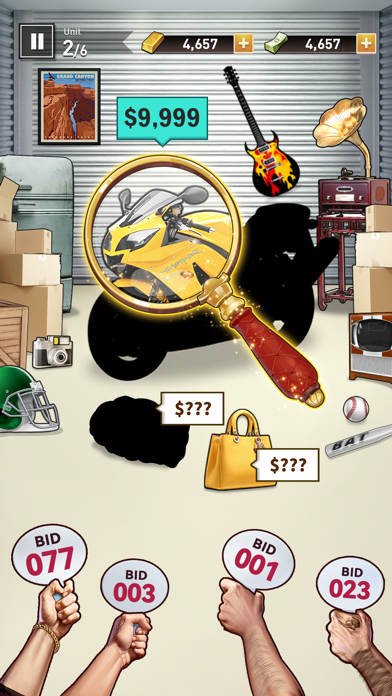
Welcome to "Bid Master", a game that combines the fun of auctions and bidding. You'll compete with other players in a game that's both easy and challenging.
As a savvy auctioneer, your mission is to find valuable items in abandoned warehouses and sell them to fulfill your dreams of wealth.
Warehouse Auctions
You'll participate in a series of thrilling warehouse auctions. Each warehouse is filled with unknown possibilities, and you'll need to use your intuition and strategy to determine which warehouse may contain treasures. Will you buy a seemingly ordinary warehouse, or will you boldly invest in a warehouse filled with potential? The choice is yours.
Compete
You're not the only auctioneer. You'll be bidding against other players. Whether you're new to auctions or a seasoned pro, through the trials and tribulations of this game, you can easily become a winner.
Uncover Treasures
Every auction win, every time you uncover hidden treasures, brings you endless satisfaction and achievement. Whether it's valuable artwork, rare collectibles, or historical relics, they could all be hidden in these seemingly ordinary warehouses.
Path to Wealth
In the game, you can accumulate wealth and level up your auctioneer status to unlock more features and rewards. This game will take you from nothing to abundant wealth, feeling the joy and achievement of becoming rich.
Start Bidding Now
Now, prepare your bidding strategy and start your auction journey! In the world of "Bid Master", let's seek out hidden items and win wealth together!Download for free, PLAY Now!
Privacy Policy: http://incolor.cc/en/privacy.html
If you have any questions, feel free to contact us at [email protected]
- iPhone o iPad con o sin Jailbreak.
- Sideloadly u otras alternativas.
- Ordenador con Windows/macOS/Linux e iTunes instalado.
PASO 1: Descargue el archivo .IPA pre-modificado desde el enlace de arriba a su ordenador. Para descargarlo desde la iOSGods App, consulte nuestro Tutorial de descarga del IPA desde la iOSGods App, que incluye un ejemplo en vídeo.
PASO 2: Descargue Sideloadly e instálelo en su Windows o Mac.
PASO 3: Abra Sideloadly en su ordenador, conecte su dispositivo iOS y espere hasta que el nombre del dispositivo aparezca en Sideloadly.
PASO 4: Una vez que su iDevice sea reconocido, arrastre el archivo .IPA modificado que descargó y suéltelo en la aplicación Sideloadly.
PASO 5: Introduzca el correo electrónico de su Apple Account y, a continuación, pulse «Start». Le pedirá que introduzca su contraseña. Proporcione la información solicitada.
PASO 6: Espere a que Sideloadly termine de hacer sideload/instalar el IPA modificado. Si surgen problemas durante la instalación, por favor lea la nota a continuación.
PASO 7: Una vez completada la instalación y al ver la app en la pantalla de inicio, deberá ir a Ajustes → General → Perfiles / VPN y Gestión de Dispositivos. Una vez allí, toque el correo electrónico que introdujo en el paso 6 y, después, toque en «Confiar en [email protected]».
PASO 8: Ahora vaya a la pantalla de inicio y abra la app recién instalada; todo debería funcionar correctamente. Es posible que tenga que seguir instrucciones adicionales específicas de cada app dentro del popup del hack en el juego.
NOTA: En iOS/iPadOS 16 y posteriores, debe activar el Modo Desarrollador. Para cuentas gratuitas de Apple Developer, deberá repetir este proceso cada 7 días. Si tiene alguna pregunta o problema, lea nuestra sección de Preguntas Frecuentes de Sideloadly del tema.