تسجيل الدخول مطلوب
سجّل الدخول بحساب iOSGods للمتابعة.
سجّل الدخول بحساب iOSGods للمتابعة.
هذا Mod APK لبناء المدن في عالم ما بعد الزومبي يتيح لك قيادة الناجين عبر ندرة الموارد وحشود الموتى الأحياء مع موارد غير محدودة تحت تصرفك. أدر المستوطنات الواسعة، أنقذ الأبطال، وافع عن الهجمات الزومبي بينما تعيد بناء الحضارة في City Of Survivors، الآن مع رموز متقدمة مفتوحة لتقدم أسرع وقوة قتالية لا تقهر.
- موارد غير محدودة → بناء وتوسع بدون قيود المواد
- قوة معركة غير محدودة → هيمن على مواجهات الزومبي وغزوات العدو
- IAP مجاني → الوصول إلى جميع عمليات الشراء داخل التطبيق بدون تكلفة
قم بتنزيل City Of Survivors Mod APK من الزر أعلاه. بعد الضغط على تنزيل، اتبع التعليمات لتثبيت ملف APK المعدل على جهاز Android أو المحاكي.
هل تحتاج إلى مساعدة؟ راجع الأسئلة الشائعة لـ Android للحصول على إجابات مفصلة ونصائح لاستكشاف الأخطاء.
A city-building game set in a zombie-apocalyptic world. As the leader of survivors, your tasks are to scavenge for resources, rescue survivors, recruit heroes, and construct and defend your cities. Explore the wilderness and fend off hordes of zombies. Can you rebuild society and survive the apocalypse?
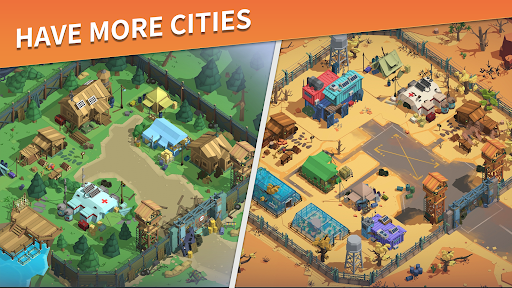
You're in a world overrun by zombies. Your responsibility is to establish and manage cities in various locations, ensuring that survivors have safe places to live and sufficient resources. Venture into the wild, save more people, and gather additional resources to help your city grow.
Game Features:
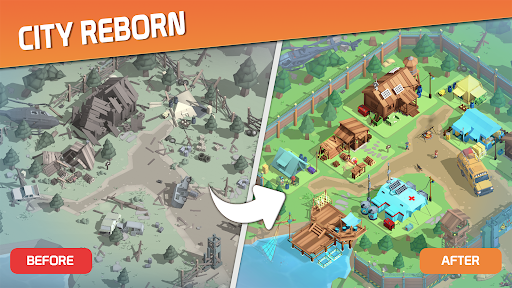
Rebuild Cities: Start with an abandoned city. Expand it, adding tents and resource collection spots. Make sure people have enough food and medicine and feel safe.
Recruit Heroes: Among the survivors, there are special individuals with unique abilities. Find these heroes and invite them to join your team. With their help, can strengthen your fight against zombies.
Rescue Survivors: Many people out there still need help. Locate them and bring them to your city. The more people we have, the better our chances in this fight for humanity.
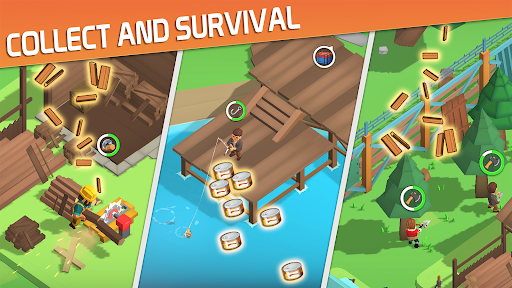
Collect Resources: Construct facilities like a wood mill and fishing dock in your city. Gather resources to meet people's daily needs.
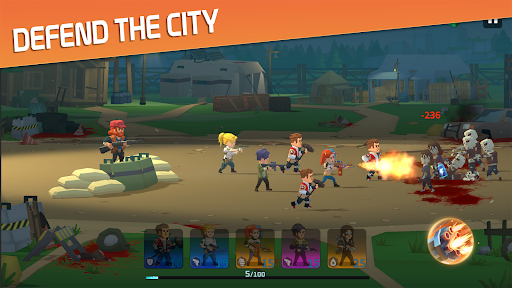
Fight zombies: Prepare for battles with zombies. Assemble a team and devise winning strategies. The priority is to keep both the city and its people safe.