Inicio de sesión requerido
Inicia sesión con tu cuenta de iOSGods para continuar.
Inicia sesión con tu cuenta de iOSGods para continuar.

Las monedas ilimitadas te permiten desbloquear todas las áreas y potenciadores al instante en este Cheech & Chong's: Kush Kingdom Mod APK, un hack de puzzle de tres en raya para Android que elimina la necesidad de grindear. Resuelve niveles alucinantes, decora tu casa y domina eventos semanales sin esperar a que se recarguen las monedas y gemas.
- Monedas Ilimitadas → las monedas y gemas nunca se agotan
Descarga Cheech & Chong's: Kush Kingdom Mod APK desde el botón de arriba. Una vez que toques descargar, sigue las instrucciones para instalar el APK modificado en tu dispositivo Android o emulador.
¿Necesitas ayuda? Consulta nuestras Preguntas frecuentes de Android para respuestas detalladas y consejos de solución de problemas.
Welcome to Cheech & Chong's: Kush Kingdom!
On this far out journey you'll collect coins and gems by solving challenging Match-3 puzzles. Cash in and unlock dope new areas! Play weekly events to score groovy prizes to decorate Cheech and Chong’s pad with. There are thousands of reefer fueled levels just waiting for you to explore!
- A far out match 3 gameplay with trippy levels for both master smokers and new to the genre players!
- Win primo new prizes from events!
- Unlock and blast powerful boosters!
- Play bonus levels to win loads of coins and special treasures!
- Open chests for a chance to win coins, boosters, unlimited life and power-ups!
- Explore the mansion, the weed garden, and many more far out areas!
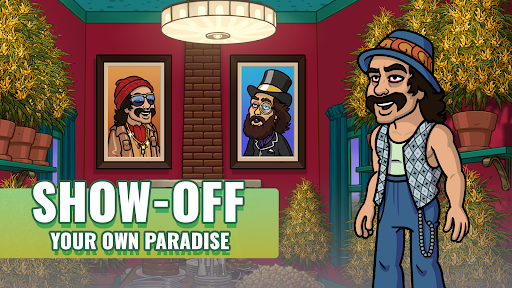
- Decorate rooms inside Cheech & Chong’s very own house!
By downloading this app, you agree to our privacy policy and terms of use, available at:
Terms of Service - http://www.eastsidegames.com/terms
Privacy Policy - http://www.eastsidegames.com/privacy