تسجيل الدخول مطلوب
سجّل الدخول بحساب iOSGods للمتابعة.
سجّل الدخول بحساب iOSGods للمتابعة.

Unlock premium access to Sago Mini World Mod APK and let your child explore all creative games without subscription limits. This modded Android version removes paywalls, giving kids aged 2-6 instant access to the full suite of thoughtfully designed activities from Sago Mini, Toca Boca, and Originator, perfect for imaginative play, learning, and development.
- Premium Unlocked → all paid content and features accessible
قم بتنزيل Sago Mini World: Kids Games Mod APK من الزر أعلاه. بعد الضغط على تنزيل، اتبع التعليمات لتثبيت ملف APK المعدل على جهاز Android أو المحاكي.
هل تحتاج إلى مساعدة؟ راجع الأسئلة الشائعة لـ Android للحصول على إجابات مفصلة ونصائح لاستكشاف الأخطاء.
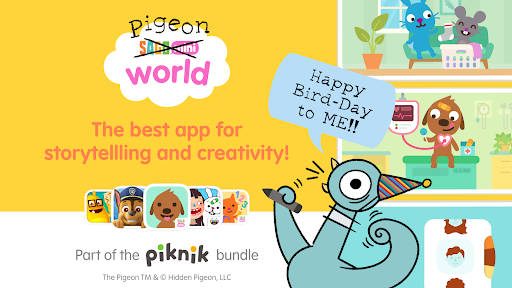
Sago Mini World is part of Piknik – a bundle of the world’s best apps for kids in one subscription. Unlock fan-favorites from Sago Mini, Toca Boca, and Originator with an Unlimited Plan!
THE PERFECT APP FOR CREATIVE KIDS: NOW WITH MORE PIGEON!
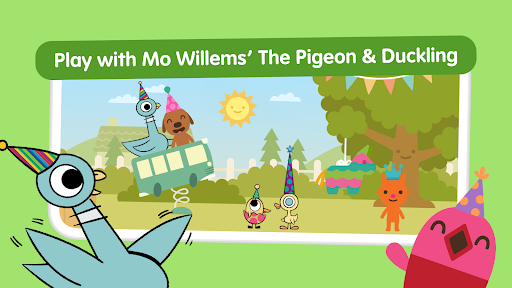
Discover the magic of imaginative play with tons of interactive games for preschoolers! Kids aged 2-6 create, learn, and explore thoughtfully designed activities that support their development. For a limited time, join the Bird-day party with Mo Willems’ Pigeon & Duckling! Don’t forget to bring a present! (We hear The Pigeon LOVES hot dogs.)
*** Winner of a Parents' Choice Gold Award, Webby's Nomination, Academics' Choice Smart Media Award, Kidscreen Award, and a W3 Mobile App Design Award. Featured in the New York Times, Guardian, and USA Today. 100% Pigeon approved! ***
BUILD, PRETEND & CREATE YOUR OWN CHARACTERS
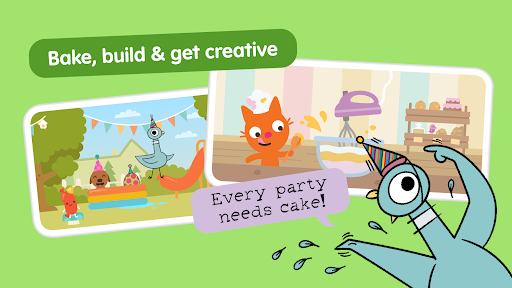
Kids can make their own characters to play with Harvey, Jinja, Jack, Robin, and all of their friends. They’ll take care of babies, make sure The Pigeon’s slice of cake has the most icing, go on fairy tale adventures, build snow forts, and more – all in one whimsical world.
CREATIVE PLAY & SKILL-BUILDING ACTIVITIES
Kids are free to play their way – the only limit is their imagination! Through open-ended play, they’ll develop self-expression, empathy, and self-confidence. And did we mention The Pigeon?
SAFE, POSITIVE SCREEN TIME
COPPA and kidSAFE-certified, no in-app purchases or ads for subscribers, and designed for easy navigation, Sago Mini World is safe screen time parents (and pigeons) can trust.
FEATURES
• Unlimited access to hundreds of activities in one kid-friendly app
• The only app with a Bird-day party for a particularly handsome pigeon
• Play downloaded games offline without WiFi
• Use one subscription across multiple devices for easy family sharing
• Members get early access to new games and releases
• Perfect for kids aged 2-6
• COPPA and kidSAFE-certified
• No ads or in-app purchases for subscribers
Subscription Details
New subscribers will have access to a free trial at the time of sign-up. Users who don’t wish to continue their membership past the trial should cancel before the seven days are up so they aren’t charged.
• At each renewal date, your account will automatically be charged the subscription fee. If you’d prefer not to be automatically charged, just head to your Account Settings and turn off ‘Auto Renew’.
• Your subscription can be cancelled at any time, without fee or penalty. (Note: you won’t be refunded for any unused portion of your subscription.)
• For more information, check out our FAQs.
• If you need help, have questions, or want to say ‘hi’, get in touch at [email protected]
Privacy Policy
Sago Mini is committed to protecting your privacy and the privacy of your children. We adhere to the strict guidelines set forth by COPPA (Children’s Online Privacy Protection Rule) & KidSAFE, which ensure the protection of your child’s information online.
Privacy policy: https://playpiknik.link/privacy-policy
Terms of use: https://playpiknik.link/terms-of-use/
About Sago Mini
Sago Mini is an award-winning company devoted to play. We make apps, games and toys for preschoolers worldwide. Toys that seed imagination and grow wonder. We bring thoughtful design to life. For kids. For parents. For giggles.
Find us on Instagram, Facebook, and TikTok at @sagomini.
TM & © Hidden Pigeon, LLC