تسجيل الدخول مطلوب
سجّل الدخول بحساب iOSGods للمتابعة.
سجّل الدخول بحساب iOSGods للمتابعة.
هذا التعديل لـ DragonSky : Idle & Merge يمنحك ميزة تنافسية في معارك دمج التنانين عبر الخادم العالمي. عزز إخراج الضرر الخاص بك، وقوّ دفاعاتك، وهيمن على المواجهات من خلال قدرات الفوز التلقائي في هذه التجربة المعدلة على iOS حيث تجمع وتدمج التنانين لمواجهة ملايين اللاعبين في جميع أنحاء العالم.
- مضاعف الضرر → عزز هجمات التنين الخاصة بك
- مضاعف الدفاع → قوّ مرونة فريق التنين الخاص بك
- الفوز التلقائي → تأمين الانتصار تلقائياً في المعارك
يأتي هذا التطبيق أيضًا مع iGameGod، مما يتيح لك الوصول إلى Auto Touch لأتمتة المهام المتكررة، وApp Speed Manager لضبط سرعة اللعب، وتعديل القيم عبر Memory Engine، والمزيد من أدوات ألعاب iOS القوية.
قم بتنزيل DragonSky : Idle & Merge iOS Mod IPA من الروابط أعلاه. اضغط على زر التثبيت واتبع التعليمات لتثبيت هذا التعديل لـ iOS على iPhone أو iPad أو Apple Silicon.
هل تحتاج إلى مزيد من المساعدة؟ راجع الأسئلة الشائعة لتطبيق iOSGods للحصول على إجابات مفصلة ونصائح لاستكشاف الأخطاء.
NEW! Global Server & Legion Conquest Update!
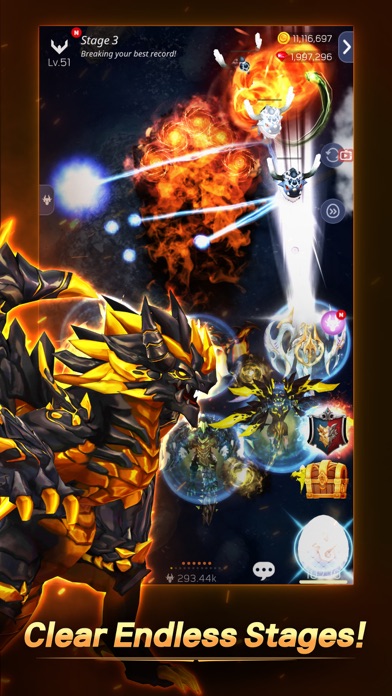
3D high-quality shooting action RPG! Conquer the wider global sky with other players from all around the world.
New [Legion Conquest] update released. Prove to be the strongest with your legion members.
Fuse and collect dragons to enjoy the battle with millions of players from all around the world.
[Features]
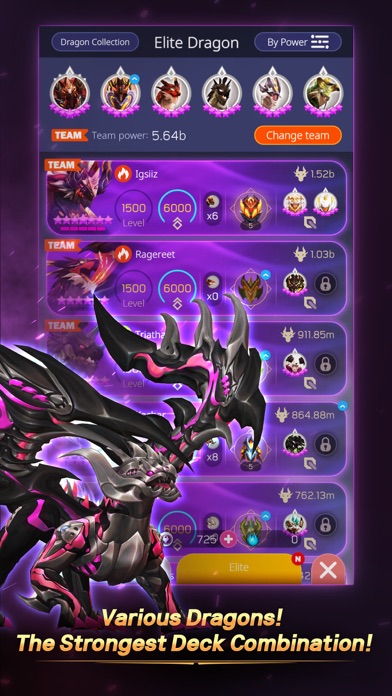
- Your own troop of powerful dragons!
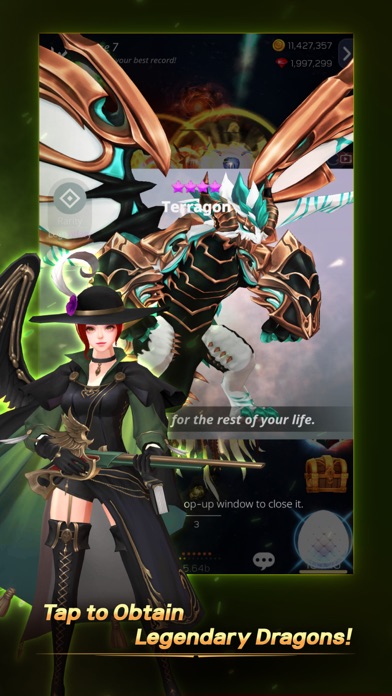
Combine dragons to get a legendary dragon!
Use the powerful skills of legendary dragons to claim victory!
Upgrade the dragons for an even more power!
Form your team according to the attributes for added excitement!
- Idle Shooting RPG
Crush the enemies with auto battle!
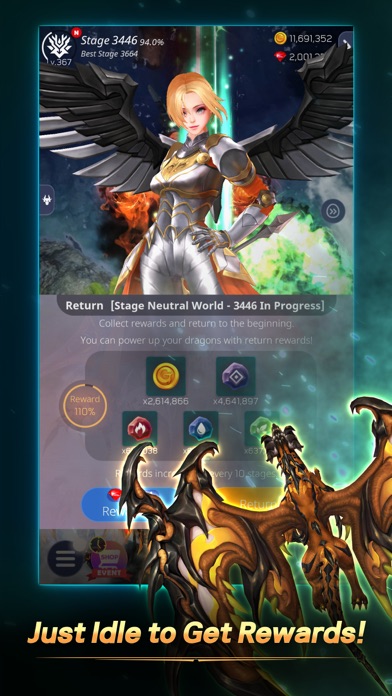
Turning off the game won't stop the fight!
Thirsty for some shooting actions?
Show off your skills with the Boss Battle!
- Endless Contents to Enjoy
Compete against other users in the League Ranking!
Defeat different Attribute Bosses every day!
Cooperate with your Legion Members to eliminate the monster!
Receive the goddess's protection to breakthrough!
Device App Access Permission Notice
▶ Notice per access permission
Access permissions are requested in order for us to provide you with the following service when you use the app.
[Required]
None
[Optional]
- Camera: Permission required to use the camera in the game profile.
- Photo: Permission required to upload photos from your photo album to the game's profile.
- Notification: Permission required to receive information and promotional push notifications sent from the game.
- Advertising Identifier: Permission required to use the advertising identifier (IDFA) for promotion targeting and tracking analysis.
※ Please note that you can still enjoy the service excluding features related to the above without giving access permissions.
▶ How to remove access permissions
You can always change access permission settings whenever you'd like.
- Device Settings> Select the corresponding app> Choose either to enable/disable access
Language support: English, 한글, 日本語, 中文繁體.
• Items are available for purchase in this game.
• For Com2uS Mobile Game Terms of Service, visit
https://www.com2us.com.
- Terms of Service : http://terms.withhive.com/terms/policy/view/M9/T1
- Privacy Policy : http://terms.withhive.com/terms/policy/view/M138
• For questions or customer support, please contact our Customer Support by visiting https://customer.withhive.com/com2us

- iPhone أو iPad بجيلبريك أو بدون جيلبريك.
- Sideloadly أو بدائلها.
- كمبيوتر يعمل بنظام Windows/macOS/Linux مع تثبيت iTunes.
الخطوة 1: قم بتنزيل ملف .IPA المعدّل مسبقًا من الرابط أعلاه إلى الكمبيوتر الخاص بك. للتنزيل من تطبيق iOSGods App، اطلع على دليل تنزيل IPA من تطبيق iOSGods App الذي يتضمن مثالًا بالفيديو.
الخطوة 2: قم بتنزيل Sideloadly وتثبيته على جهاز Windows أو Mac.
الخطوة 3: افتح Sideloadly على الكمبيوتر، ووصّل جهاز iOS الخاص بك، وانتظر حتى يظهر اسم جهازك داخل Sideloadly.
الخطوة 4: بمجرد التعرّف على جهاز iDevice الخاص بك، اسحب ملف .IPA المعدّل الذي قمت بتنزيله وأفلِته داخل تطبيق Sideloadly.
الخطوة 5: أدخل البريد الإلكتروني لحساب Apple Account الخاص بك، ثم اضغط على «Start». سيُطلب منك بعد ذلك إدخال كلمة المرور. تابع وأدخل المعلومات المطلوبة.
الخطوة 6: انتظر حتى ينتهي Sideloadly من تحميل/تثبيت ملف IPA المعدّل. في حال واجهت أي مشاكل أثناء التثبيت، يرجى قراءة الملاحظة أدناه.
الخطوة 7: بعد اكتمال التثبيت ورؤية التطبيق على الشاشة الرئيسية، انتقل إلى Settings → General → Profiles / VPN & Device Management. ثم اضغط على البريد الإلكتروني الذي أدخلته في الخطوة 6، ثم اضغط على «الوثوق بـ [email protected]».
الخطوة 8: الآن انتقل إلى الشاشة الرئيسية وافتح التطبيق الذي تم تثبيته للتو وسيعمل كل شيء بشكل صحيح. قد تحتاج إلى اتباع تعليمات إضافية خاصة بكل تطبيق داخل النافذة المنبثقة للتعديل أثناء اللعب.
ملاحظة: بدءًا من iOS/iPadOS 16 وما بعده، يجب تفعيل وضع المطور (Developer Mode). بالنسبة لحسابات Apple Developer المجانية، ستحتاج إلى تكرار هذه العملية كل 7 أيام. إذا كانت لديك أي أسئلة أو مشاكل، يرجى قراءة قسم الأسئلة الشائعة حول Sideloadly في الموضوع.