تسجيل الدخول مطلوب
سجّل الدخول بحساب iOSGods للمتابعة.
سجّل الدخول بحساب iOSGods للمتابعة.

استمتع بهيمنة لا توقفية مع تهكيرات عدم الموت والقتل بضربة واحدة في Draft Showdown Mod APK، لعبة الاستراتيجية على Android حيث تختار الفرق وتهيمن على القتال التلقائي في الوقت الفعلي. مع عملة غير محدودة تحت تصرفك، يمكنك تجربة كل مزيج من الوحدات بدون قيود، مما يحول كل معركة إلى جولة نصر مضمونة.
- عدم الموت → البقاء على قيد الحياة في أي مواجهة بدون هزيمة
- القتل بضربة واحدة → القضاء على الأعداء فوراً
- عملة غير محدودة → الإنفاق بحرية على اختيار الوحدات والترقيات
قم بتنزيل Draft Showdown Mod APK من الزر أعلاه. بعد الضغط على تنزيل، اتبع التعليمات لتثبيت ملف APK المعدل على جهاز Android أو المحاكي.
هل تحتاج إلى مساعدة؟ راجع الأسئلة الشائعة لـ Android للحصول على إجابات مفصلة ونصائح لاستكشاف الأخطاء.
🔥 Ready your strategy, Commander!
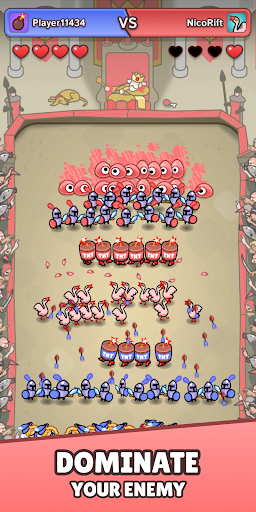
Draft Showdown hurls you onto a dynamic battleground where every choice can crown a champion or spell defeat. In brisk duels, you’ll draft a squad, watch them clash in real‑time auto‑combat, and pivot your tactics round after round.
⚔️ Draft in Seconds, Outsmart in Moments
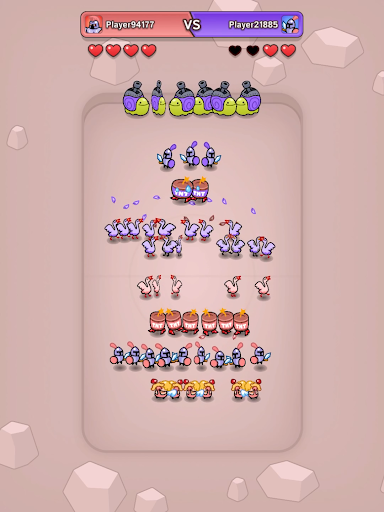
Three draws, three picks, limitless outcomes. Will you unleash an Archer volley, roll explosive TNT into enemy lines, or gamble on a mighty Goose Army? No two drafts are ever alike.
🤖 Auto‑Combat, Real Stakes
Once the horn sounds, your hand is off the board - units fight automatically, and the first player to lose all lives bows out. Victory is decided long before the swords touch steel.
🔄 Momentum‑Shifting Comebacks
Fell behind? The innovative fourth draw grants a surge of fresh options, keeping matches tense until the final blow.
🃏 Build Your Signature Deck
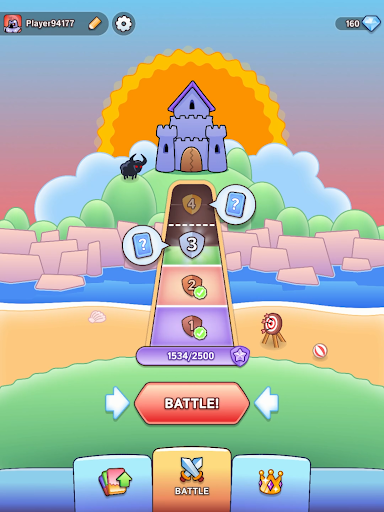
Craft a four‑card load‑out that reflects your style. Chain synergies, counter popular metas, and surprise rivals with off‑beat combos.
⚡ Hybrid‑Casual Thrills
Matches last minutes, not hours, making Draft Showdown perfect for a quick break or an evening ladder grind - depth for veterans, accessibility for newcomers.
Draft, adapt, and dominate - download Draft Showdown now and prove your tactical brilliance!