ログインが必要
iOSGodsアカウントでサインインして続けてください。
iOSGodsアカウントでサインインして続けてください。

Free Game
このアプリにはiGameGodも搭載されており、繰り返し作業を自動化するAuto Touch、ゲーム速度を調整できるApp Speed Manager、Memory Engineによる値の編集など、強力なiOSゲーム用ツールをご利用いただけます。
Monument Valley 2 modded IPAを上のリンクからダウンロードします。インストールボタンをタップし、画面の指示に従ってiPhone、iPad、Apple SiliconにこのiOSアプリハックをインストールします。
さらにヘルプが必要ですか? 詳しい回答とトラブルシューティングはiOSGodsアプリ よくある質問をご覧ください。
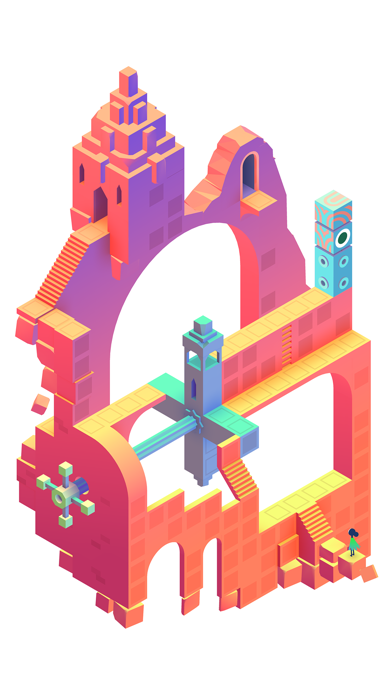
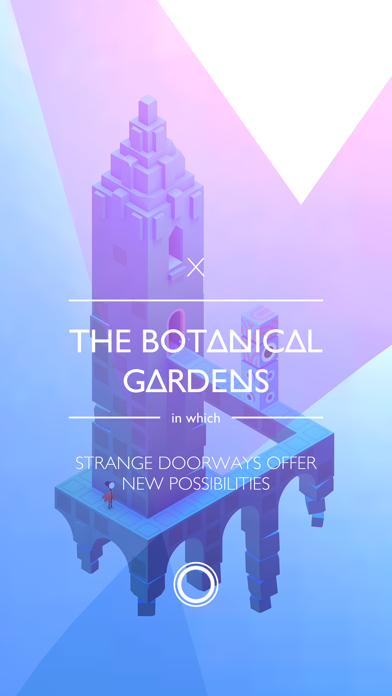
Guide a mother and her child as they embark on a journey through magical architecture, discovering illusionary pathways and delightful puzzles as you learn the secrets of the Sacred Geometry.
Sequel to the Apple Game of the Year 2014, Monument Valley 2 presents a brand new adventure set in a beautiful and impossible world.
Help Ro as she teaches her child about the mysteries of the valley, exploring stunning environments and manipulating architecture to guide them on their way.
=====
“Subtly more sophisticated than its predecessor” - WIRED
“Little vignettes of a surreal world that works its socks off to make me happy” - POLYGON
“I was enraptured by everything I saw and heard” - DESTRUCTOID
“One of the best gaming experiences available on any device, let alone mobile” - POCKETGAMER
=====
A STANDALONE ADVENTURE
A completely new story from the Monument Valley universe. You don’t need to have previously played Monument Valley to enjoy Monument Valley 2.
INDIVIDUALLY CRAFTED PUZZLES
Enjoy beautiful levels filled with illusory, meditative puzzles, using brand new interactions to explore the changing dynamics between characters.
CONTEMPORARY VISUALS
Artwork inspired by an eclectic mixture of architectural styles, artistic movements and personal influences, each translated into stunning geometric structures.
BEAUTIFUL AUDIO
Immerse yourself in uniquely melodic interactive soundscapes, tailored perfectly to every step of Ro and her child’s journey.
=====
Monument Valley 2 is only compatible with devices running iOS 9 or later.
- 脱獄/Jailed済みまたは脱獄済みのiPhoneまたはiPad。
- Sideloadlyまたは代替手段。
- iTunesがインストールされているWindows/macOS/Linuxを実行しているコンピュータ。
ステップ1: 上のリンクから事前にハックされた.IPAファイルをコンピュータにダウンロードします。iOSGodsアプリからダウンロードする方法は、ビデオ例付きのiOSGodsアプリIPAダウンロードチュートリアルをご覧ください。
ステップ2: SideloadlyをダウンロードしてWindowsまたはMacにインストールします。
ステップ3: コンピュータでSideloadlyを開き、iOSデバイスを接続して、デバイス名がSideloadlyに表示されるまで待ちます。
ステップ4: iDeviceが認識されたら、ダウンロードしたModされた.IPAファイルをSideloadlyアプリにドラッグ&ドロップします。
ステップ5: Apple Accountのメールアドレスを入力し、「Start」を押します。次にパスワードの入力を求められます。必要な情報を入力してください。
ステップ6: Sideloadlyがハックされたipaのサイドロード/インストールを完了するのを待ちます。インストール中に問題が発生した場合は、以下の注意事項をお読みください。
ステップ7: インストールが完了し、ホーム画面にアプリが表示されたら、設定 → 一般 → プロファイル / VPNとデバイス管理に移動する必要があります。そこで、ステップ6で入力したメールをタップし、「Trust [email protected]」をタップします。
ステップ8: ホーム画面に戻り、新しくインストールされたアプリを開けば、すべて正常に動作するはずです。ゲーム内のハックのポップアップで、アプリごとの追加指示に従う必要がある場合があります。
注意: iOS/iPadOS 16以降では、デベロッパモードを有効にするが必要です。無料のApple Developerアカウントの場合、このプロセスを7日ごとに繰り返す必要があります。質問や問題がある場合は、トピックのSideloadly FAQセクションをお読みください。





![[Seven Deadly Sins] 七つの大罪 光と闇の交戦 : グラクロ iOS Mod IPA](https://is1-ssl.mzstatic.com/image/thumb/Purple221/v4/4e/03/9a/4e039aff-8bc1-b305-fac3-58e9f9b98e5f/AppIcon-1x_U007emarketing-0-8-0-85-220-0.png/100x100bb.jpg)


