需要登入
請使用您的 iOSGods 帳戶登入以繼續。
請使用您的 iOSGods 帳戶登入以繼續。
透過這個 iOS Mod IPA 最大化你的英雄屬性,並在 Spin Break: Roulette Battle Hack 的輪盤戰鬥中稱霸,解鎖對 HP、傷害、防禦、運氣和金幣儲備的完整控制。看著敵人的屬性崩潰,同時你建立終極卡組策略。
無論你是在磨練完美的卡牌協同效應,還是在沒有資源限制的情況下測試大膽的新構築,這個破解版移除了磨練,讓你專注於使輪盤卡組構築遊戲成癮的創意、快節奏戰鬥。
- 英雄狀態 / HP 傷害 防禦 運氣 金幣 → 修改所有核心角色屬性
- 敵人狀態 / 攻擊 HP 防禦 → 將對手屬性調整為零或自訂數值
:: ViP ::
- 無限貨幣 → 無限消費
- 無限能量 → 持續遊玩,無冷卻時間
- 金幣 / 等級獎勵 → 每場戰鬥獲得額外進度獎勵
此應用程式也內建 iGameGod,讓你可以使用 Auto Touch 自動執行重複操作、透過 App Speed Manager 調整遊戲速度、使用 Memory Engine 修改記憶體數值,以及更多強大的 iOS 遊戲工具。
從上方連結下載 Spin Break: Roulette Battle Hack modded IPA。點選安裝按鈕並依照畫面指示在 iPhone、iPad 或 Apple Silicon 上安裝此 iOS 應用程式修改版。
需要更多協助?請查看我們的 iOSGods 應用程式常見問題 以獲得詳細解答與疑難排解。
■ Take deck-building roguelikes to the next level with Spin Break's fast-paced roulette combat! ■
Spin, Build, Conquer! The Ultimate Deckbuilding Roulette Showdown!
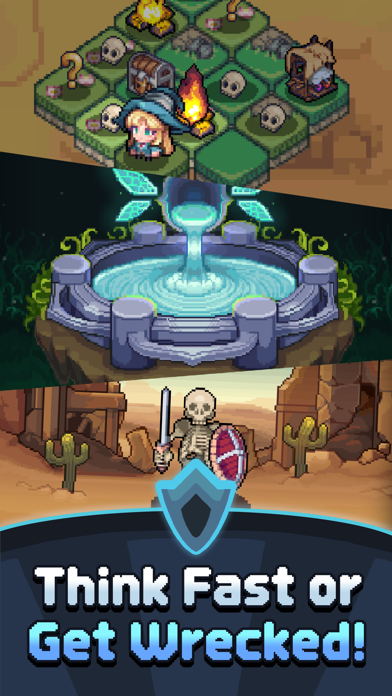
Dive into a vibrant pixel-art world with a fresh twist on deck-building roguelikes!
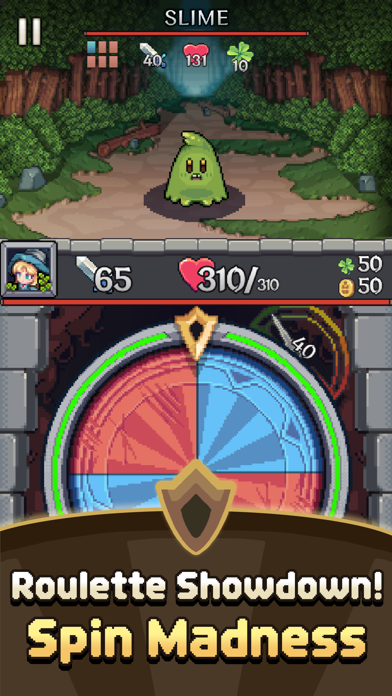
Spin the wheel, pick your cards, and unleash powerful moves in intense monster battles.
# Spin and Strike!
Put your reflexes to the test by stopping the spinning roulette!
Land on blue segments to unleash a variety of powerful cards and vanquish your enemies!
# Craft Your Unique Build
Discover an array of cards and relics throughout your adventures to create your ultimate deck!
Combine cards and relics for explosive synergies that can turn the tide of battle!
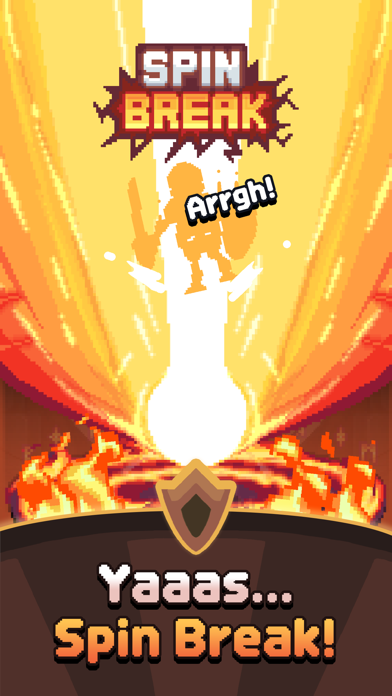
Master the art of the "SpinBreak"—unite segments for an epic finishing move!
# Adventure Awaits!
Level up your cards during thrilling quests to enhance your combat prowess!
Collect rewards that empower your gear and amplify your strength!
# Face the Ultimate Challenge
Take on formidable bosses in intense "Boss Rush" battles!
The harder the challenge, the sweeter the rewards!

- 未越獄/受限或已越獄的 iPhone 或 iPad。
- Sideloadly 或替代方案。
- 執行 Windows/macOS/Linux 且已安裝 iTunes 的電腦。
步驟 1: 透過上方連結將已破解的 .IPA 檔案下載到您的電腦。若要從 iOSGods App 下載,請參閱我們的 iOSGods App IPA 下載教學,其中包含影片範例。
步驟 2: 下載 Sideloadly 並將其安裝在您的 Windows 或 Mac 上。
步驟 3: 在電腦上開啟 Sideloadly,連接您的 iOS 裝置,並等待裝置名稱出現在 Sideloadly 中。
步驟 4: 當 Sideloadly 辨識到您的 iOS 裝置後,將下載好的修改版 .IPA 檔案拖曳並放到 Sideloadly 應用程式中。
步驟 5: 輸入您的 Apple Account 電子郵件,然後按下「Start」。系統會要求您輸入密碼,請依指示提供所需資訊。
步驟 6: 等待 Sideloadly 完成已破解 IPA 的旁載/安裝。如果安裝過程中發生問題,請閱讀下方的注意事項。
步驟 7: 安裝完成並在主畫面上看到該應用程式後,您需要前往 設定 → 一般 → 描述檔 / VPN 與裝置管理。進入後,點選您在步驟 6 中輸入的電子郵件,然後點選「信任 [email protected]」。
步驟 8: 現在回到主畫面並開啟新安裝的應用程式,一切應該都能正常運作。您可能需要依照遊戲內破解彈出視窗中的進一步指示操作。
注意: 在 iOS/iPadOS 16 及更新版本上,您必須 啟用開發者模式。若使用免費的 Apple Developer 帳號,您將需要每 7 天重複此程序。如有任何疑問或問題,請閱讀我們的 主題中的 Sideloadly 常見問題區段。