Потрібен вхід
Увійдіть у свій обліковий запис iOSGods, щоб продовжити.
Увійдіть у свій обліковий запис iOSGods, щоб продовжити.

Tennis Club Story - це спортивна симуляція, де ви будуєте престижну тенісну академію з нуля, а цей Mod IPA дає вам повний контроль над ресурсами, щоб ви могли зосередитися на стратегії замість гринду. Тренуйте елітних гравців, забезпечуйте прибуткових спонсорів та розблоковуйте преміум-об'єкти у своєму темпі, не турбуючись про нестачу валюти чи предметів.
Заморозьте свої ключові ресурси та спостерігайте, як розвивається ваш клуб: зафіксуйте свої монети, самоцвіти, спорядження, матеріали досліджень та спеціальні предмети, щоб кожне ваше рішення залишалося незмінним, дозволяючи вам експериментувати з різними шляхами тренування та угодами зі спонсорами без страху залишитися без ресурсів.
- Заморозити валюти → зберігайте свої монети та самоцвіти нескінченно
- Заморозити предмети → тримайте своє спорядження та припаси заблокованими
- Заморозити костюми (дослідження) → збережіть прогрес дослідження костюмів
- Заморозити тенісні м'ячі (дослідження) → зафіксуйте просування дослідження м'ячів
- Заморозити лампу (дослідження) → збережіть статус дослідження лампи
Цей застосунок також постачається з iGameGod, який надає доступ до Auto Touch для автоматизації повторюваних дій, App Speed Manager для регулювання швидкості гри, редагування значень за допомогою Memory Engine та інших потужних інструментів для iOS-ігор.
Завантажте Tennis Club Story Hack modded IPA за посиланнями вище. Натисніть кнопку встановлення та дотримуйтесь інструкцій, щоб встановити цей хак iOS на iPhone, iPad або Apple Silicon.
Потрібна додаткова допомога? Перегляньте наш Поширені запитання про застосунок iOSGods для детальних відповідей та порад з усунення несправностей.
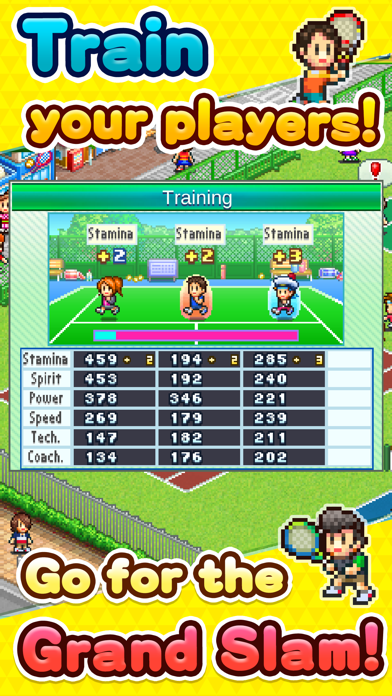
Aim for the ace position of tennis club prestige in this simulation! Your leadership decides if players make it to the big time or bust! Customize your training menu to focus on power or technique, molding players as you please for competitions, fame, and snazzy sponsors!
Sponsors will fund hard-working athletes with big bucks, in addition to providing top-notch gear, items, and more. Some corporations might even build you a hot springs spa or restaurant! Sign with a variety of sponsors and live the good life!
Oh--and don't forget to beef up service for patrons of your tennis school! Hosting barbecues, training camps, and other fun events will stoke motivation. Make your tennis club a fun one to bring customers clambering!
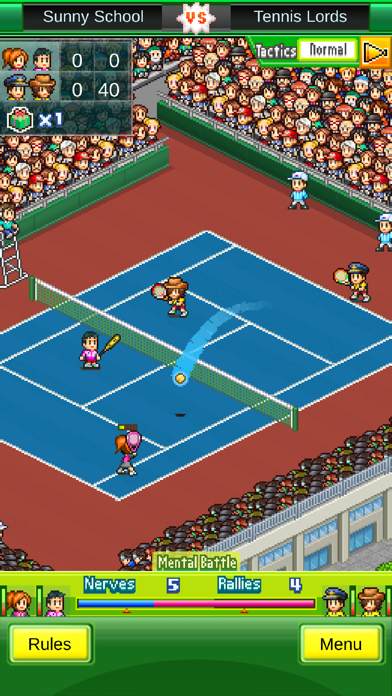
So who will it be that commands the court? From singles and doubles to team competitions, serve up your rivals to win the Grand Slam and stock that trophy shelf!
--
Try searching for "Kairosoft" to see all of our games, or visit us at https://kairopark.jp. Be sure to check out both our free-to-play and our paid games!
- iPhone або iPad без джейлбрейку/у заводському стані або з джейлбрейком.
- Sideloadly або альтернативи.
- Комп'ютер під керуванням Windows/macOS/Linux із встановленим iTunes.
КРОК 1: Завантажте попередньо зламаний .IPA-файл за посиланням вище на свій комп'ютер. Щоб завантажити з iOSGods App, перегляньте наш Посібник із завантаження IPA в iOSGods App, який містить відеоприклад.
КРОК 2: Завантажте Sideloadly і встановіть його на своєму Windows або Mac.
КРОК 3: Відкрийте Sideloadly на комп'ютері, підключіть свій iOS-пристрій і зачекайте, поки назва пристрою з'явиться у Sideloadly.
КРОК 4: Коли ваш iDevice буде розпізнано, перетягніть завантажений модифікований .IPA-файл і відпустіть його в застосунок Sideloadly.
КРОК 5: Введіть електронну пошту вашого Apple Account, потім натисніть «Start». Після цього вас попросять ввести пароль. Введіть необхідні дані.
КРОК 6: Зачекайте, доки Sideloadly завершить sideload/встановлення зламаного IPA. Якщо під час встановлення виникнуть проблеми, прочитайте примітку нижче.
КРОК 7: Коли встановлення завершено й ви побачите застосунок на головному екрані, перейдіть до Налаштування → Загальні → Профілі / VPN і керування пристроєм. Там натисніть на електронну пошту, яку ви ввели на кроці 6, а потім натисніть «Довіряти [email protected]».
КРОК 8: Тепер перейдіть на головний екран і відкрийте щойно встановлений застосунок — усе має працювати належним чином. Можливо, доведеться виконати додаткові інструкції для конкретного застосунку в спливаючому вікні хака в грі.
ПРИМІТКА: У iOS/iPadOS 16 і пізніших версіях потрібно увімкнути режим розробника. Для безкоштовних облікових записів Apple Developer цей процес доведеться повторювати кожні 7 днів. Якщо у вас є запитання або проблеми, прочитайте наш розділ FAQ зі Sideloadly у темі.