تسجيل الدخول مطلوب
سجّل الدخول بحساب iOSGods للمتابعة.
سجّل الدخول بحساب iOSGods للمتابعة.
This app has iGameGod Jailed enabled so you can use the iOS Cheat Engine, Speed Hack Manager or Auto Touch Recorder to your liking! If you would like to add iGameGod Jailed to your app, you can do so by following the instructions in the official topic!
For tutorials, videos & examples on how to use iGameGod, please visit: https://iosgods.com/tags/iGameGod/
قم بتنزيل To The Trenches Hack modded IPA من الروابط أعلاه. اضغط على زر التثبيت واتبع التعليمات لتثبيت هذا التعديل لـ iOS على iPhone أو iPad أو Apple Silicon.
هل تحتاج إلى مزيد من المساعدة؟ راجع الأسئلة الشائعة لتطبيق iOSGods للحصول على إجابات مفصلة ونصائح لاستكشاف الأخطاء.
Lead your army through the chaos of WW1 Trench Warfare in this intense, retro-style RTS! Command troops, deploy brutal artillery strikes, and dominate the battlefield with tactical precision. With procedurally generated battles, every fight offers unique challenges and infinite replayability.
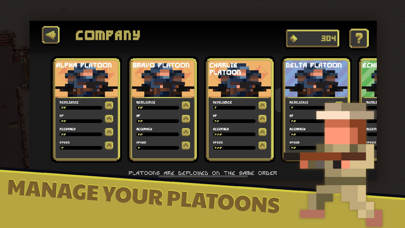
Deploy specialized platoons with Sharpshooters, Flame Troopers, Sentries, Trench Raiders and Medics. Utilize powerful Armored Vehicles and Planes to shift the tides of war. Face ever-changing weather and battlefield conditions ranging from mud, lightning storms, blizzards and sandstorms that dramatically impact tactics, forcing you to adapt or perish!
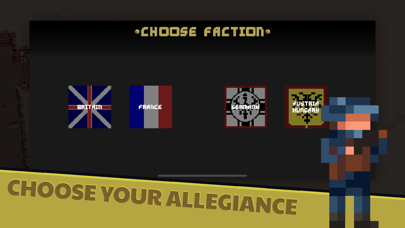
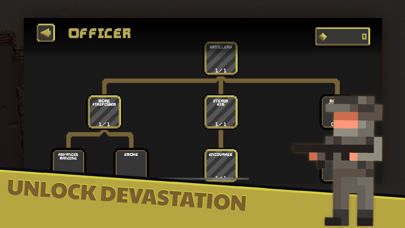
Choose from historically inspired factions including Germany, France, Britain, Austria-Hungary, and more! Each featuring unique perks and battlefield strengths. Make strategic choices with an in-depth upgrade system through the Officer Tree, enhancing your army's performance and unlocking devastating weaponry at your disposal. Experience gripping decisions through dilemmas that affect morale, resources and battle performance. No two campaigns are ever alike.
▶ FEATURES ◀
[ENDLESS WARFARE]
- Procedurally generated battlefields to ensure a new experience every time.
[SPECIALIZED UNITS]
- Unlock, upgrade and deploy units including Sharpshooters, Flame Troopers, Medics and Tanks.
[AUTHENTIC WW1 SETTING]
- Immerse yourself in detailed pixel art visuals, showcasing the brutality of trench warfare and tough battlefield conditions.
[UNIQUE FACTIONS]
- Each faction brings unique advantages to the battlefield.
[OFFLINE FRIENDLY]
- Enjoy seamless play anytime, no internet required.
[PLAYER EXPERIENCE]
- Free to play and enjoy, with fair in-app options and no intrusive ads.
Command. Adapt. Survive.
Do you have what it takes to lead your army to victory? Enlist now and head To The Trenches!
▶ SOCIALS ◀
Discord — https://discord.gg/3TJ6sH3qQG
BlueSky — https://bsky.app/profile/dadmadethings.com
Reddit — https://www.reddit.com/r/tothetrenches/
YouTube — https://www.youtube.com/@DadMadeGames
TikTok — https://www.tiktok.com/@dadmade
X — https://twitter.com/DadMadeGames

- iPhone أو iPad بجيلبريك أو بدون جيلبريك.
- Sideloadly أو بدائلها.
- كمبيوتر يعمل بنظام Windows/macOS/Linux مع تثبيت iTunes.
الخطوة 1: قم بتنزيل ملف .IPA المعدّل مسبقًا من الرابط أعلاه إلى الكمبيوتر الخاص بك. للتنزيل من تطبيق iOSGods App، اطلع على دليل تنزيل IPA من تطبيق iOSGods App الذي يتضمن مثالًا بالفيديو.
الخطوة 2: قم بتنزيل Sideloadly وتثبيته على جهاز Windows أو Mac.
الخطوة 3: افتح Sideloadly على الكمبيوتر، ووصّل جهاز iOS الخاص بك، وانتظر حتى يظهر اسم جهازك داخل Sideloadly.
الخطوة 4: بمجرد التعرّف على جهاز iDevice الخاص بك، اسحب ملف .IPA المعدّل الذي قمت بتنزيله وأفلِته داخل تطبيق Sideloadly.
الخطوة 5: أدخل البريد الإلكتروني لحساب Apple Account الخاص بك، ثم اضغط على «Start». سيُطلب منك بعد ذلك إدخال كلمة المرور. تابع وأدخل المعلومات المطلوبة.
الخطوة 6: انتظر حتى ينتهي Sideloadly من تحميل/تثبيت ملف IPA المعدّل. في حال واجهت أي مشاكل أثناء التثبيت، يرجى قراءة الملاحظة أدناه.
الخطوة 7: بعد اكتمال التثبيت ورؤية التطبيق على الشاشة الرئيسية، انتقل إلى Settings → General → Profiles / VPN & Device Management. ثم اضغط على البريد الإلكتروني الذي أدخلته في الخطوة 6، ثم اضغط على «الوثوق بـ [email protected]».
الخطوة 8: الآن انتقل إلى الشاشة الرئيسية وافتح التطبيق الذي تم تثبيته للتو وسيعمل كل شيء بشكل صحيح. قد تحتاج إلى اتباع تعليمات إضافية خاصة بكل تطبيق داخل النافذة المنبثقة للتعديل أثناء اللعب.
ملاحظة: بدءًا من iOS/iPadOS 16 وما بعده، يجب تفعيل وضع المطور (Developer Mode). بالنسبة لحسابات Apple Developer المجانية، ستحتاج إلى تكرار هذه العملية كل 7 أيام. إذا كانت لديك أي أسئلة أو مشاكل، يرجى قراءة قسم الأسئلة الشائعة حول Sideloadly في الموضوع.



![Arrow Rush: Archer Roguelike [ Debug Menu ]](https://is1-ssl.mzstatic.com/image/thumb/Purple221/v4/de/03/b2/de03b286-0e30-58a7-14d2-1dedf1ac6bfb/AppIcon-0-0-1x_U007emarketing-0-8-0-85-220.png/100x100bb.jpg)


