تسجيل الدخول مطلوب
سجّل الدخول بحساب iOSGods للمتابعة.
سجّل الدخول بحساب iOSGods للمتابعة.
قم بتخزين ومزامنة ملفاتك عبر جميع أجهزتك باستخدام TeraBox، تطبيق التخزين السحابي المجاني المتاح الآن كـ Mod IPA مفتوح كاملاً. يمنحك هذا التهكير إمكانية الوصول الكامل إلى الميزات المتقدمة، مما يتيح لك نسخ احتياطي للمستندات ومشاركة الملفات بأمان وإدارة مكتبتك السحابية بدون قيود.
- المتقدمة مفتوحة → الوصول إلى جميع الميزات المتقدمة
يأتي هذا التطبيق أيضًا مع iGameGod، مما يتيح لك الوصول إلى Auto Touch لأتمتة المهام المتكررة، وApp Speed Manager لضبط سرعة اللعب، وتعديل القيم عبر Memory Engine، والمزيد من أدوات ألعاب iOS القوية.
قم بتنزيل TeraBox: Cloud Storage Space Hack modded IPA من الروابط أعلاه. اضغط على زر التثبيت واتبع التعليمات لتثبيت هذا التعديل لـ iOS على iPhone أو iPad أو Apple Silicon.
هل تحتاج إلى مزيد من المساعدة؟ راجع الأسئلة الشائعة لتطبيق iOSGods للحصول على إجابات مفصلة ونصائح لاستكشاف الأخطاء.
TeraBox: Your Personal All-in-One AI Assistant with 1024GB of FREE Cloud Storage!
TeraBox is more than just cloud storage — it’s your smart AI assistant. Store, search, create, and share — all in one app. Register now to get 1024GB of free cloud storage and automatically back up all your files. At the same time, with a full suite of AI tools, TeraBox helps you explore endless possibilities powered by advanced artificial intelligence.
KEY FEATURES
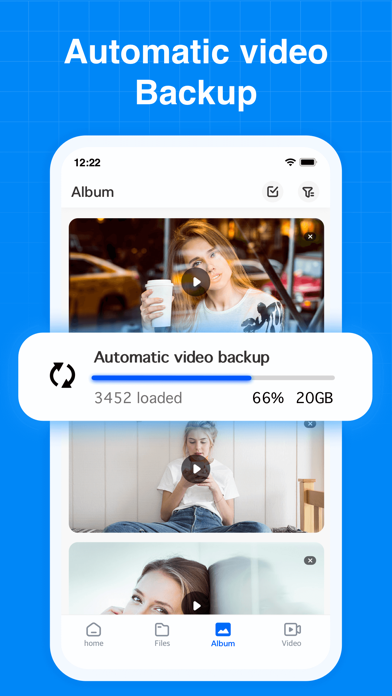
Automatic Data Backup
Automatically back up your photos, videos, documents and even folders to TeraBox cloud storage. Keep everything synchronized and accessible from any mobile device or computer — wherever you are.
AI-Powered Search
Built-in AI browser lets you search smarter instantly. Quickly find what you need, watch trending videos, discover the latest movies, or follow hot topics—all within TeraBox. Search, browse, and watch, all in one place.
AI Image Creation & Editing
Transform your photos into AI art with just one tap. Try creative AI styles like Snoopy, Miyazaki, or Cyberpunk, or enhance your portraits with built-in beauty effects.
AI Transcription
Convert voice to text. Upload any audio or video file (or record live), and get highly accurate, readable transcripts with key points summarized automatically — saving you hours of manual note-taking.
HD Video Player + AI Subtitles
Enjoy smooth, high-definition video playback within TeraBox. Our AI automatically generates accurate subtitles for lectures, foreign films, or personal videos, making it easier to follow and understand every word.
AI Scanning & PDF Document Management
Quickly scan multiple documents and edit your PDFs easily. TeraBox automatically recognizes text, helping you organize and clean up digital files.
Other Advanced AI Tools
Explore more built-in AI features such as AI Sketch, handwriting removal, translation, and image compression. TeraBox is your smart toolbox for every creative and practical need.
TeraBox CLOUD STORAGE HIGHLIGHTS
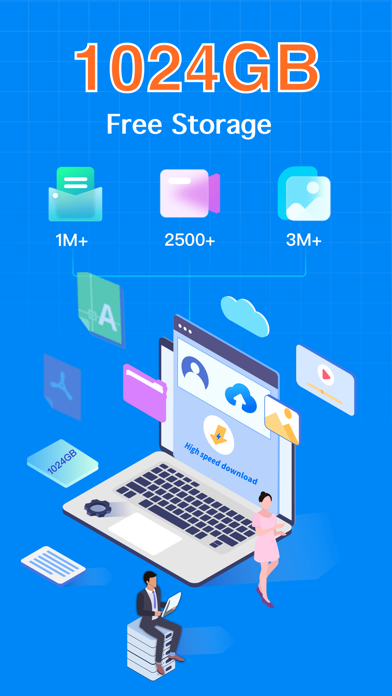
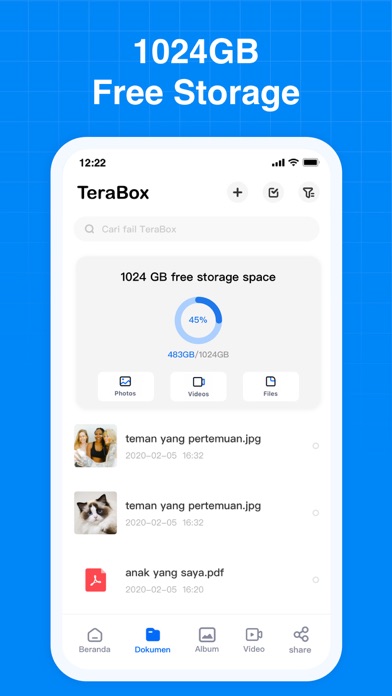
– 1024GB Free Storage: Back up millions of photos, videos, and documents.
– Secure Backup: Safely back up files from your phone.
– Privacy Protection: Advanced encryption keeps your files safe.
– Secure File Sharing: Transfer large files quickly via links or email.
– Multi-Device Sync: Access and sync all your files from any computer, tablet, or mobile phone.
– Intelligent Albums: Auto-categorize your photos for quick and easy browsing.
UPGRADE TO PREMIUM PLANS
Unlock more benefits with TeraBox Premium:
• Premium - 2TB of cloud storage, access to AI features, original-quality video playback, and more.
• Premium Plus - over 40 exclusive privileges, including AI photo editing, AI transcription, AI scanning, and more.
Sign up for TeraBox now to get 1TB of free cloud storage and enjoy a powerful AI-driven search experience!
SUPPORT
Any questions or support? Please contact us at [email protected]
Follow TeraBox on social media:
• Facebook: https://www.facebook.com/TeraBoxofficial
• Instagram: https://www.instagram.com/teraboxofficial_/
Privacy Policy: https://www.terabox.com/terms/privacy?lang=en
Terms of Use: https://www.terabox.com/terms/duty?lang=en
- iPhone أو iPad بجيلبريك أو بدون جيلبريك.
- Sideloadly أو بدائلها.
- كمبيوتر يعمل بنظام Windows/macOS/Linux مع تثبيت iTunes.
الخطوة 1: قم بتنزيل ملف .IPA المعدّل مسبقًا من الرابط أعلاه إلى الكمبيوتر الخاص بك. للتنزيل من تطبيق iOSGods App، اطلع على دليل تنزيل IPA من تطبيق iOSGods App الذي يتضمن مثالًا بالفيديو.
الخطوة 2: قم بتنزيل Sideloadly وتثبيته على جهاز Windows أو Mac.
الخطوة 3: افتح Sideloadly على الكمبيوتر، ووصّل جهاز iOS الخاص بك، وانتظر حتى يظهر اسم جهازك داخل Sideloadly.
الخطوة 4: بمجرد التعرّف على جهاز iDevice الخاص بك، اسحب ملف .IPA المعدّل الذي قمت بتنزيله وأفلِته داخل تطبيق Sideloadly.
الخطوة 5: أدخل البريد الإلكتروني لحساب Apple Account الخاص بك، ثم اضغط على «Start». سيُطلب منك بعد ذلك إدخال كلمة المرور. تابع وأدخل المعلومات المطلوبة.
الخطوة 6: انتظر حتى ينتهي Sideloadly من تحميل/تثبيت ملف IPA المعدّل. في حال واجهت أي مشاكل أثناء التثبيت، يرجى قراءة الملاحظة أدناه.
الخطوة 7: بعد اكتمال التثبيت ورؤية التطبيق على الشاشة الرئيسية، انتقل إلى Settings → General → Profiles / VPN & Device Management. ثم اضغط على البريد الإلكتروني الذي أدخلته في الخطوة 6، ثم اضغط على «الوثوق بـ [email protected]».
الخطوة 8: الآن انتقل إلى الشاشة الرئيسية وافتح التطبيق الذي تم تثبيته للتو وسيعمل كل شيء بشكل صحيح. قد تحتاج إلى اتباع تعليمات إضافية خاصة بكل تطبيق داخل النافذة المنبثقة للتعديل أثناء اللعب.
ملاحظة: بدءًا من iOS/iPadOS 16 وما بعده، يجب تفعيل وضع المطور (Developer Mode). بالنسبة لحسابات Apple Developer المجانية، ستحتاج إلى تكرار هذه العملية كل 7 أيام. إذا كانت لديك أي أسئلة أو مشاكل، يرجى قراءة قسم الأسئلة الشائعة حول Sideloadly في الموضوع.