需要登入
請使用您的 iOSGods 帳戶登入以繼續。
請使用您的 iOSGods 帳戶登入以繼續。
This app has iGameGod Jailed enabled so you can use the iOS Cheat Engine, Speed Hack Manager or Auto Touch Recorder to your liking! If you would like to add iGameGod Jailed to your app, you can do so by following the instructions in the official topic!
Tutorial for this game: Click Here
For tutorials, videos & examples on how to use iGameGod, please visit: https://iosgods.com/tags/iGameGod/
從上方連結下載 Kick the Buddy: Forever Hack - iGameGod modded IPA。點選安裝按鈕並依照畫面指示在 iPhone、iPad 或 Apple Silicon 上安裝此 iOS 應用程式修改版。
需要更多協助?請查看我們的 iOSGods 應用程式常見問題 以獲得詳細解答與疑難排解。
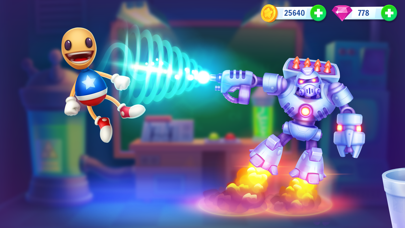
The brand-new Kick The Buddy Forever is full of new exciting features, such as superpowers, nanoweapons, and firearms to knock Buddy off!
Your new best friend is here! Play with Buddy in his new cool game, and try out all incredible weapons. Experiment, blow up, use atomic weapon, dress Buddy up, and do so much more in the brand-new Kick The Buddy Forever.
Enjoy upgraded amazing graphics, new interactions with Buddy, hilarious weapons, fantastic backgrounds, and lots of unique features.
We Love You. Enjoy.
SUBSCRIPTION PRICING AND TERMS
Subscription options
1. Weekly Premium offers weekly subscription for $7.99 after 3-day free trial. It unlocks 3 exclusive weapons, including Magic Card and Firecracker, and offers 1,000 Gold and 100 Gems on a daily basis. It removes all banner ads and pop-ups. Moreover, we will add a favorite weapons bookmark to make your game experience better.
2. Monthly Premium offers monthly subscription for $19.99. It unlocks 3 exclusive weapons, including including Magic Card and Firecracker, and offers 1,000 Gold and 100 Gems on a daily basis. It removes all banner ads and pop-ups. Moreover, we will add a favorite weapons bookmark to make your game experience better.
3. Yearly Premium offers yearly subscription for $99.99. It unlocks 3 exclusive weapons, including including Magic Card and Firecracker, and offers 1,000 Gold and 100 Gems on a daily basis. It removes all banner ads and pop-ups. Moreover, we will add a favorite weapons bookmark to make your game experience better.
End of trial period and subscription renewal
This price is established for United States customers. Pricing in other countries may vary and actual charges may be converted to your local currency depending on the country of residence.
Payment will be charged to your iTunes Account at confirmation of purchase.
Subscription automatically renews unless auto-renew is turned off at least 24-hours before the end of the current period.
Account will be charged for renewal within 24-hours prior to the end of the current period, and identify the cost of the renewal.
Subscriptions may be managed by the user and auto-renewal may be turned off by going to the user’s Account Settings after purchase.
Any unused portion of a free trial period, if offered, will be forfeited when the user purchases a subscription to that publication, where applicable.
Canceling trial period or subscription
You can turn off the auto-renew for the subscription whenever you want in the settings if your iTunes account. Check https://support.apple.com/HT202039.
When your current trial/subscription period expires, you will be unsubscribed. The current active subscription period cannot be canceled. After your subscription expires, you will no longer be able to use elements offered in your chosen Subscription Option.
If you have any questions or comments, feel free to contact us at [email protected]
Privacy Policy: https://newplg.dev/privacy-policy
Terms of Use: https://newplg.dev/terms-of-service

- 未越獄/受限或已越獄的 iPhone 或 iPad。
- Sideloadly 或替代方案。
- 執行 Windows/macOS/Linux 且已安裝 iTunes 的電腦。
步驟 1: 透過上方連結將已破解的 .IPA 檔案下載到您的電腦。若要從 iOSGods App 下載,請參閱我們的 iOSGods App IPA 下載教學,其中包含影片範例。
步驟 2: 下載 Sideloadly 並將其安裝在您的 Windows 或 Mac 上。
步驟 3: 在電腦上開啟 Sideloadly,連接您的 iOS 裝置,並等待裝置名稱出現在 Sideloadly 中。
步驟 4: 當 Sideloadly 辨識到您的 iOS 裝置後,將下載好的修改版 .IPA 檔案拖曳並放到 Sideloadly 應用程式中。
步驟 5: 輸入您的 Apple Account 電子郵件,然後按下「Start」。系統會要求您輸入密碼,請依指示提供所需資訊。
步驟 6: 等待 Sideloadly 完成已破解 IPA 的旁載/安裝。如果安裝過程中發生問題,請閱讀下方的注意事項。
步驟 7: 安裝完成並在主畫面上看到該應用程式後,您需要前往 設定 → 一般 → 描述檔 / VPN 與裝置管理。進入後,點選您在步驟 6 中輸入的電子郵件,然後點選「信任 [email protected]」。
步驟 8: 現在回到主畫面並開啟新安裝的應用程式,一切應該都能正常運作。您可能需要依照遊戲內破解彈出視窗中的進一步指示操作。
注意: 在 iOS/iPadOS 16 及更新版本上,您必須 啟用開發者模式。若使用免費的 Apple Developer 帳號,您將需要每 7 天重複此程序。如有任何疑問或問題,請閱讀我們的 主題中的 Sideloadly 常見問題區段。