需要登入
請使用您的 iOSGods 帳戶登入以繼續。
Hack Features:
- Infinite Coin
從上方連結下載 FANTASIAN Hack modded IPA。點選安裝按鈕並依照畫面指示在 iPhone、iPad 或 Apple Silicon 上安裝此 iOS 應用程式修改版。
需要更多協助?請查看我們的 iOSGods 應用程式常見問題 以獲得詳細解答與疑難排解。

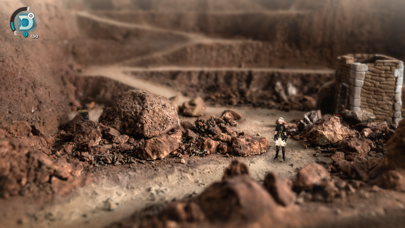
Fantasian by Mistwalker Corp. — From the creator of Final Fantasy, comes the next breathtaking adventure from industry legend Hironobu Sakaguchi. Fantasian is an exciting, new RPG set against a spectacular backdrop made from nearly 160 handmade dioramas that blends physical environments and 3D characters.
● Dive into the Dioramas
Explore the nearly 160 different hand-crafted dioramas in Fantasian, with particular attention to detail. The adventure lasts between 60~90 hours with the first part more focused on story and the latter half more quest-driven, giving players the freedom to explore the world.
● New Battle Mechanics
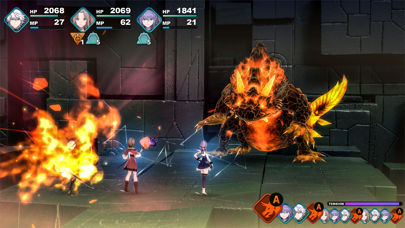
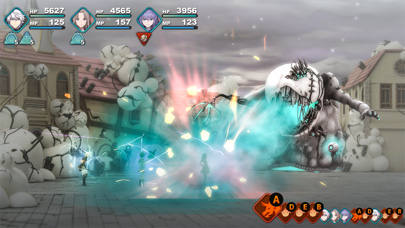
Tapping into his experience from the Final Fantasy franchise, Sakaguchi brings to Fantasian several quality of life improvements to the classic JRPG genre, such as the “Dimengeon Battle” mechanic, which allows players to send previously encountered enemies into a separate dimensional dungeon to streamline combat and maximize uninterrupted exploration of the beautiful locations.
“Dimengeon Battles” introduce various “Gimmicks” or power-ups that can turn the tide of battle for a satisfying encounter.
Likewise, the Growth Map gives players various customization options and party members can be swapped in and out for even more diverse strategic options.
● Legendary Soundtrack
Celebrated composer Nobuo Uematsu, known for his work on the Final Fantasy series, scored all 60 tracks. The many layers of a full orchestra and diverse synth melodies compliment the memorable and magical world of Fantasian.
- 未越獄/受限或已越獄的 iPhone 或 iPad。
- Sideloadly 或替代方案。
- 執行 Windows/macOS/Linux 且已安裝 iTunes 的電腦。
步驟 1: 透過上方連結將已破解的 .IPA 檔案下載到您的電腦。若要從 iOSGods App 下載,請參閱我們的 iOSGods App IPA 下載教學,其中包含影片範例。
步驟 2: 下載 Sideloadly 並將其安裝在您的 Windows 或 Mac 上。
步驟 3: 在電腦上開啟 Sideloadly,連接您的 iOS 裝置,並等待裝置名稱出現在 Sideloadly 中。
步驟 4: 當 Sideloadly 辨識到您的 iOS 裝置後,將下載好的修改版 .IPA 檔案拖曳並放到 Sideloadly 應用程式中。
步驟 5: 輸入您的 Apple Account 電子郵件,然後按下「Start」。系統會要求您輸入密碼,請依指示提供所需資訊。
步驟 6: 等待 Sideloadly 完成已破解 IPA 的旁載/安裝。如果安裝過程中發生問題,請閱讀下方的注意事項。
步驟 7: 安裝完成並在主畫面上看到該應用程式後,您需要前往 設定 → 一般 → 描述檔 / VPN 與裝置管理。進入後,點選您在步驟 6 中輸入的電子郵件,然後點選「信任 [email protected]」。
步驟 8: 現在回到主畫面並開啟新安裝的應用程式,一切應該都能正常運作。您可能需要依照遊戲內破解彈出視窗中的進一步指示操作。
注意: 在 iOS/iPadOS 16 及更新版本上,您必須 啟用開發者模式。若使用免費的 Apple Developer 帳號,您將需要每 7 天重複此程序。如有任何疑問或問題,請閱讀我們的 主題中的 Sideloadly 常見問題區段。