تسجيل الدخول مطلوب
سجّل الدخول بحساب iOSGods للمتابعة.
سجّل الدخول بحساب iOSGods للمتابعة.
This is for completing the tutorial.
يأتي هذا التطبيق أيضًا مع iGameGod، مما يتيح لك الوصول إلى Auto Touch لأتمتة المهام المتكررة، وApp Speed Manager لضبط سرعة اللعب، وتعديل القيم عبر Memory Engine، والمزيد من أدوات ألعاب iOS القوية.
قم بتنزيل Grand Survival: Raft Adventure Original modded IPA من الروابط أعلاه. اضغط على زر التثبيت واتبع التعليمات لتثبيت هذا التعديل لـ iOS على iPhone أو iPad أو Apple Silicon.
هل تحتاج إلى مزيد من المساعدة؟ راجع الأسئلة الشائعة لتطبيق iOSGods للحصول على إجابات مفصلة ونصائح لاستكشاف الأخطاء.
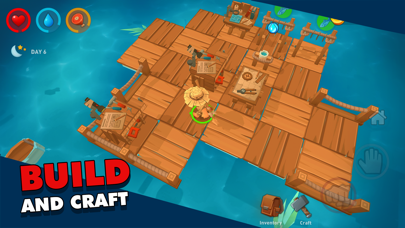
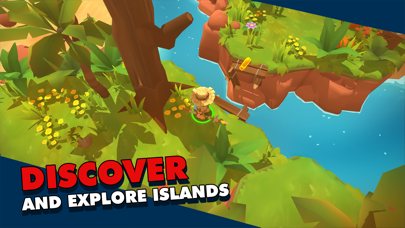
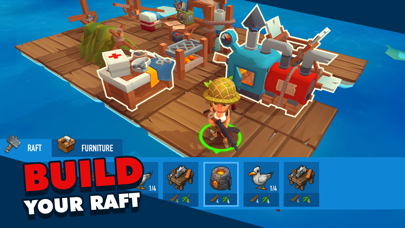
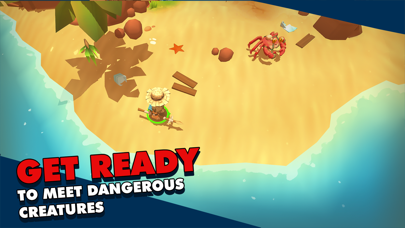
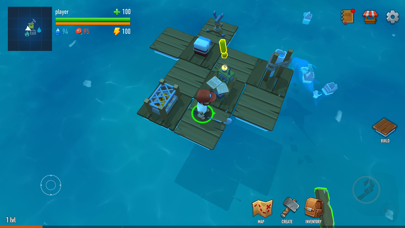
This epic survival game finds you and your raft alone on an ocean full of dangers and mysteries. Your only objective is to survive, but remember – there are more dangerous things than thirst and hunger at sea! Collect resources, build your raft, research and craft items, explore islands and fight for your life. Don’t let your guard down – zombies, sharks, mutant crabs and other enemies will do their best to put an end your adventure!
Features:
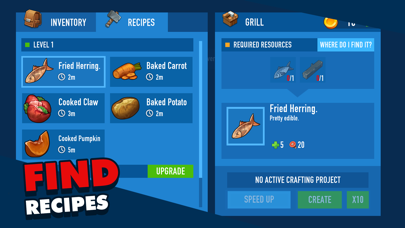
First things first: find water and food to stay alive. It isn’t as simple as getting them from the ocean – you’ll have to find a way to collect water and cook food.
Build your raft, collect resources from the ocean and islands, craft vital items and equipment using the advanced crafting system and find unique recipes on islands. Become a real survivor!
The weather is both your friend and your enemy. Try to adapt to different weather conditions and see how they influence characters.
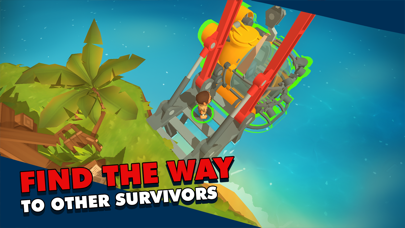
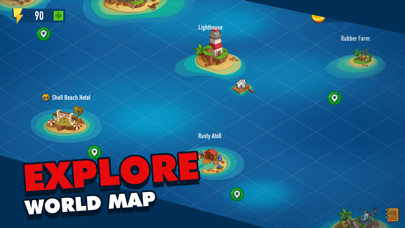
World map. The ocean is huge! Start off your adventure by exploring islands and all the mysteries and dangers they hide. Every island has its own story to tell to those who listen...
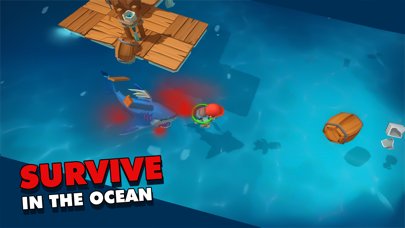
Danger is everywhere. Fight for your life against sharks, zombies, mutant crabs and many other threats. Zombie sharks never miss the scent of blood...
Graphics. Epic Ocean Survival colourful graphics set it apart from other survival games.
————————
• Privacy Policy: https://www.drivoragames.com/privacy-policy
• Terms of Use: https://www.drivoragames.com/terms-conditions
• Join our Discord channel for discussion: https://discord.gg/c3n5JgAG

- iPhone أو iPad بجيلبريك أو بدون جيلبريك.
- Sideloadly أو بدائلها.
- كمبيوتر يعمل بنظام Windows/macOS/Linux مع تثبيت iTunes.
الخطوة 1: قم بتنزيل ملف .IPA المعدّل مسبقًا من الرابط أعلاه إلى الكمبيوتر الخاص بك. للتنزيل من تطبيق iOSGods App، اطلع على دليل تنزيل IPA من تطبيق iOSGods App الذي يتضمن مثالًا بالفيديو.
الخطوة 2: قم بتنزيل Sideloadly وتثبيته على جهاز Windows أو Mac.
الخطوة 3: افتح Sideloadly على الكمبيوتر، ووصّل جهاز iOS الخاص بك، وانتظر حتى يظهر اسم جهازك داخل Sideloadly.
الخطوة 4: بمجرد التعرّف على جهاز iDevice الخاص بك، اسحب ملف .IPA المعدّل الذي قمت بتنزيله وأفلِته داخل تطبيق Sideloadly.
الخطوة 5: أدخل البريد الإلكتروني لحساب Apple Account الخاص بك، ثم اضغط على «Start». سيُطلب منك بعد ذلك إدخال كلمة المرور. تابع وأدخل المعلومات المطلوبة.
الخطوة 6: انتظر حتى ينتهي Sideloadly من تحميل/تثبيت ملف IPA المعدّل. في حال واجهت أي مشاكل أثناء التثبيت، يرجى قراءة الملاحظة أدناه.
الخطوة 7: بعد اكتمال التثبيت ورؤية التطبيق على الشاشة الرئيسية، انتقل إلى Settings → General → Profiles / VPN & Device Management. ثم اضغط على البريد الإلكتروني الذي أدخلته في الخطوة 6، ثم اضغط على «الوثوق بـ [email protected]».
الخطوة 8: الآن انتقل إلى الشاشة الرئيسية وافتح التطبيق الذي تم تثبيته للتو وسيعمل كل شيء بشكل صحيح. قد تحتاج إلى اتباع تعليمات إضافية خاصة بكل تطبيق داخل النافذة المنبثقة للتعديل أثناء اللعب.
ملاحظة: بدءًا من iOS/iPadOS 16 وما بعده، يجب تفعيل وضع المطور (Developer Mode). بالنسبة لحسابات Apple Developer المجانية، ستحتاج إلى تكرار هذه العملية كل 7 أيام. إذا كانت لديك أي أسئلة أو مشاكل، يرجى قراءة قسم الأسئلة الشائعة حول Sideloadly في الموضوع.


![[Project Springfield] The Simpsons™: Tapped Out](https://is1-ssl.mzstatic.com/image/thumb/Purple211/v4/8e/9d/53/8e9d530e-9421-3ab6-c52e-90d7b786dd30/AppIcon-1x_U007emarketing-0-7-0-85-220-0.png/100x100bb.jpg)






![[ Kyoutou Kotoba RPG: Kotodaman ] コトダマン-共闘ことばRPG Hack](https://is1-ssl.mzstatic.com/image/thumb/Purple126/v4/1a/00/95/1a009543-5a2c-8f8e-8c58-3ac74d754a1e/AppIcon-1x_U007emarketing-0-7-0-85-220.png/100x100bb.jpg)

![[ SAOIF ] ソードアート・オンライン インテグラル・ファクター Hack](https://is1-ssl.mzstatic.com/image/thumb/Purple116/v4/90/1e/5c/901e5cc2-988d-8c41-bb74-494cbd07a495/AppIcon-1x_U007emarketing-0-7-0-85-220.png/100x100bb.jpg)
![[VIP] SwordArtOnline: IntegralFactor SAOIF Hack](https://is1-ssl.mzstatic.com/image/thumb/Purple116/v4/6d/2b/48/6d2b4890-100a-afff-6286-f7af91d94529/AppIcon-1x_U007emarketing-0-7-0-85-220.png/100x100bb.jpg)