DIG! FIGHT! EXPLORE! BUILD! Join the community of millions of Terrarians!
TERRARIA MOBILE REBUILT FROM THE GROUND UP – NEW AND IMPROVED AND NOW INCLUDING THE 1.4.4 UPDATE AS WELL AS LABOR OF LOVE CONTENT!
"This is the full version of Terraria, built from the ground up... If you loved it on PC or consoles, you’ll love it here.” - Slide To Play
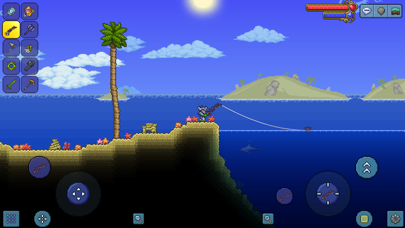
The very world is at your fingertips as you fight for survival, fortune, and glory. Delve deep into cavernous expanses, seek out ever-greater foes to test your mettle in combat, or construct your own city - In the World of Terraria, the choice is yours!
We recommend at least iPhone 6S, iPad Air 2, iPad Mini 4 or newer. We support iPhone 5S, iPad Air 1, iPad Mini 2 running at least iOS 10.0, but these devices may experience reduced performance.
• MULTIPLAYER – Play with up to 7 friends on Local Wifi or Online via device-device Wifi hosted games or through the Mobile Terraria Dedicated Server for PC (available for free on Terraria.org)
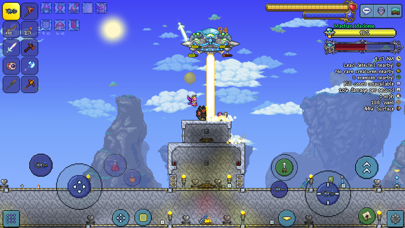
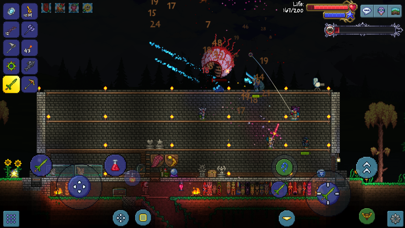
• TERRARIA REIMAGINED FOR MOBILE – Fully customizable controls and User Interface provide a level of polish and capability not previously possible!
• Gamepad support – including fully-remappable buttons - Play with your Bluetooth connected gamepad where supported.
• Full array of World sizes – Small/Medium/Large...the same size as on Terraria for PC! Now includes random world name generator and the ability to use World Seeds (including some hidden easter egg worlds)
• New! On top of the additions from Journey’s End, all of the Terraria content from the 1.3.1 – 1.3.5 updates is here! This includes:
- Wiring Overhaul, logic gates, sensors, and the Grand Design
- Desert Overhaul, Sandstorms and Blizzards
- Party Events
- Old One’s Army crossover event
- And much more!
• New! Master Mode presents an even higher level of challenge for the worthy Terraria veterans.
• New! Journey Mode creates a more accessible Terraria experience than ever before – tailor your gameplay to fit your unique preferences!
• New! Quality of Life features – from Block Swap to the Void Vault to Boss Health Bars to customizable UI appearance options
• New! Atmospheric and Weather effects will play a greater role than ever before!
• New! The Terraria Bestiary will help you keep track of the enemies, allies, and critters you encounter!
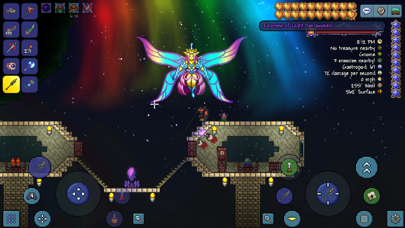
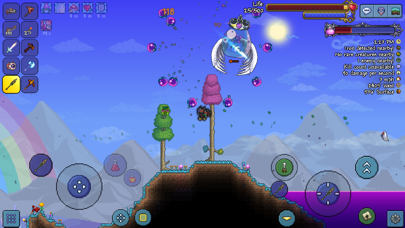
• New foes, including brand new bosses and events to test your mettle in combat
• Over 400 enemies to combat, defeat, and plunder for loot
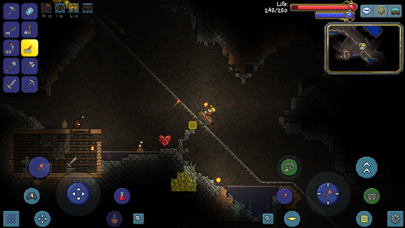
• Over 20 Biomes and Mini-Biomes to explore, both above and underground – from lush forests to barren deserts to dungeons, the underworld, and even the terrifying Corruption await!
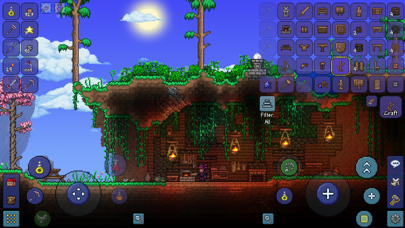
• Updated crafting with multiple added item options
• Over 20 NPCs to discover, each providing their own benefits and unique style
• More than 1000 new items to discover – bringing the total item count to more than 5000!
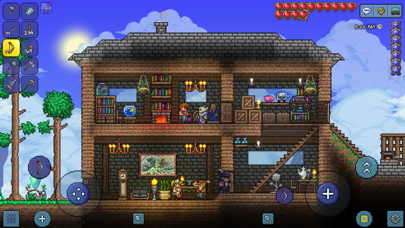
• In-depth building options that are easy to learn but allow for amazing feats of architecture in the hands of a master.
• And much, much more!
In short, every pixel of Terraria has been reimagined and hand crafted for the BEST possible mobile experience!
Follow us on Twitter @Terraria_Logic and @505_Games
Join our community on Discord @ http://Discord.GG/Terraria
Like us on Facebook at www.facebook.com/TerrariaOfficial and https://www.facebook.com/505Games
Visit us on the web at www.terraria.org
Join the official Terraria Forums at: https://forums.terraria.org/
在 iOS App Store 中查看





![[The Battle Cats JP] にゃんこ大戦争 iOS Mod IPA](https://is1-ssl.mzstatic.com/image/thumb/Purple221/v4/eb/2c/16/eb2c1666-3523-c46d-9a55-958f723f5dd6/AppIcon-0-0-1x_U007epad-0-1-85-220.png/100x100bb.jpg)


