로그인 필요
계속하려면 iOSGods 계정으로 로그인하세요.
Hack Features:
- Free iAP Purchase (Enable in the mod menu first)
NOTE: This is the last version support free iap. They patched on newest version, use this hack purchase as much as you can, save your progress with gamecenter so you can play appstore version
이 앱은 iGameGod이(가) 포함되어 있어 반복 작업을 자동화하는 Auto Touch, 게임 속도를 조절할 수 있는 App Speed Manager, Memory Engine 값 편집 등 강력한 iOS 게임 도구를 사용할 수 있습니다.
위의 링크에서 Day R Survival Hack modded IPA을 다운로드합니다. 설치 버튼을 누르고 화면 안내에 따라 iPhone, iPad 또는 Apple Silicon에 이 iOS 앱 해킹을 설치합니다.
더 많은 도움이 필요하신가요? 자세한 답변과 문제 해결 팁은 iOSGods 앱 자주 묻는 질문을 확인하세요.
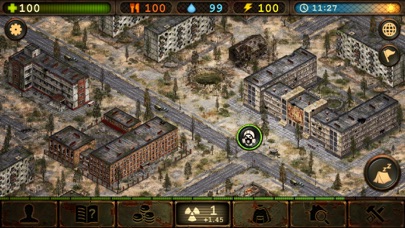
Can you survive in the world destroyed after a nuclear war? With radiation, hunger and diseases around you. You have to cross the whole country and save your family. Who knows if they are alive, or maybe radiation and deadly virus have already reached them? Reveal a secret of the apocalypse and get your memories back during a journey across the huge territory of the USSR in the 80th.
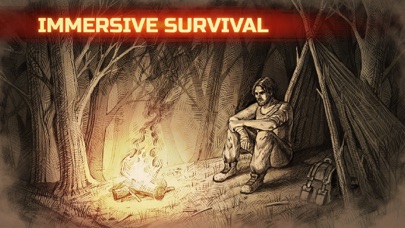
It is not easy to survive after apocalypse. You'll face the real hungry games! Monsters, zombie, thirst, uncountable diseases and injuries, blood-thirsty enemies – you have to fight it all. Craft all your resources: weapons, clothes, means of transport.
- Hardcore survival:
Hunger, zombie and radiation won't give you a chance to relax.
- Realistic world:
The turn of the seasons, huge map of USSR and more than 2500 different towns and cities. Hunt animals, but be careful: even rats can injure you seriously! Explore the wilderness!
- A lot of opportunities:
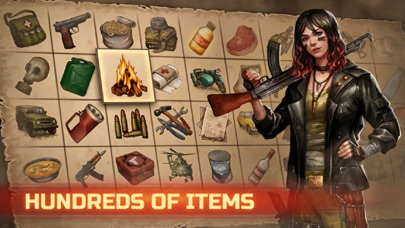
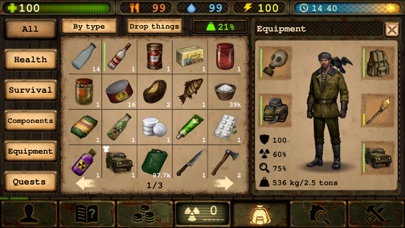
Multicraft, obtaining skills, hundreds of crafting schemes, a lot of ammunition.
- People and stories:
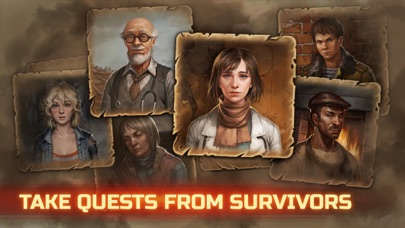
Interesting quests and helpful allies. An open game world.
- Improve your skills:
Mechanics, medicine, chemistry and many others.
- Cooperative mode:
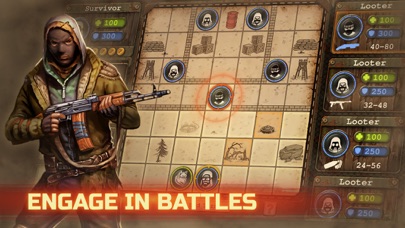
The Online mode with a chat room, exchange of items and united fightings. Multiplayer survival game.
Benefits of Premium version:
- 2500 caps every game
- save in any place
- chat without any limitations
- sending parcels without any limitations
- access to all kinds and colors of map markers.
Survive in post-nuclear USSR: defeat diseases, hunger and enemies! Play Online also! Survive with other players together.
Explore the abandoned houses and shelters. Find weapon and build transport using various materials.
Remember everything you learnt on chemistry and physics! It is the most realistic surviving game!
Features:
- Сraft system – get resources, hunt, find useful objects or weapon and create your own one!
- Hardcore simulator of survival
- Journey across the wilderness map in the multiplayer mode
- Choose the difficulty mode: sandbox, real life or online
War never changes. In 1985 USSR went down before an unknown enemy. In a few days the entire country became a radioactive wasteland - violence, hunger and diseases reign here now. When you no longer loose in the fight with the death, the other survivors wait for you in the cooperative - the Online mode let you survive together dealing with difficulties, talking in the chat room and sending gifts to each other.
License agreement: http://tltgames.tilda.ws/license-agreement-en
- 탈옥/제일 또는 탈옥된 iPhone 또는 iPad가 필요합니다.
- Sideloadly 또는 대체 도구가 필요합니다.
- iTunes가 설치된 Windows/macOS/Linux 컴퓨터가 필요합니다.
1단계: 위 링크에서 미리 해킹된 .IPA 파일을 컴퓨터에 다운로드합니다. iOSGods App에서 다운로드하려면 동영상 예시가 포함된 iOSGods App IPA 다운로드 튜토리얼를 참고하십시오.

2단계: Sideloadly를 다운로드하여 Windows 또는 Mac에 설치합니다.
3단계: 컴퓨터에서 Sideloadly를 실행하고 iOS 기기를 연결한 후, Sideloadly에 기기 이름이 표시될 때까지 기다립니다.
4단계: iDevice가 인식되면, 다운로드한 모드된 .IPA 파일을 Sideloadly 애플리케이션에 끌어다 놓습니다.
5단계: Apple Account 이메일을 입력한 후 “Start”를 누릅니다. 그러면 비밀번호를 입력하라는 메시지가 표시됩니다. 요청된 정보를 제공해 주십시오.
6단계: Sideloadly가 해킹된 IPA의 사이드로드/설치를 완료할 때까지 기다리십시오. 설치 중 문제가 발생하면 아래 참고 사항을 읽어 주십시오.
7단계: 설치가 완료되어 홈 화면에서 앱이 보이면 설정 → 일반 → 프로파일 / VPN 및 기기 관리 경로로 이동해야 합니다. 그곳에서 6단계에서 입력한 이메일을 탭한 다음 “[email protected] 신뢰”를 탭하십시오.
8단계: 이제 홈 화면으로 돌아가 새로 설치된 앱을 열면 모든 것이 정상적으로 작동할 것입니다. 게임 내 해킹 팝업에서 앱별 추가 안내를 따라야 할 수도 있습니다.
참고: iOS/iPadOS 16 이상에서는 개발자 모드를 활성화해야 합니다. 무료 Apple Developer 계정의 경우 이 과정을 7일마다 반복해야 합니다. 질문이나 문제가 있는 경우 해당 토픽의 Sideloadly FAQ 섹션를 읽어보십시오.