Login Diperlukan
Masuk dengan akun iOSGods kamu untuk melanjutkan.
Masuk dengan akun iOSGods kamu untuk melanjutkan.
Hack simulasi panahan multipemain ini membuka mata uang dalam permainan yang tidak terbatas sehingga Anda dapat meningkatkan busur dan peralatan Anda tanpa grinding. Archery Club Mod IPA memberi Anda akses instan ke semua koin dan batu mulia yang Anda butuhkan untuk mendominasi pertandingan real-time melawan pemain di seluruh dunia dan naik peringkat lebih cepat.
- Koin tidak terbatas → belanjakan dengan bebas untuk peningkatan dan peralatan
- Batu mulia tidak terbatas → beli item premium dan percepat kemajuan
Aplikasi ini juga dilengkapi dengan iGameGod, yang memberi Anda akses ke Auto Touch untuk mengotomatiskan tugas berulang, App Speed Manager untuk mengatur kecepatan permainan, pengeditan nilai Memory Engine, dan alat permainan iOS lainnya yang lebih canggih.
Unduh Archery Club Hack modded IPA dari tautan di atas. Ketuk tombol pasang dan ikuti petunjuk di layar untuk memasang hack iOS ini di iPhone, iPad, atau Apple Silicon.
Butuh bantuan lebih lanjut? Lihat Pertanyaan yang Sering Diajukan untuk Aplikasi iOSGods kami untuk jawaban dan tips lengkap.
Archery Club is a multiplayer archery game with multiple exciting game types and an extensive upgrade system. Become a master archer, collect the best equipment and win against other people online!
FEATURES:
▶ REAL-TIME MULTIPLAYER: Find and defeat opponents from around the world!
▶ EXCITING ARCHERY MATCHES: Each match consists of multiple game types!
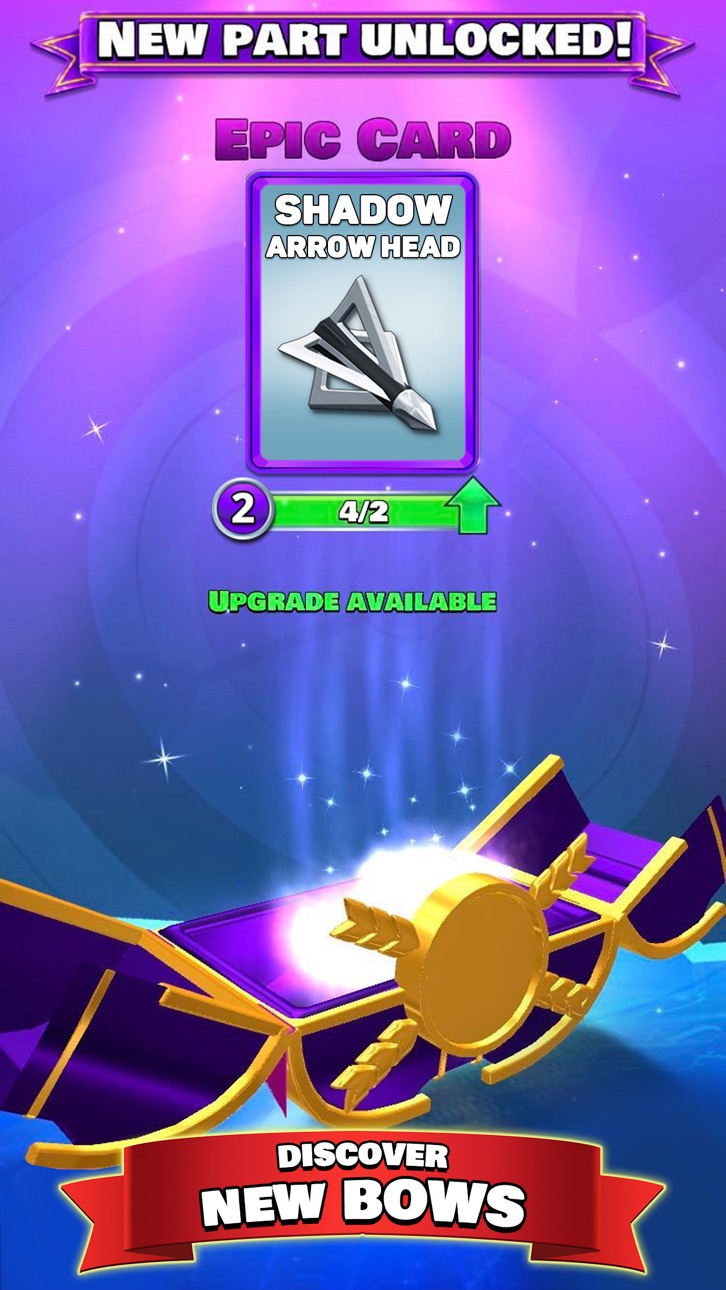
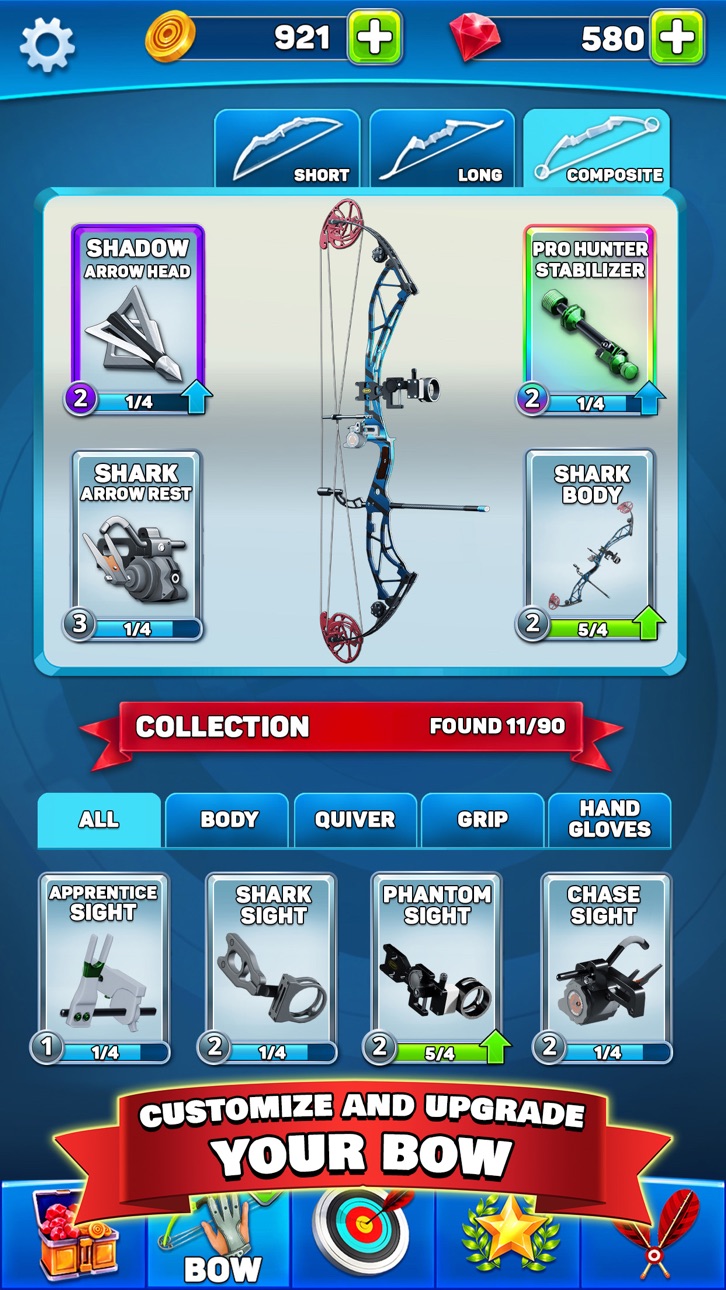
▶ EXTENSIVE UPGRADE SYSTEM: Find new pieces to strengthen your bows!
▶ MULTIPLE DETAILED VENUES: Shoot your way to victory in different environments
Start your road to becoming an archery champion now! Archery Club lest you pick your favorite bow and play against other people online in exciting, multi-part matches! During each one of them you’ll play at least two out of three possible game modes:
Shortbow - a quick, 30-second long round where your reflexes and fast aiming skills will be put to the test.
Longbow - a longer round with 3 shots for each of the players. The distance to the target will increase after each shot, so you’ll have to be mindful of gravity and wind!
Compoundbow - a more strategic round, where you’ll have to decide which targets to shoot. Those that guarantee better score may be way harder to hit, so decide carefully!
Each match is played as a Best Of 3 with those game types selected in random order. You’ll have to master all of them if you want to keep winning and climbing up in the tanks!
You’ll duel against other people online in one of 4 distinct venues - forest, wild west, country, and university. Additional venues and game modes will be added to the game in future updates.
By winning matches against other people and increasing your skill you unlock new bow parts that you can use to further improve your chances of winning. Keep close attention to statistics of the bow you use and make them even more powerful with unlockable upgrades.
Download the game and try your skill in the best archery simulator on the market!
Join the Player Community on our social media platforms:
Discord: https://bit.ly/ClubGamesOnDiscord
FB: https://www.facebook.com/ArcheryClubGame
IG: https://www.instagram.com/_club_games_/
TT: https://bit.ly/ClubGamesOnTikTok
Tangkapan layar © pemiliknya masing-masing · App Store



iOSGods tidak berafiliasi, tidak didukung, dan tidak disponsori oleh Apple Inc., Google LLC, maupun pengembang aplikasi yang terdaftar di sini. Apple, iOS, dan App Store adalah merek dagang Apple Inc. Android dan Google Play adalah merek dagang Google LLC. Semua nama aplikasi, ikon, gambar, dan merek dagang lainnya adalah milik pemiliknya masing-masing.

- iPhone atau iPad tanpa Jailbreak atau dengan Jailbreak.
- Sideloadly atau alternatifnya.
- Komputer dengan Windows/macOS/Linux dan iTunes terpasang.
LANGKAH 1: Unduh file .IPA yang sudah di-hack dari tautan di atas ke komputer Anda. Untuk mengunduhnya dari iOSGods App, silakan lihat Tutorial Mengunduh IPA dari iOSGods App kami yang dilengkapi contoh video.
LANGKAH 2: Unduh Sideloadly dan pasang di Windows atau Mac Anda.
LANGKAH 3: Buka Sideloadly di komputer Anda, sambungkan perangkat iOS Anda, dan tunggu hingga nama perangkat Anda muncul di Sideloadly.
LANGKAH 4: Setelah iDevice Anda terdeteksi, seret file .IPA yang sudah dimodifikasi dan lepaskan ke dalam aplikasi Sideloadly.
LANGKAH 5: Masukkan email Apple Account Anda, lalu tekan "Start". Anda kemudian akan diminta memasukkan kata sandi. Silakan isi informasi yang diminta.
LANGKAH 6: Tunggu hingga Sideloadly selesai melakukan sideloading/pemasangan IPA yang di-hack. Jika terjadi masalah saat pemasangan, silakan baca catatan di bawah ini.
LANGKAH 7: Setelah pemasangan selesai dan Anda melihat aplikasi di Layar Beranda, Anda perlu masuk ke Pengaturan → Umum → Profil / VPN & Manajemen Perangkat. Setelah itu, ketuk email yang Anda masukkan pada langkah 6, lalu ketuk "Percayai [email protected]".
LANGKAH 8: Sekarang buka Layar Beranda dan jalankan aplikasi yang baru saja dipasang; semuanya seharusnya berjalan normal. Anda mungkin perlu mengikuti petunjuk tambahan per aplikasi yang muncul di popup hack di dalam game.
CATATAN: Pada iOS/iPadOS 16 dan yang lebih baru, Anda harus mengaktifkan Mode Pengembang. Untuk akun Apple Developer gratis, Anda perlu mengulangi proses ini setiap 7 hari. Jika Anda memiliki pertanyaan atau masalah, silakan baca bagian FAQ Sideloadly di topik tersebut kami.
Game Name iOS Mod IPA is an action adventure game enhanced with powerful gameplay boosts and quality-of-life improvements. Win battles faster, earn rewards quicker, and enjoy uninterrupted play without ads.
- Unlimited Gold - spend freely to unlock premium content
- Damage Multiplier - deal significantly more damage in combat
- Defense Multiplier - take less damage and survive longer
- Reward Multiplier - earn more loot from every battle
- Max Level - instantly reach the highest player rank
- No Ads - play without interruptions or advertisements
This app also comes with iGameGod, giving you access to Auto Touch to automate repetitive tasks, App Speed Manager for adjustable gameplay speed, Memory Engine value editing, and more powerful iOS game tools.
Unduh Game Name Mod IPA dari tautan di atas. Ketuk tombol pasang dan ikuti petunjuk di layar untuk memasang hack iOS ini di iPhone, iPad, atau Apple Silicon.
Butuh bantuan lebih lanjut Lihat Pertanyaan yang Sering Diajukan untuk Aplikasi iOSGods kami untuk jawaban dan tips lengkap.
----------------------------------------------------------
--------------------------------------------------