Anmeldung erforderlich
Melden Sie sich mit Ihrem iOSGods-Konto an, um fortzufahren.
Melden Sie sich mit Ihrem iOSGods-Konto an, um fortzufahren.

Dieses unterhaltsame Kochspiel lässt Kinder im Bäckerei-Simulator eigene Donuts entwerfen und frittieren. Diese kostenlose Mod IPA schaltet Premium-Funktionen frei und bietet ein werbefreies, vollständig ausgestattetes Erlebnis. Mische Aromen von Schokolade über Vanille bis Erdbeere und dekoriere deine Kreationen in einem süchtig machenden Donut-Abenteuer, inspiriert von der äußerst beliebten Pizza Maker Serie.
- Premium freigeschaltet → entfernt Werbung und schaltet alle Premium-Inhalte frei
Diese App wird zusätzlich mit iGameGod geliefert und bietet Ihnen Zugriff auf Auto Touch zur Automatisierung sich wiederholender Aufgaben, App Speed Manager für eine anpassbare Spielgeschwindigkeit, Memory Engine zur Wertbearbeitung und weitere leistungsstarke iOS-Spielwerkzeuge.
Laden Sie Donut Maker Kids Cooking Games iOS Mod IPA über die obigen Links herunter. Tippen Sie auf den Installations-Button und folgen Sie den Anweisungen, um diese iOS-App auf Ihrem iPhone, iPad oder Apple Silicon zu installieren.
Brauchen Sie mehr Hilfe? In unseren iOSGods App häufig gestellten Fragen finden Sie ausführliche Antworten und Tipps zur Fehlerbehebung.
Let’s be a donut chef and create different flavors and types of donuts!
Mix and bake your favorite flavor of donut, from chocolate to vanilla, strawberry and many more!
Inspired by Pizza Maker, one of our most successful top-chart games which is considered one of the most popular games worldwide with more than 10 million active users around the world.
Time to get busy in the bakery with Donut Maker's new Addictive cooking game!
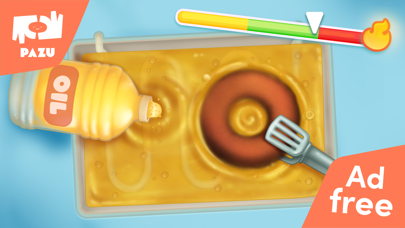
Making Donuts has never been more fun! Donut Maker introduces the world of cooking, Frying and Donut making in a fun and creative game for kids.
- A super fun food theme cooking game.
- Learn how to cook donuts in this entertaining cooking game
- Make different kinds of donuts step by step.
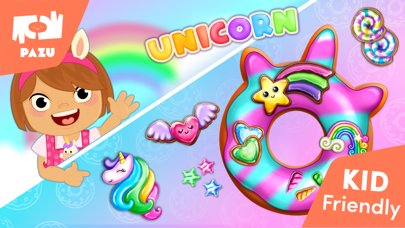
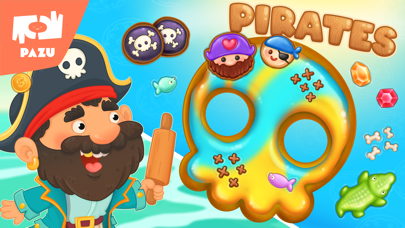
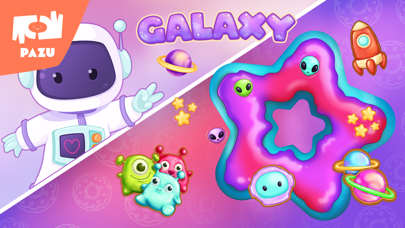
- Choose from various frostings, candies and glazes.
Enjoy the entire cooking and Frying process of Donut making by adding the ingredients for the dough and rolling it out, Mix various ingredients to create the unique flavor and color of your Donuts, Decorate your foods with beautiful sprinkles, candies, fruits, straws, and glitters.
Donut maker - cooking games for kids is brought to you by Pazu Games Ltd, the publisher of popular kids games like Girls Hair Salon, Girls Makeup Salon, Animal Doctor and many more, that are trusted by millions of parents worldwide.
Pazu games are designed especially for children under the age of 10. It offers fun and educational games for girls and boys to enjoy and experience.
We invite you to try out Pazu games for kids and toddlers for free and discover a wonderful brand for boys & girls games, with a large portfolio of educational and learning games for girls and boys. Our games offer a variety of game mechanics adapted to the kids’ age and capabilities.
Pazu games have no ads so the kids have no distractions while playing, no accidental ad clicks and no external interferences.
This game is included in the Pazu subscription which offers access to 50+ Pazu’s games with full game versions, no ads, a child-friendly interface, and up to 3 devices for each subscription.
Pazu games are trusted by millions of parents and loved by millions of kids worldwide.
Our games are designed especially for kids and offer fun educational experiences for girls and boys to enjoy.
With a variety of game mechanics adapted to different ages and capabilities, it is suitable for kids to be able to play on their own, without the support of adults.
For more information, visit our website: https://www.pazugames.com/
The Pazu Subscription is an auto-renewable subscription with full access to multiple gaming apps, therefore:
Payment will be charged to iTunes Account at confirmation of purchase.
Subscription automatically renews unless auto-renew is turned off at least 24-hours before the end of the current period.
Account will be charged for renewal within 24-hours prior to the end of the current period, and identify the cost of the renewal.
Subscriptions may be managed by the user and auto-renewal may be turned off by going to the user's Account Settings after purchase.
Any unused portion of a free trial period, if offered, will be forfeited when the user purchases a subscription to that publication, where applicable.
For more information please see: http://support.apple.com/kb/ht4098
Prices may vary from time to time.
Terms of Use:
https://www.pazugames.com/terms-of-use
Privacy Policy:
https://www.pazugames.com/privacy-policy
All rights are reserved Pazu ® Games Ltd. The use of the games or the content presented therein, apart from the usual use of Pazu ® Games, is not authorized, without express written permission from Pazu ® Games.
- Nicht-Jailbroken/Jailed oder Jailbroken iPhone oder iPad.
- Sideloadly oder Alternativen.
- Computer mit Windows/macOS/Linux und installiertem iTunes.
SCHRITT 1: Laden Sie die vorinstallierte .IPA-Datei über den obigen Link auf Ihren Computer herunter. Zum Herunterladen aus der iOSGods-App siehe unser iOSGods App IPA Download-Tutorial mit Videobeispiel.
SCHRITT 2: Laden Sie Sideloadly herunter und installieren Sie es auf Ihrem Windows oder Mac.
SCHRITT 3: Öffnen Sie Sideloadly auf Ihrem Computer, verbinden Sie Ihr iOS-Gerät und warten Sie, bis Ihr Gerätename in Sideloadly erscheint.
SCHRITT 4: Sobald Ihr iDevice erkannt wird, ziehen Sie die heruntergeladene gemoddete .IPA-Datei in die Sideloadly-Anwendung.
SCHRITT 5: Geben Sie Ihre Apple-Account-E-Mail ein und drücken Sie „Start". Sie werden dann nach Ihrem Passwort gefragt. Geben Sie die erforderlichen Informationen ein.
SCHRITT 6: Warten Sie, bis Sideloadly das Sideloading/Installieren der gehackten IPA abgeschlossen hat. Bei Problemen während der Installation lesen Sie bitte den Hinweis unten.
SCHRITT 7: Sobald die Installation abgeschlossen ist und die App auf Ihrem Home-Bildschirm angezeigt wird, müssen Sie zu Einstellungen → Allgemein → Profile / VPN & Geräteverwaltung gehen. Tippen Sie dort auf die E-Mail, die Sie in Schritt 6 eingegeben haben, und dann auf „Trust [email protected]".
SCHRITT 8: Gehen Sie nun zu Ihrem Home-Bildschirm und öffnen Sie die neu installierte App – alles sollte einwandfrei funktionieren. Möglicherweise müssen Sie weitere App-spezifische Anweisungen im Hack-Popup im Spiel befolgen.
HINWEIS: iOS/iPadOS 16 und höher: Sie müssen den Entwicklermodus aktivieren. Bei kostenlosen Apple Developer-Accounts müssen Sie diesen Vorgang alle 7 Tage wiederholen. Bei Fragen oder Problemen lesen Sie bitte unsere Sideloadly-FAQ-Sektion im Thema.