需要登入
請使用您的 iOSGods 帳戶登入以繼續。
請使用您的 iOSGods 帳戶登入以繼續。
在這款動態布娃娃物理遊戲中,掌握在摩天大樓、飛馳汽車和飛機上進行後翻的藝術,現在提供 iOS 免費商店破解。Backflipper Hack 可立即解鎖高級角色和位置,讓您無需磨練或花費真金白銀即可體驗每一個特技翻騰。以運動員、忍者、熊貓、企鵝、總統或太空人的身份在各種瘋狂環境中進行違抗重力的翻騰。
- 免費商店 → 無需付款即可解鎖所有角色和位置
此應用程式也內建 iGameGod,讓你可以使用 Auto Touch 自動執行重複操作、透過 App Speed Manager 調整遊戲速度、使用 Memory Engine 修改記憶體數值,以及更多強大的 iOS 遊戲工具。
從上方連結下載 Backflipper Hack modded IPA。點選安裝按鈕並依照畫面指示在 iPhone、iPad 或 Apple Silicon 上安裝此 iOS 應用程式修改版。
需要更多協助?請查看我們的 iOSGods 應用程式常見問題 以獲得詳細解答與疑難排解。
From the developers of the Flip Diving & Flip Master (MotionVolt Games), comes all new Backflipper arcade mobile flipping game!
Perform backflips at the rooftops, park, over speeding cars, on moving elevators and over airplanes & satellites and be the best Backflipper ever!
With a custom physics engine and unique animated Ragdoll Physics gameplay, with edgy graphical style, the Backflipper is the most dynamic and entertaining backflipping experience ever created!
Download Backflipper NOW and get:
----------------------------------------
VARIETY OF COOL LOCATIONS!
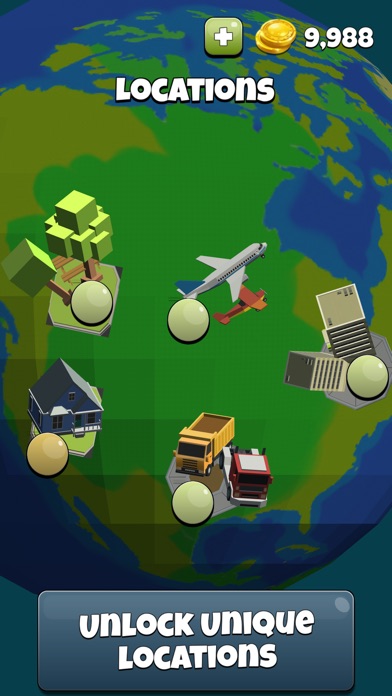
Pick your location! Skyscraper roofs, Speeding cars, Elevators, Trees & Park, Harbor with tons of boxes, Stonehenge Trucks and even Airplanes and Satellites!
HUGE AMOUNT OF AMAZING CHARACTERS!
Choose and get new characters. Backflip as an Athlete, Ninja, Panda, Penguin, Monkey King, Sumo, President and even Astronaut! Every character has their own unique features!
----------------------------------------
Find out more about MotionVolt Games:
http://www.motionvolt.com
Contact us:
http://www.motionvolt.com/index.php/contact/
This game does not require internet connection, and can be played offline.

- 未越獄/受限或已越獄的 iPhone 或 iPad。
- Sideloadly 或替代方案。
- 執行 Windows/macOS/Linux 且已安裝 iTunes 的電腦。
步驟 1: 透過上方連結將已破解的 .IPA 檔案下載到您的電腦。若要從 iOSGods App 下載,請參閱我們的 iOSGods App IPA 下載教學,其中包含影片範例。
步驟 2: 下載 Sideloadly 並將其安裝在您的 Windows 或 Mac 上。
步驟 3: 在電腦上開啟 Sideloadly,連接您的 iOS 裝置,並等待裝置名稱出現在 Sideloadly 中。
步驟 4: 當 Sideloadly 辨識到您的 iOS 裝置後,將下載好的修改版 .IPA 檔案拖曳並放到 Sideloadly 應用程式中。
步驟 5: 輸入您的 Apple Account 電子郵件,然後按下「Start」。系統會要求您輸入密碼,請依指示提供所需資訊。
步驟 6: 等待 Sideloadly 完成已破解 IPA 的旁載/安裝。如果安裝過程中發生問題,請閱讀下方的注意事項。
步驟 7: 安裝完成並在主畫面上看到該應用程式後,您需要前往 設定 → 一般 → 描述檔 / VPN 與裝置管理。進入後,點選您在步驟 6 中輸入的電子郵件,然後點選「信任 [email protected]」。
步驟 8: 現在回到主畫面並開啟新安裝的應用程式,一切應該都能正常運作。您可能需要依照遊戲內破解彈出視窗中的進一步指示操作。
注意: 在 iOS/iPadOS 16 及更新版本上,您必須 啟用開發者模式。若使用免費的 Apple Developer 帳號,您將需要每 7 天重複此程序。如有任何疑問或問題,請閱讀我們的 主題中的 Sideloadly 常見問題區段。