Login Diperlukan
Masuk dengan akun iOSGods kamu untuk melanjutkan.
Masuk dengan akun iOSGods kamu untuk melanjutkan.

- Unlimited Coins
- Unlimited Stamina
- Unlimited Gems
- Unlimited Recruit Tickets
- Unlimited Gold Badges
- Unlimited Silver Badges
- Unlimited Platinum Badges
- Unlimited XP Drinks
- Unlimited Condition Drinks
Unduh BASEBALL 9 Mod APK dari tombol di atas. Setelah Anda mengetuk unduh, ikuti petunjuk di layar untuk memasang APK termod di perangkat Android atau emulator Anda.
Butuh bantuan? Lihat Pertanyaan yang Sering Diajukan untuk Android kami untuk jawaban dan tips lengkap.
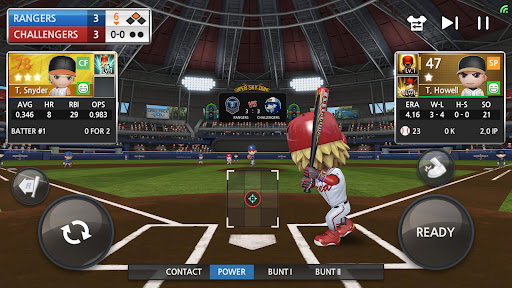
Enjoy fast-paced, realistic baseball game, featuring compact gameplay and informative stats.
Play BASEBALL NINE to become the Legend League Champion!
★ Game Features
- Lean and fast gameplay!
- Casual characters and serious game mechanics!
- Pitching and fielding as fun as batting!
- You can play base running manually!
- Comprehensive player stats!
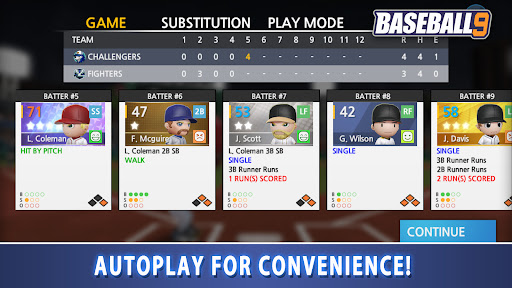
- Improved Autoplay with selective automation of player, inning, watching, and quick result.
- Rename, gear up, and customize your players!
- Offline mode available!
★ Fast, compact gameplay!
- Enjoy a speedy, streamlined playing experience.
- Hit massive dingers and get thrilling strikeouts.
- Specialized auto functions by game, by inning, and by player are a given!
★ Enjoy realistic baseball!
- Experience gameplay with realistic baseball rules.
- Simulated results based on actual game stats.
★ Recruit and develop your roster!
- Recruit players and develop them by raising stats of your choice
- Equip and upgrade skills to develop them into specialists.
- Raise the player tiers to turn them into hall of famers.
★ Customize your players!
- Rename them and set them as left-handed or right-handed batters or pitchers.
- Change their faces, pick body types, and choose different batting and pitching motions.
- Try equipping a range of bats, gloves, and glasses to customize your players in unique ways.
★ Manage your team and get promoted to higher leagues!
- Rename your team and change its emblem and uniform.
- Expand into new stadiums and manage the team’s cumulative stats.
- Advance to the postseason and win for promotion to a higher league.
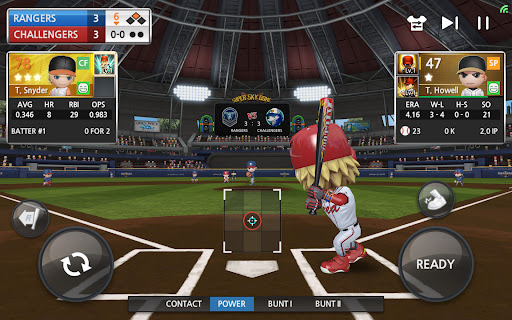
★ Supports tablets.