Anmeldung erforderlich
Melden Sie sich mit Ihrem iOSGods-Konto an, um fortzufahren.
Mod Features
- Unlimited currencies
- No ads (Activated by default)
Laden Sie Roll Machine Mod APK über den obigen Button herunter. Sobald Sie auf Download tippen, folgen Sie einfach den Anweisungen, um die modifizierte APK auf Ihrem Android-Gerät oder Emulator zu installieren.
Brauchen Sie Hilfe? In unseren Android häufig gestellten Fragen finden Sie ausführliche Antworten und Tipps zur Fehlerbehebung.
MISSION
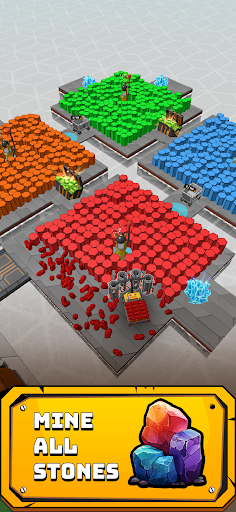
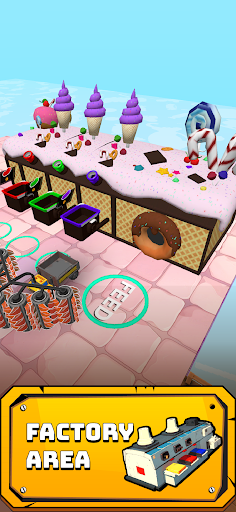
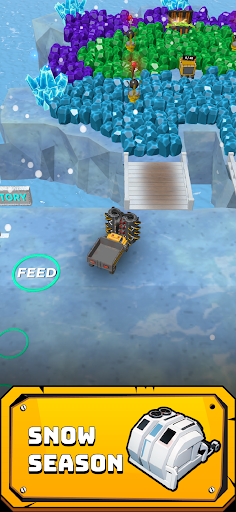
Embark on a unique journey with Roll Machine! Take control of this vehicle equipped with powerful rollers and experience the excitement of breaking rocks. Your mission is to transport these precious rocks to the factory, where they'll be transformed into valuable bricks.
Now, grab those bricks and start building! Endless opportunities for growth and profit await you! Get ready to turn your dreams into reality as you construct magnificent structures!
UPGRADE
Upgrade your Roll Machine to unlock its full potential! Enhance the number of rolls, increase roll power, boost roll speed, add more spikes, and scale up their size to become a legend Roll Machine. Upgrade your truck's speed and capacity to efficiently transport those valuable rocks. As for the helpers, enhance their power and capacity to ensure smooth operations.
But remember, it's your game, and your strategy matters! Invest strategically to increase productivity!
GAME FEATURES:
-Addictive Gameplay
-Easy Joystick Control
-Weekly Leaderboard
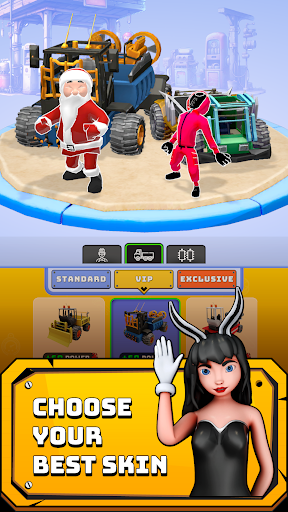
-Customize and Upgrade
-Hidden Items and Gems
-Colorful Rocks and Bricks
-Amazing Card Collection
-League System: Bronze, Silver and Gold League
-Special Building: Statue of Liberty, Tower of Pisa and more hidden exclusive buildings.
-Battle Area: Race against other players
- Nicht-Jailbroken/Jailed oder Jailbroken iPhone oder iPad.
- Sideloadly oder Alternativen.
- Computer mit Windows/macOS/Linux und installiertem iTunes.
SCHRITT 1: Laden Sie die vorinstallierte .IPA-Datei über den obigen Link auf Ihren Computer herunter. Zum Herunterladen aus der iOSGods-App siehe unser iOSGods App IPA Download-Tutorial mit Videobeispiel.
SCHRITT 2: Laden Sie Sideloadly herunter und installieren Sie es auf Ihrem Windows oder Mac.
SCHRITT 3: Öffnen Sie Sideloadly auf Ihrem Computer, verbinden Sie Ihr iOS-Gerät und warten Sie, bis Ihr Gerätename in Sideloadly erscheint.
SCHRITT 4: Sobald Ihr iDevice erkannt wird, ziehen Sie die heruntergeladene gemoddete .IPA-Datei in die Sideloadly-Anwendung.
SCHRITT 5: Geben Sie Ihre Apple-Account-E-Mail ein und drücken Sie „Start". Sie werden dann nach Ihrem Passwort gefragt. Geben Sie die erforderlichen Informationen ein.
SCHRITT 6: Warten Sie, bis Sideloadly das Sideloading/Installieren der gehackten IPA abgeschlossen hat. Bei Problemen während der Installation lesen Sie bitte den Hinweis unten.
SCHRITT 7: Sobald die Installation abgeschlossen ist und die App auf Ihrem Home-Bildschirm angezeigt wird, müssen Sie zu Einstellungen → Allgemein → Profile / VPN & Geräteverwaltung gehen. Tippen Sie dort auf die E-Mail, die Sie in Schritt 6 eingegeben haben, und dann auf „Trust [email protected]".
SCHRITT 8: Gehen Sie nun zu Ihrem Home-Bildschirm und öffnen Sie die neu installierte App – alles sollte einwandfrei funktionieren. Möglicherweise müssen Sie weitere App-spezifische Anweisungen im Hack-Popup im Spiel befolgen.
HINWEIS: iOS/iPadOS 16 und höher: Sie müssen den Entwicklermodus aktivieren. Bei kostenlosen Apple Developer-Accounts müssen Sie diesen Vorgang alle 7 Tage wiederholen. Bei Fragen oder Problemen lesen Sie bitte unsere Sideloadly-FAQ-Sektion im Thema.