ต้องเข้าสู่ระบบ
เข้าสู่ระบบด้วยบัญชี iOSGods เพื่อดำเนินการต่อ

Hack Features
- Unlimited Money
- Unlimited Medals
- Unlimited Stamina
- Gold Pass
- Platinum Pass
แอปนี้มาพร้อมกับ iGameGod ซึ่งช่วยให้คุณเข้าถึง Auto Touch สำหรับการทำงานซ้ำ ๆ โดยอัตโนมัติ, App Speed Manager สำหรับปรับความเร็วของเกม, การแก้ไขค่าด้วย Memory Engine และเครื่องมือสำหรับเกม iOS ที่ทรงพลังอื่น ๆ อีกมากมาย
ดาวน์โหลด The Ramen Sensei 2 Hack modded IPA จากลิงก์ด้านบน แตะปุ่มติดตั้งและทำตามคำแนะนำบนหน้าจอเพื่อติดตั้งแฮ็กแอป iOS นี้บน iPhone, iPad หรือ Apple Silicon
ต้องการความช่วยเหลือเพิ่มเติม? ดู คำถามที่พบบ่อยของแอป iOSGods สำหรับคำตอบโดยละเอียดและเคล็ดลับการแก้ไขปัญหา
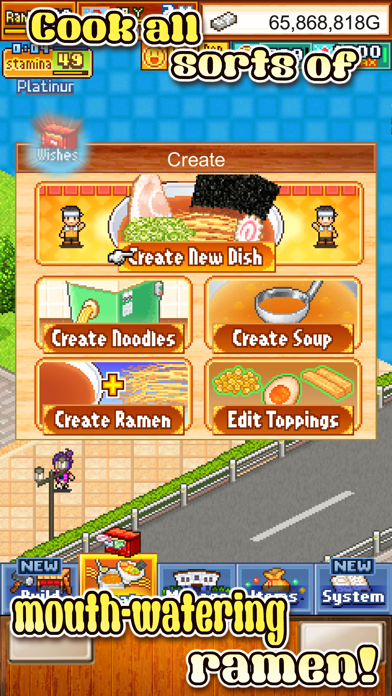
Noodles, soup - easy! Think again!
Get your apron on, it's time to learn about the complexities and wonders that is ramen. Have what it takes to become a noodle legend? Or will you end up as just another dime-a-dozen soup-slinger?
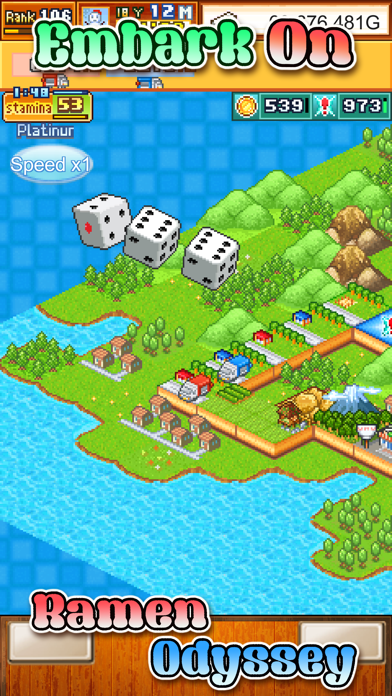
But why stop at one restaurant? Embark on Ramen Odyssey, conquering one region after another with your mouth-watering creations. It's world domination by ramen!
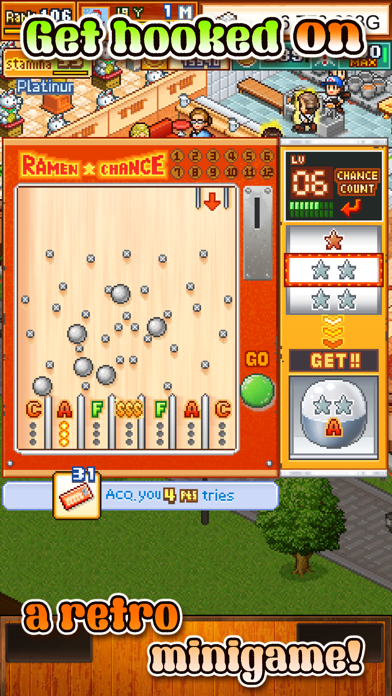
Win over lots of customers at ramen festivals, which you can play together with friends.
Face off rivals at ramen arena contests and make your Ramen Hall prosper. Become THE Ramen Sensei!
■■■ About Monthly Pass ■■■
It is a special service that helps in game progress, and gave you an addition medals on daily basis.
●Type of Monthly Pass.
Gold Pass 550 Yen / Month
Platinum Pass 1,080 Yen / Month
※ Please note that, there are some fluctuations depending on the country and foreign exchange.
●Restoration on changing device.
When changing the device, you can restore the pass you purchased for free.
Please log in to iTunes on your iPhone / iPad with the same AppleID as you purchased.
●Confirmation and Cancellation
1. Choose Settings > Username > iTunes and App Store.
2. Tap the Apple ID that appears at the top of the screen.
3. Tap Show Apple ID. ( Verification of Apple ID is necessary )
4. Tap Register.
5. Tap the subscription content you want to manage.
From this screen you can check the next schedule for automatic update, cancel or set automatic update.
● About automatic billing renewal
If automatic renewal is not canceled 24 hours before the end of the term period, the contract term will be automatically renewal.
Automatic renewal charges will be made within 24 hours after the end of the contract period.
●Notes
・Those charged in the application can not be canceled by any method other than described above.
・We do not accept cancellation for the current month.
・Charged via iTunes account.
●Terms of Service
http://kairopark.jp/iphone/en/policy/app_gm116_kiyaku.html
●Privacy Policy
http://kairopark.jp/iphone/en/priv.html
--
・Should the screen go dark and freeze, try to power your device down and relaunch the game.
・All game progress is stored on your device. Save data cannot be transferred between devices, nor can it be restored after deleting or reinstalling the app.
Try searching for "Kairosoft" to see all of our games, or visit us at https://kairopark.jp. Be sure to check out both our free-to-play and our paid games!
Follow us on Twitter for the latest Kairosoft news and information.
https://twitter.com/kairokun2010
- iPhone หรือ iPad ที่ไม่ได้เจลเบรก/ไม่ได้เจลเบรก หรือเจลเบรกแล้ว
- Sideloadly หรือทางเลือกอื่น
- คอมพิวเตอร์ที่ใช้ Windows/macOS/Linux และติดตั้ง iTunes ไว้
ขั้นตอนที่ 1: ดาวน์โหลดไฟล์ .IPA ที่แฮกไว้ล่วงหน้าจากลิงก์ด้านบนลงในคอมพิวเตอร์ของคุณ หากต้องการดาวน์โหลดจากแอป iOSGods โปรดดู วิธีดาวน์โหลด IPA ในแอป iOSGods ซึ่งมีตัวอย่างวิดีโอประกอบ
ขั้นตอนที่ 2: ดาวน์โหลด Sideloadly แล้วติดตั้งบน Windows หรือ Mac ของคุณ
ขั้นตอนที่ 3: เปิด Sideloadly บนคอมพิวเตอร์ เชื่อมต่ออุปกรณ์ iOS แล้วรอจนกว่าชื่ออุปกรณ์ของคุณจะปรากฏใน Sideloadly
ขั้นตอนที่ 4: เมื่อ iDevice ของคุณถูกตรวจพบแล้ว ให้ลากไฟล์ .IPA ที่ม็อดมาวางลงในโปรแกรม Sideloadly
ขั้นตอนที่ 5: กรอกอีเมล Apple Account ของคุณ จากนั้นกด "Start" ระบบจะถามรหัสผ่าน กรอกข้อมูลที่จำเป็นให้เรียบร้อย
ขั้นตอนที่ 6: รอจนกว่า Sideloadly จะ sideload/ติดตั้งไฟล์ IPA ที่แฮกเสร็จ หากเกิดปัญหาระหว่างติดตั้ง โปรดอ่านหมายเหตุด้านล่าง
ขั้นตอนที่ 7: เมื่อการติดตั้งเสร็จสิ้นและเห็นแอปบนหน้าจอหลักแล้ว ให้ไปที่ การตั้งค่า → ทั่วไป → โปรไฟล์ / VPN และการจัดการอุปกรณ์ จากนั้นแตะที่อีเมลที่คุณกรอกในขั้นตอนที่ 6 แล้วแตะ "เชื่อถือ [email protected]"
ขั้นตอนที่ 8: จากนั้นไปที่หน้าจอหลักและเปิดแอปที่ติดตั้งใหม่ ทุกอย่างควรทำงานได้ปกติ คุณอาจต้องทำตามคำแนะนำเพิ่มเติมเฉพาะแอปในป๊อปอัปของม็อดในเกม
หมายเหตุ: สำหรับ iOS/iPadOS 16 ขึ้นไป คุณต้อง เปิดโหมดนักพัฒนา (Developer Mode) สำหรับบัญชี Apple Developer แบบฟรี คุณต้องทำขั้นตอนนี้ซ้ำทุก 7 วัน หากมีคำถามหรือพบปัญหา โปรดอ่าน หัวข้อ FAQ ของ Sideloadly ในกระทู้