ログインが必要
iOSGodsアカウントでサインインして続けてください。
iOSGodsアカウントでサインインして続けてください。

All Star Quarterback 25 Mod IPA でクォーターバックをスターダムへ導き、すべてのプレーを指揮してください。リアルタイムの判断、人間関係、キャリアのマイルストーンをナビゲートするフットボールシミュレーションです。このHackはキャッシュ、トレーニングポイント、プレミアムアイテムのチートをアンロックするため、グラインドなしで栄光に集中できます。
- キャッシュ [獲得&使用] → アップグレードと購入に自由に使用可能
- トレーニングポイント [獲得&使用] → クォーターバックのスキルと能力をアップ
- ドリンク無料 → プレミアム消費アイテムをアンロック
このアプリにはiGameGodも搭載されており、繰り返し作業を自動化するAuto Touch、ゲーム速度を調整できるApp Speed Manager、Memory Engineによる値の編集など、強力なiOSゲーム用ツールをご利用いただけます。
All Star Quarterback 25 Hack modded IPAを上のリンクからダウンロードします。インストールボタンをタップし、画面の指示に従ってiPhone、iPad、Apple SiliconにこのiOSアプリハックをインストールします。
さらにヘルプが必要ですか? 詳しい回答とトラブルシューティングはiOSGodsアプリ よくある質問をご覧ください。
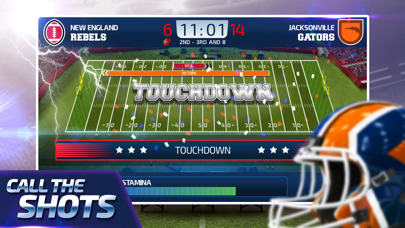
Call the shots and make every big choice in the game. Lead your team to glory in the ultimate football simulation! Can live the life, make the plays, rally the team, win the game, get the girl and juggle it all to have an ALL STAR career of a Quarterback?!
LIVE THE QUARTERBACK DREAM as you navigate your path throughout the major leagues, calling the shots with real-time game reporting and decisions that define your career. From the personal relationships to the career success, you can have it all.
TAKE TOTAL CONTROL of the success of your career! Handle relationships with your coach, agent, fans and more. Work your way through the surprisingly complex politics in the backstage world of being a Quarterback.
NEVER STOP GETTING BETTER by packing your days with a full suite of skill improving. Train, learn playbooks and earn trades to new teams. Follow the twists and turns of a full career that is built around the way you play.
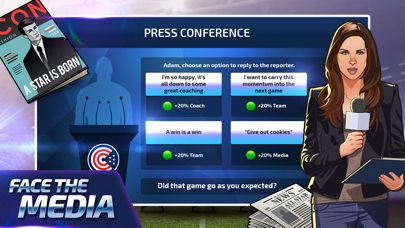
LIVE THE HIGHS AND LOWS as the All Star Quarterback is tricked-out with plenty to do to live the football lifestyle. Check your lifestyle screen to see if things are going track, date a girlfriend, take part in pre-game meetings and post-game press conferences. Impress coaches, buy real estate and be the star of the show!
TRUE FOOTBALL SIMULATION in one of the most ambitious American Football simulators available. Once you pick up, you won't be able to put it down!
- 脱獄/Jailed済みまたは脱獄済みのiPhoneまたはiPad。
- Sideloadlyまたは代替手段。
- iTunesがインストールされているWindows/macOS/Linuxを実行しているコンピュータ。
ステップ1: 上のリンクから事前にハックされた.IPAファイルをコンピュータにダウンロードします。iOSGodsアプリからダウンロードする方法は、ビデオ例付きのiOSGodsアプリIPAダウンロードチュートリアルをご覧ください。
ステップ2: SideloadlyをダウンロードしてWindowsまたはMacにインストールします。
ステップ3: コンピュータでSideloadlyを開き、iOSデバイスを接続して、デバイス名がSideloadlyに表示されるまで待ちます。
ステップ4: iDeviceが認識されたら、ダウンロードしたModされた.IPAファイルをSideloadlyアプリにドラッグ&ドロップします。
ステップ5: Apple Accountのメールアドレスを入力し、「Start」を押します。次にパスワードの入力を求められます。必要な情報を入力してください。
ステップ6: Sideloadlyがハックされたipaのサイドロード/インストールを完了するのを待ちます。インストール中に問題が発生した場合は、以下の注意事項をお読みください。
ステップ7: インストールが完了し、ホーム画面にアプリが表示されたら、設定 → 一般 → プロファイル / VPNとデバイス管理に移動する必要があります。そこで、ステップ6で入力したメールをタップし、「Trust [email protected]」をタップします。
ステップ8: ホーム画面に戻り、新しくインストールされたアプリを開けば、すべて正常に動作するはずです。ゲーム内のハックのポップアップで、アプリごとの追加指示に従う必要がある場合があります。
注意: iOS/iPadOS 16以降では、デベロッパモードを有効にするが必要です。無料のApple Developerアカウントの場合、このプロセスを7日ごとに繰り返す必要があります。質問や問題がある場合は、トピックのSideloadly FAQセクションをお読みください。