需要登入
請使用您的 iOSGods 帳戶登入以繼續。
請使用您的 iOSGods 帳戶登入以繼續。
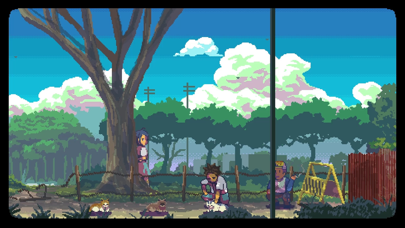
透過這個免費的 Mod IPA 破解版本,解鎖《A Space for the Unbound Hack》的完整故事,無需應用內購買即可存取完整遊戲。這款生活切片冒險遊戲跟隨兩位高中情侶 Atma 和 Raya 在 90 年代後期的鄉村印尼展開超自然之旅,探討焦慮、抑鬱和自我發現的主題,並採用令人驚艷的像素藝術。
- 完整遊戲 → 無購買限制地遊玩整個故事
此應用程式也內建 iGameGod,讓你可以使用 Auto Touch 自動執行重複操作、透過 App Speed Manager 調整遊戲速度、使用 Memory Engine 修改記憶體數值,以及更多強大的 iOS 遊戲工具。
從上方連結下載 A Space for the Unbound Hack modded IPA。點選安裝按鈕並依照畫面指示在 iPhone、iPad 或 Apple Silicon 上安裝此 iOS 應用程式修改版。
需要更多協助?請查看我們的 iOSGods 應用程式常見問題 以獲得詳細解答與疑難排解。
This free version of the A Space for the Unbound contains the first Prologue Chapter that can be played for free. You will need to purchase an In App Purchase to unlock the full game.
High school is ending and the world is ending with it.
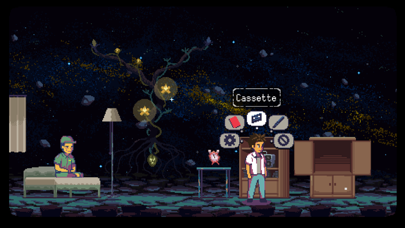
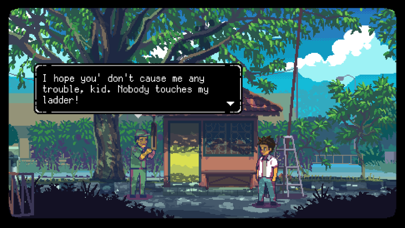
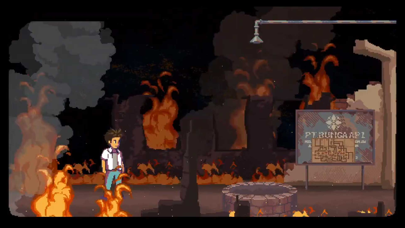
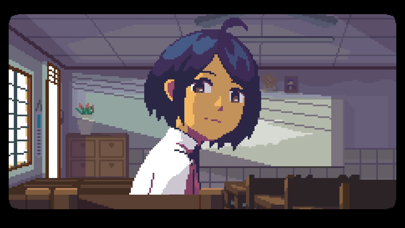
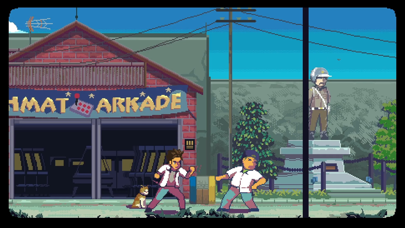
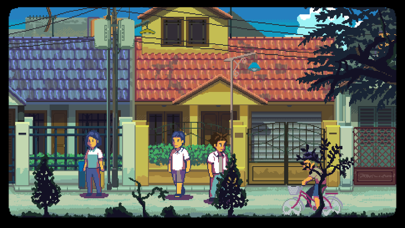
A Space for the Unbound is a slice-of-life adventure game with beautiful pixel art set in the late 90s rural Indonesia that tells a story about overcoming anxiety, depression, and the relationship between a boy and a girl with supernatural powers.
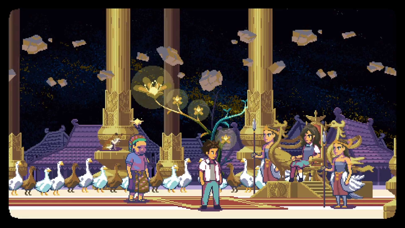
Follow two high school sweethearts, Atma and Raya, on a journey of self-discovery at the end of their high school years. When a mysteriously supernatural power is suddenly unleashed threatening their existence, they must explore and investigate their town to uncover hidden secrets, face the end of the world, and perhaps learn more about each other.
Set in a small town inspired by 90s era rural Indonesia, A Space for the Unbound presents an endearing story-driven experience with a vibrant environment waiting to be explored.
Key Features:
- Throwback to the 90s! Let us take you to Indonesia in the late 90s.
- Explore rural Indonesia and enjoy its relaxing atmosphere with a hint of supernatural events.
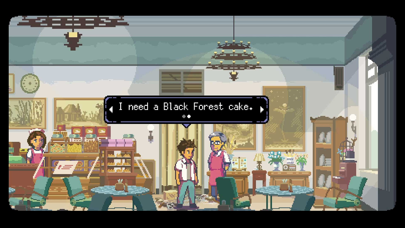
- Chat and interact with other townfolks and listen to their personal stories.
- Dive into people's minds Inception-style.
- Listen to beautiful music composed by Masdito "Ittou" Bachtiar

- 未越獄/受限或已越獄的 iPhone 或 iPad。
- Sideloadly 或替代方案。
- 執行 Windows/macOS/Linux 且已安裝 iTunes 的電腦。
步驟 1: 透過上方連結將已破解的 .IPA 檔案下載到您的電腦。若要從 iOSGods App 下載,請參閱我們的 iOSGods App IPA 下載教學,其中包含影片範例。
步驟 2: 下載 Sideloadly 並將其安裝在您的 Windows 或 Mac 上。
步驟 3: 在電腦上開啟 Sideloadly,連接您的 iOS 裝置,並等待裝置名稱出現在 Sideloadly 中。
步驟 4: 當 Sideloadly 辨識到您的 iOS 裝置後,將下載好的修改版 .IPA 檔案拖曳並放到 Sideloadly 應用程式中。
步驟 5: 輸入您的 Apple Account 電子郵件,然後按下「Start」。系統會要求您輸入密碼,請依指示提供所需資訊。
步驟 6: 等待 Sideloadly 完成已破解 IPA 的旁載/安裝。如果安裝過程中發生問題,請閱讀下方的注意事項。
步驟 7: 安裝完成並在主畫面上看到該應用程式後,您需要前往 設定 → 一般 → 描述檔 / VPN 與裝置管理。進入後,點選您在步驟 6 中輸入的電子郵件,然後點選「信任 [email protected]」。
步驟 8: 現在回到主畫面並開啟新安裝的應用程式,一切應該都能正常運作。您可能需要依照遊戲內破解彈出視窗中的進一步指示操作。
注意: 在 iOS/iPadOS 16 及更新版本上,您必須 啟用開發者模式。若使用免費的 Apple Developer 帳號,您將需要每 7 天重複此程序。如有任何疑問或問題,請閱讀我們的 主題中的 Sideloadly 常見問題區段。


![[Seven Deadly Sins] 七つの大罪 光と闇の交戦 : グラクロ iOS Mod IPA](https://is1-ssl.mzstatic.com/image/thumb/Purple221/v4/4e/03/9a/4e039aff-8bc1-b305-fac3-58e9f9b98e5f/AppIcon-1x_U007emarketing-0-8-0-85-220-0.png/100x100bb.jpg)


