需要登入
請使用您的 iOSGods 帳戶登入以繼續。
請使用您的 iOSGods 帳戶登入以繼續。
- Unlimited Coins -> Earn some.
- Unlimited Karma -> Earn some.
- Unlimited Stamps -> Earn some.
- Unlimited Fragments -> Head into Settings and toggle the Authorisation button.
此應用程式也內建 iGameGod,讓你可以使用 Auto Touch 自動執行重複操作、透過 App Speed Manager 調整遊戲速度、使用 Memory Engine 修改記憶體數值,以及更多強大的 iOS 遊戲工具。
從上方連結下載 Hoosegow: Prison Survival iOS Mod IPA。點選安裝按鈕並依照畫面指示在 iPhone、iPad 或 Apple Silicon 上安裝此 iOS 應用程式修改版。
需要更多協助?請查看我們的 iOSGods 應用程式常見問題 以獲得詳細解答與疑難排解。
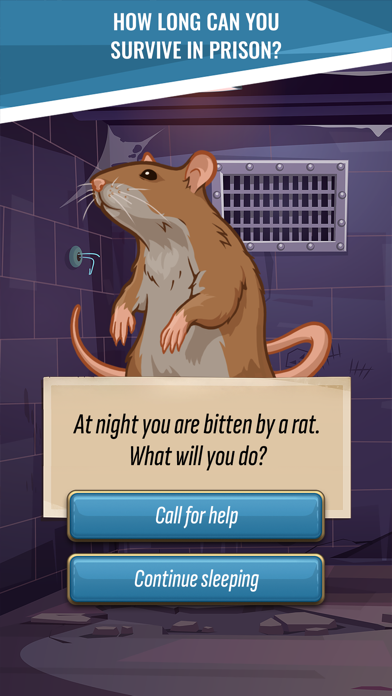
Experience the ultimate escape game Hoosegow: Prison Survival! This exciting choice-based survival game offers players the chance to step into the shoes of a prisoner and navigate the dangerous world of a maximum-security prison.
With a captivating storyline and engaging gameplay Hoosegow: Prison Survival is the perfect combination of escape, survival and story games. As you progress through the game you'll need to gather resources, craft tools and build relationships with other prisoners to survive.
But be warned, surviving in a prison is no easy task! You'll need to stay one step ahead of the guards and other inmates, all while balancing your needs for food, water and rest. With a challenging choice-based system, immersive graphics and sound design Hoosegow: Prison Survival offers a truly unique gaming experience.
So, are you ready to escape the confines of your cell and make a break for freedom?
[UNIQUE SURVIVORS]
Every survivor possesses special life skills that helped them survive in prison.
[INFINITE WAYS TO PASS]
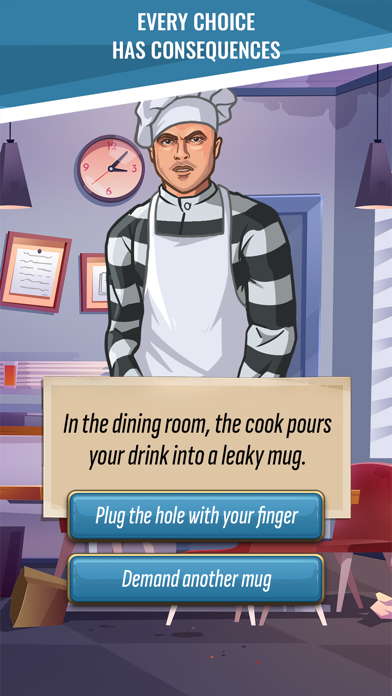
With a choice-based system that rewards strategic decision-making, you'll need to weigh every choice carefully.
[HUMOR AND ENTERTAINMENT]
Surviving in prison may be tough, but that doesn't mean there isn't room for humor and entertainment.
[RANKING AND ACHIEVEMENT SYSTEM]
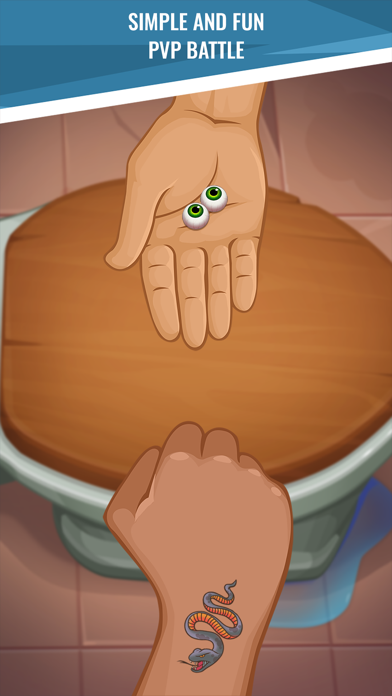
Compete with other players and climb the ranks to become the ultimate prison survivor.

- 未越獄/受限或已越獄的 iPhone 或 iPad。
- Sideloadly 或替代方案。
- 執行 Windows/macOS/Linux 且已安裝 iTunes 的電腦。
步驟 1: 透過上方連結將已破解的 .IPA 檔案下載到您的電腦。若要從 iOSGods App 下載,請參閱我們的 iOSGods App IPA 下載教學,其中包含影片範例。
步驟 2: 下載 Sideloadly 並將其安裝在您的 Windows 或 Mac 上。
步驟 3: 在電腦上開啟 Sideloadly,連接您的 iOS 裝置,並等待裝置名稱出現在 Sideloadly 中。
步驟 4: 當 Sideloadly 辨識到您的 iOS 裝置後,將下載好的修改版 .IPA 檔案拖曳並放到 Sideloadly 應用程式中。
步驟 5: 輸入您的 Apple Account 電子郵件,然後按下「Start」。系統會要求您輸入密碼,請依指示提供所需資訊。
步驟 6: 等待 Sideloadly 完成已破解 IPA 的旁載/安裝。如果安裝過程中發生問題,請閱讀下方的注意事項。
步驟 7: 安裝完成並在主畫面上看到該應用程式後,您需要前往 設定 → 一般 → 描述檔 / VPN 與裝置管理。進入後,點選您在步驟 6 中輸入的電子郵件,然後點選「信任 [email protected]」。
步驟 8: 現在回到主畫面並開啟新安裝的應用程式,一切應該都能正常運作。您可能需要依照遊戲內破解彈出視窗中的進一步指示操作。
注意: 在 iOS/iPadOS 16 及更新版本上,您必須 啟用開發者模式。若使用免費的 Apple Developer 帳號,您將需要每 7 天重複此程序。如有任何疑問或問題,請閱讀我們的 主題中的 Sideloadly 常見問題區段。





![Virtual Villagers 7 iOS Mod IPA [ Cheats Menu ]](https://is1-ssl.mzstatic.com/image/thumb/Purple211/v4/49/d4/de/49d4de5a-a653-bf71-13ec-a83ae9ed5c24/AppIcon-0-0-1x_U007emarketing-0-8-0-85-220.png/100x100bb.jpg)


![Among Us! iOS Mod IPA [ ESP Boxes, Lines ]](https://is1-ssl.mzstatic.com/image/thumb/Purple211/v4/57/dc/f8/57dcf861-9c14-e964-6f5b-09f8c4fff8d2/AppIcon-0-0-1x_U007emarketing-0-8-0-85-220.png/100x100bb.jpg)


