تسجيل الدخول مطلوب
سجّل الدخول بحساب iOSGods للمتابعة.
Hack Features:
- Infinite Moves
- High Score
- Auto Win
قم بتنزيل Munchkin Match Hack modded IPA من الروابط أعلاه. اضغط على زر التثبيت واتبع التعليمات لتثبيت هذا التعديل لـ iOS على iPhone أو iPad أو Apple Silicon.
هل تحتاج إلى مزيد من المساعدة؟ راجع الأسئلة الشائعة لتطبيق iOSGods للحصول على إجابات مفصلة ونصائح لاستكشاف الأخطاء.

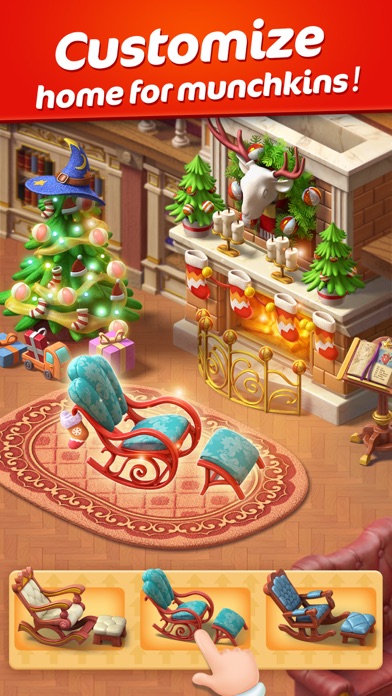
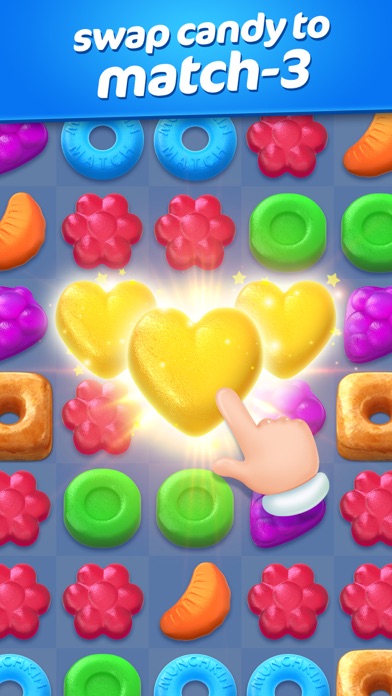
The unique interior decoration and wonderful tile-matching, this is the《Munchkin Match》brand new version!
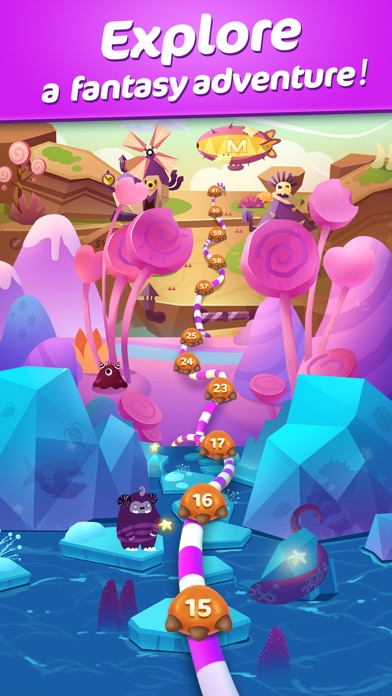
The protagonist Lemi's flying house was attached by ice dragon Winklehawk, the inner house was a big mess, Lemi needs your help to rebuild the flying house!
Super fun levels and brilliant mode
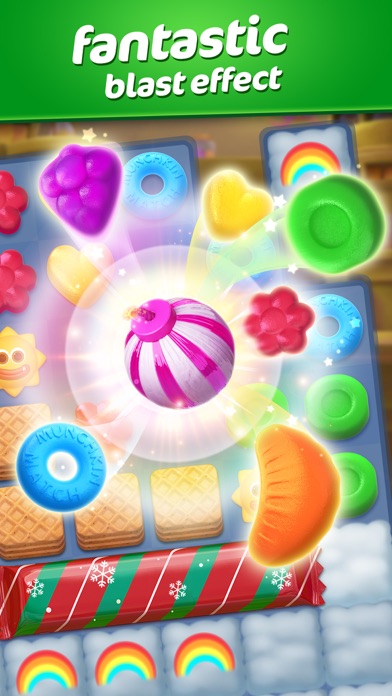
Desert can be monsters? Baguette can be weapon? Candy elf is all around you to help you clear obstacles,ice dragon threw ice cubes to you madly. You can even save the imprisoned little monster, point the way to the lost dwarf......tile-matching combine with story lines, it must be a lot of fun!
Super competent supporting role and super "incompetent" protagonist
Candy elves are not only show up in the levels, they become important outside the levels too! Wanna build furnitures? Wanna change the furniture style? Leave it to them, different candy elf have different power~ and compare with candy elves, Lemi was a complete loser. The greedy and lazy protagonist, what will he experience during the flying house renovation? Hope you like those little stories.
Ultra-rich decoration materials and cool scenes
Wanna know how's the monster world look like, what kind of house does monster live in? The fabulous game scenes give you the answer right away. You can even design their room by yourself -- same furniture different decoration change by clicking one button, unlock the new room as game goes on, new decoration of the room, make you experience the addiction of being a home designer!
Super hardcore technology support
Horizontal and vertical screen is supported, you can play without data!
Super fun 《Munchkin Match》is waiting for tasteful you~ plenty decoration material, funny little story, hope these will bring you more fun. Come join Lemi to "eliminate" worries, "eliminate" torridness, "eliminate" unhappiness!
Already a fan of Munchkin Match? Like us on Facebook for giveaways, contests, the latest news, and more! https://www.facebook.com/MunchkinMatch/
Contact us directly at [email protected]
Join the exclusive Munchkin Rewards Club!
Name of subscription: Munchkin Club Membership
Members of the Munchkin Rewards Club receives the following benefits:
• Club Gift: You will receive a power-up bundle from the club the first time you log in every month!
• Animated Avatar: Special animated avatar only for Munchkin Rewards Club members!
• Member Sign: You get a V sign at the lower right corner of your avatar.
Length of free trial: 1 week
Length of subscription: 1 month
Price of subscription: Varies by region and is clearly listed on the subscription page.
Any unused portion of a free-trial period, will be forfeited when the user purchases a subscription.
Your subscription is set to automatically renew. The price of the subscription will be charged to your iTunes account automatically on a monthly basis within 24-hours of the end of the current period, unless auto-renew is turned off 24 hours before the end of the current period. You can cancel and/ or manage your subscription, along with your auto-renewal, any time after your purchase by going to your iTunes Account Settings.
Privacy Policy: http://www.microfun.com/privacy/privacy.html
Terms of Use: http://www.microfun.com/agreement.html
- iPhone أو iPad بجيلبريك أو بدون جيلبريك.
- Sideloadly أو بدائلها.
- كمبيوتر يعمل بنظام Windows/macOS/Linux مع تثبيت iTunes.
الخطوة 1: قم بتنزيل ملف .IPA المعدّل مسبقًا من الرابط أعلاه إلى الكمبيوتر الخاص بك. للتنزيل من تطبيق iOSGods App، اطلع على دليل تنزيل IPA من تطبيق iOSGods App الذي يتضمن مثالًا بالفيديو.
الخطوة 2: قم بتنزيل Sideloadly وتثبيته على جهاز Windows أو Mac.
الخطوة 3: افتح Sideloadly على الكمبيوتر، ووصّل جهاز iOS الخاص بك، وانتظر حتى يظهر اسم جهازك داخل Sideloadly.
الخطوة 4: بمجرد التعرّف على جهاز iDevice الخاص بك، اسحب ملف .IPA المعدّل الذي قمت بتنزيله وأفلِته داخل تطبيق Sideloadly.
الخطوة 5: أدخل البريد الإلكتروني لحساب Apple Account الخاص بك، ثم اضغط على «Start». سيُطلب منك بعد ذلك إدخال كلمة المرور. تابع وأدخل المعلومات المطلوبة.
الخطوة 6: انتظر حتى ينتهي Sideloadly من تحميل/تثبيت ملف IPA المعدّل. في حال واجهت أي مشاكل أثناء التثبيت، يرجى قراءة الملاحظة أدناه.
الخطوة 7: بعد اكتمال التثبيت ورؤية التطبيق على الشاشة الرئيسية، انتقل إلى Settings → General → Profiles / VPN & Device Management. ثم اضغط على البريد الإلكتروني الذي أدخلته في الخطوة 6، ثم اضغط على «الوثوق بـ [email protected]».
الخطوة 8: الآن انتقل إلى الشاشة الرئيسية وافتح التطبيق الذي تم تثبيته للتو وسيعمل كل شيء بشكل صحيح. قد تحتاج إلى اتباع تعليمات إضافية خاصة بكل تطبيق داخل النافذة المنبثقة للتعديل أثناء اللعب.
ملاحظة: بدءًا من iOS/iPadOS 16 وما بعده، يجب تفعيل وضع المطور (Developer Mode). بالنسبة لحسابات Apple Developer المجانية، ستحتاج إلى تكرار هذه العملية كل 7 أيام. إذا كانت لديك أي أسئلة أو مشاكل، يرجى قراءة قسم الأسئلة الشائعة حول Sideloadly في الموضوع.