Login Diperlukan
Masuk dengan akun iOSGods kamu untuk melanjutkan.
Masuk dengan akun iOSGods kamu untuk melanjutkan.
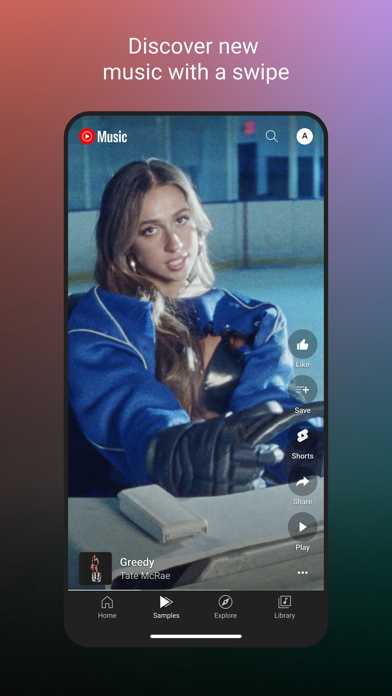
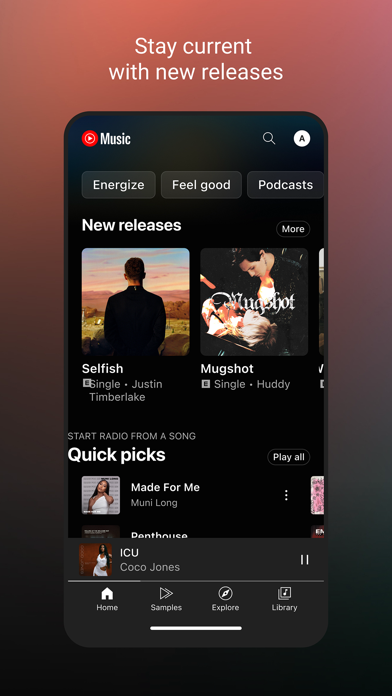
YouTube Music Ultimate adalah hack streaming musik yang membuka fitur premium seperti mendengarkan tanpa iklan, pemutaran latar belakang, dan tema gelap OLED di iOS, mengubah pengalaman mendengarkan sehari-hari Anda menjadi pengalaman tanpa gangguan.
Baik Anda menemukan artis baru, membuat playlist kolaboratif, atau menikmati pertunjukan langsung dan remix langka, Mod IPA ini menghilangkan paywall sehingga Anda dapat menjelajahi katalog lengkap YouTube Music tanpa gangguan, semua rekomendasi yang dipersonalisasi dan playlist yang dikurasi, sekarang sepenuhnya gratis.
- Fitur Premium (Tanpa Iklan, Pemutaran latar belakang dll.) → menghilangkan iklan dan mengaktifkan pemutaran saat aplikasi ditutup
- Tema Gelap OLED → tampilan yang dioptimalkan untuk layar OLED
- Keyboard Gelap OLED → keyboard gelap yang sesuai dengan tema
- Tampilkan tombol kecepatan pemutaran → kontrol kecepatan pemutaran selama pemutaran
- Pemilihan Teks untuk Lirik → salin dan bagikan lirik secara langsung
- Hapus Tombol Premium → menyembunyikan prompt upgrade dari antarmuka
- Kontras Rendah → mengurangi ketegangan mata di lingkungan cahaya rendah
- Bilah Volume di pemutar → penyesuaian volume cepat di pemutar
Jika "Keep Plugins" gagal gunakan "Remove Plugins" untuk menginstal :)
Unduh YouTube Music Ultimate modded IPA dari tautan di atas. Ketuk tombol pasang dan ikuti petunjuk di layar untuk memasang hack iOS ini di iPhone, iPad, atau Apple Silicon.
Butuh bantuan lebih lanjut? Lihat Pertanyaan yang Sering Diajukan untuk Aplikasi iOSGods kami untuk jawaban dan tips lengkap.
帶你盡情享受音樂世界:
● 更多獨家音樂內容,像是現場表演、翻唱歌曲、混音創作等
● 數以千計的精選播放清單,涵蓋多種類型和情境
為你打造專屬天地,適合生活每一刻:
● 根據你最愛的音樂類型,為你量身打造播放清單與合輯
● 根據健身、放鬆和專注時刻等生活情境,提供不同的專屬合輯
● 透過推薦歌曲或和其他樂迷一同創作,打造各式完美播放清單
● 透過專屬於你的媒體庫中查看你喜歡或新增的歌曲、播放清單、演出者和專輯
讓你掌握潮流,探索新音樂:
● 查看為你精選的合輯,像是探索合輯與新曲合輯
● 按照不同類型探索音樂,例如嘻哈音樂、流行樂、鄉村音樂、舞曲和電音、藍調、獨立和另類音樂、爵士樂、韓國流行樂、拉丁樂、搖滾樂等
● 按照不同情境探索音樂,像是放鬆心情、感覺很讚、提振精神、助眠、集中注意力、浪漫、運動、通勤、派對等
● 探索全球熱門排行榜
給你更棒的聆聽體驗:
● 跟著歌詞哼唱你喜愛的歌曲
● 輕鬆切換歌曲和影片模式
● 透過手機、電腦、智慧音箱、智慧型電視、智慧型手錶和你喜愛的應用程式聆聽音樂。
● 支援 Google 地圖、Waze、Google 助理等多種應用程式。
升級至 Music Premium (僅適用於部分國家/地區) 即可享有下列福利:
● 享受無廣告干擾的聆聽體驗
● 在背景播放音樂
● 存取下載內容 (含智慧下載)
● 在 YouTube Music 中輕鬆切換音訊和影片
----------
如果你是透過 iTunes 訂閱,請參閱以下說明:
確認交易後,系統會立即向 iTunes 帳戶收費,並在訂閱期滿時自動為你續訂;如果不想續訂,請至少在當期截止的 24 小時前停用自動續訂功能。系統會在當期截止前的 24 小時內,依選定的方案費率向你的帳戶收取續訂費用。交易完成後,你可以前往「帳戶設定」管理訂閱內容與自動續訂設定。
YouTube 付費服務的《服務條款》:https://www.youtube.com/t/terms_paidservice
《隱私權政策》:https://www.google.com/policies/privacy

- iPhone atau iPad tanpa Jailbreak atau dengan Jailbreak.
- Sideloadly atau alternatifnya.
- Komputer dengan Windows/macOS/Linux dan iTunes terpasang.
LANGKAH 1: Unduh file .IPA yang sudah di-hack dari tautan di atas ke komputer Anda. Untuk mengunduhnya dari iOSGods App, silakan lihat Tutorial Mengunduh IPA dari iOSGods App kami yang dilengkapi contoh video.
LANGKAH 2: Unduh Sideloadly dan pasang di Windows atau Mac Anda.
LANGKAH 3: Buka Sideloadly di komputer Anda, sambungkan perangkat iOS Anda, dan tunggu hingga nama perangkat Anda muncul di Sideloadly.
LANGKAH 4: Setelah iDevice Anda terdeteksi, seret file .IPA yang sudah dimodifikasi dan lepaskan ke dalam aplikasi Sideloadly.
LANGKAH 5: Masukkan email Apple Account Anda, lalu tekan "Start". Anda kemudian akan diminta memasukkan kata sandi. Silakan isi informasi yang diminta.
LANGKAH 6: Tunggu hingga Sideloadly selesai melakukan sideloading/pemasangan IPA yang di-hack. Jika terjadi masalah saat pemasangan, silakan baca catatan di bawah ini.
LANGKAH 7: Setelah pemasangan selesai dan Anda melihat aplikasi di Layar Beranda, Anda perlu masuk ke Pengaturan → Umum → Profil / VPN & Manajemen Perangkat. Setelah itu, ketuk email yang Anda masukkan pada langkah 6, lalu ketuk "Percayai [email protected]".
LANGKAH 8: Sekarang buka Layar Beranda dan jalankan aplikasi yang baru saja dipasang; semuanya seharusnya berjalan normal. Anda mungkin perlu mengikuti petunjuk tambahan per aplikasi yang muncul di popup hack di dalam game.
CATATAN: Pada iOS/iPadOS 16 dan yang lebih baru, Anda harus mengaktifkan Mode Pengembang. Untuk akun Apple Developer gratis, Anda perlu mengulangi proses ini setiap 7 hari. Jika Anda memiliki pertanyaan atau masalah, silakan baca bagian FAQ Sideloadly di topik tersebut kami.