Login necessário
Entre com sua conta iOSGods para continuar.

Hack Features:
- Fully unlocked
Baixe GIF Maker - ImgPlay Hack modded IPA dos links acima. Toque no botão de instalação e siga as instruções para instalar este hack iOS no seu iPhone, iPad ou Apple Silicon.
Precisa de mais ajuda? Confira nossas Perguntas frequentes sobre o app iOSGods para respostas detalhadas e dicas de solução de problemas.
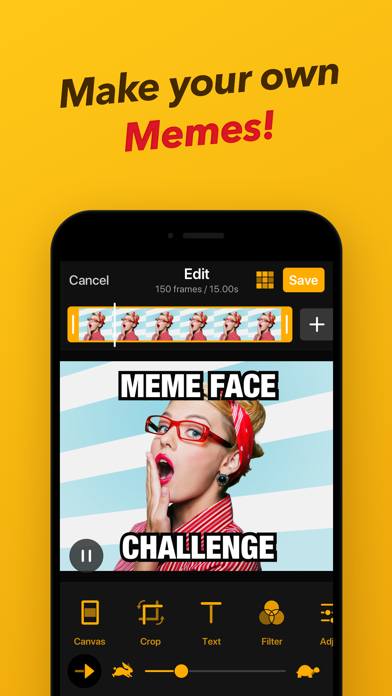
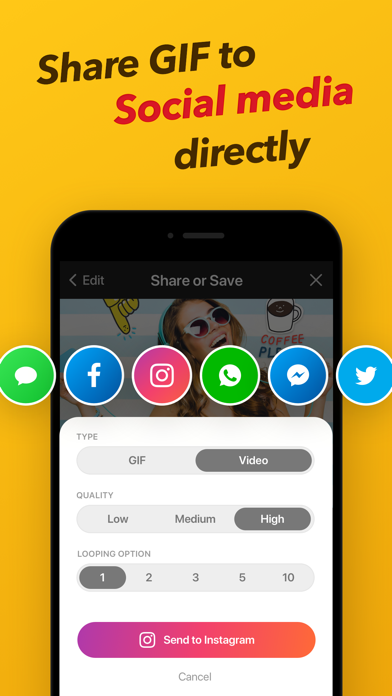
Make GIF with a free GIF creator app on iPhone & iPad! ImgPlay will be your favorite go-to app for gif & video making! ImgPlay can be your converter, splitter & editor for your GIF & video! You can easily customize GIFs when you make GIF from video, Live Photo & burst. Combine and caption GIFs to make funny memes! If your GIF is ready, share it to iMessage, Messenger, Whatsapp, Instagram, Twitter and Tumblr directly!
-Key Feature-
GIF or Video Creation:
• Using Live Photo
• Using Burst Photos
• Photo-by-Photo (Slideshow)
• Partial Video-Editing Features
• Partial GIF-Editing Features
• Video Recording Tools
• Importing from Wi-Fi, iTunes & Dropbox
Four Camera Modes:
• Hands-Free, Normal, Boomerang, Stop-Motion
Canvas Style:
• 1:1, 4:5, 9:16 (Instagram Story Size), 1.91:1 (Facebook Size), 2:1(Twitter Size)
• 16:9, 3:4, 4:3, 2:3, 3:2, 1:2
• 6 Different Meme Canvas Styles, including Autotext-area
• Various shaped Canvas style including Text Cut Out Canvas
Frame View:
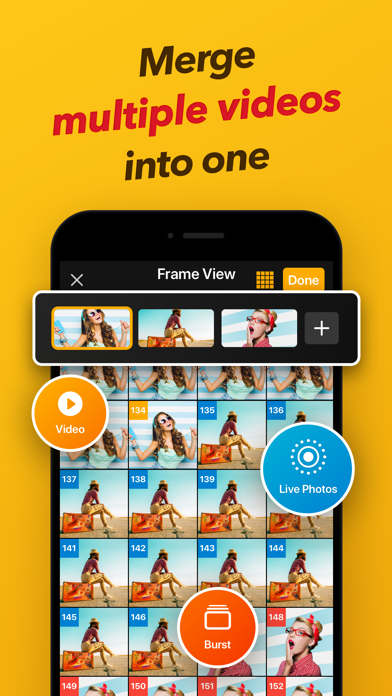
• Checking GIF & Video Frames easily
• Ordering Frames with Drag & Drop
• Easily Merge Photos, GIFs, Videos & Live Photo with the Tap of a "+" Button
Captions & Text:
• Adding Text to GIFs & Video
• Adding Customized Fonts directly
• Shadow, Outline, Neon, etc. Text styles
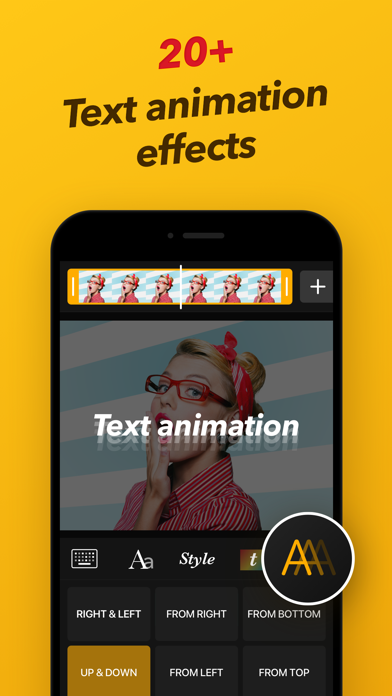
• 20 different Animated Text with Looping option
• Downloadable various Fonts
Fun Stickers & Image Overlay:
• Customizing Stickers with your own Photos & GIFs
• 23 different Animated Sticker Motion with Looping option
• Downloadable Fantastic Sticker Packs
• Using Copied image for Sticker by Copy & Paste from Clipboard
• Add Mosaic
• Add your own logo
Adjust Effects in details:
• Adjustment for Brightness, Contrast, Saturation, Warmth & Sharpen
• 45+ different Filters
Make GIFs & Videos fun-fully:
• Sketch with Pen Drawing
• Speed Control (0.02sec-1sec) for GIF/Video
• Play Direction Change (Forward, Reverse, Back & Forth)
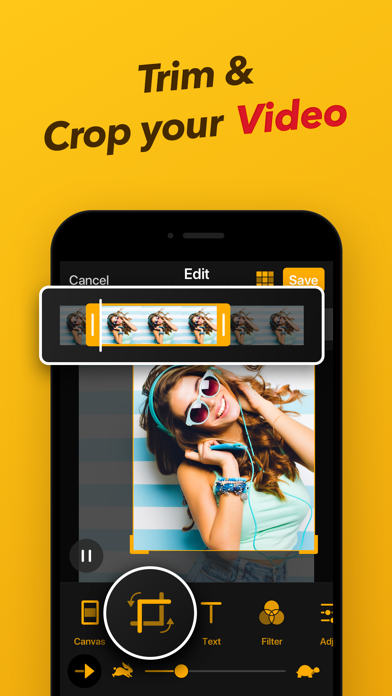
• Video trimming
• Colored or Patterned Background
• Rotate, Crop & Flip
• FPS Setting (5, 10, 15, 20, 24, 30) while editing or trimming video
Save & Share easily and quickly :
• Looping Count (Infinite or 1, 3, 5 times)
• Save GIF as Video File or Save Video as GIF File
• Save GIFs/Videos to Camera Roll in the Desired Size
• Save GIF/Video by selecting the pixel size
• Share GIFs/Videos Quickly to Instagram, Twitter, Facebook, TikTok, WhatsApp, Facebook Messenger, Weibo, WeChat, QQ, etc
• Resize the files automatically to upload them for Twitter and WeChat
• Save as an individual frame
• Export APNG, WebP
ImgPlay for iMessage (Over iOS 10):
• Send GIFs/Videos from Camera Roll Directly without leaving your iMessage Conversation
We always love to hear from you.
If you are enjoying ImgPlay, please leave us reviews.
Bugs? Feedbacks? Suggestions? Feel free to contact us.
Email: [email protected]
Twitter: https://twitter.com/imgplay
Instagram: http://instagram.com/imgplay #imgplay
Facebook: https://www.facebook.com/imgplayapp
- iPhone ou iPad sem jailbreak/jailed ou com jailbreak.
- Sideloadly ou alternativas.
- Computador com Windows/macOS/Linux e iTunes instalado.
PASSO 1: Baixe o arquivo .IPA pré-hackeado do link acima para o seu computador. Para baixar pelo iOSGods App, veja nosso Tutorial de download de IPA do iOSGods App, que inclui um exemplo em vídeo.
PASSO 2: Baixe o Sideloadly e instale-o no seu Windows ou Mac.
PASSO 3: Abra o Sideloadly no seu computador, conecte seu dispositivo iOS e aguarde até que o nome do dispositivo apareça no Sideloadly.
PASSO 4: Assim que seu iDevice for reconhecido, arraste o arquivo .IPA modificado que você baixou e solte-o no aplicativo Sideloadly.
PASSO 5: Digite o e-mail da sua Apple Account e pressione “Start”. Em seguida, será solicitada a sua senha. Prossiga e forneça as informações solicitadas.
PASSO 6: Aguarde o Sideloadly finalizar o sideload/instalação do IPA hackeado. Se houver problemas durante a instalação, leia a observação abaixo.
PASSO 7: Quando a instalação estiver concluída e você vir o app na Tela de Início, será necessário acessar Ajustes → Geral → Perfis / Gerenciamento de VPN e Dispositivo. Lá, toque no e-mail que você inseriu no passo 6 e, em seguida, toque em “Confiar em [email protected]”.
PASSO 8: Agora vá para a Tela de Início e abra o app recém-instalado; tudo deve funcionar normalmente. Você pode precisar seguir instruções adicionais específicas no popup do hack dentro do jogo.
OBSERVAÇÃO: No iOS/iPadOS 16 e versões posteriores, você deve ativar o Modo de Desenvolvedor. Para contas Apple Developer gratuitas, será necessário repetir este processo a cada 7 dias. Se tiver dúvidas ou problemas, leia nossa seção de FAQ do Sideloadly no tópico.