ต้องเข้าสู่ระบบ
เข้าสู่ระบบด้วยบัญชี iOSGods เพื่อดำเนินการต่อ

Hack Features:
- Fully unlocked
ดาวน์โหลด Text Scanner (OCR) Hack modded IPA จากลิงก์ด้านบน แตะปุ่มติดตั้งและทำตามคำแนะนำบนหน้าจอเพื่อติดตั้งแฮ็กแอป iOS นี้บน iPhone, iPad หรือ Apple Silicon
ต้องการความช่วยเหลือเพิ่มเติม? ดู คำถามที่พบบ่อยของแอป iOSGods สำหรับคำตอบโดยละเอียดและเคล็ดลับการแก้ไขปัญหา
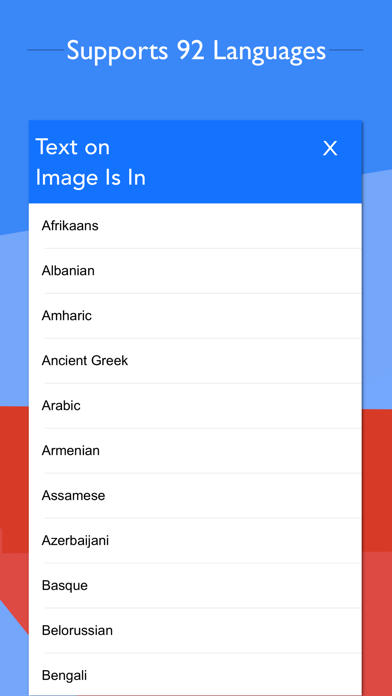
OCR-Text Scanner is app to recognize any text from an image with 98% to 100% accuracy. Gave support for 92 languages.
It turns your mobile phone to text scanner.
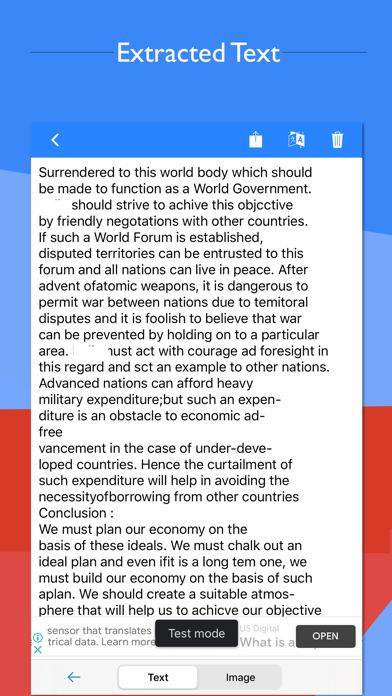
Here OCR (Optical Character Recognition) technology is used to recognize text on image.
Contact me if your language is missing to support.
Features of Text Scanner:
* Extract any Text/Words On Image.
* Multi image scan - text extraction in background.
* Recognize text from image supports 92 languages.
* Copy - Text on Screen, using screenshot image
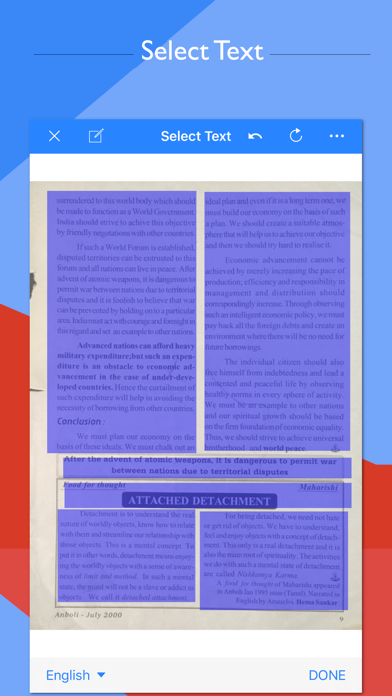
* Crop image before OCR.
* Edit & Share OCR result.
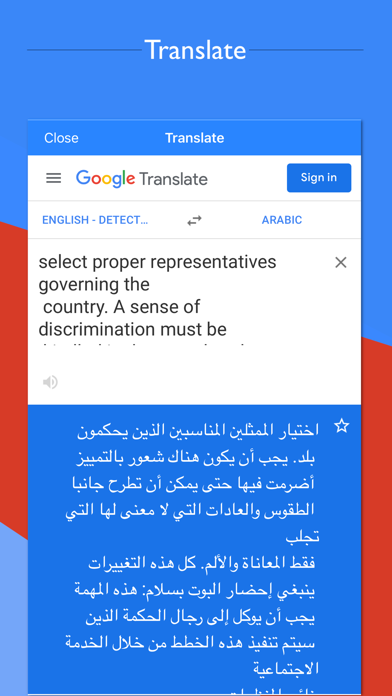
* Get translations in over 100 languages.
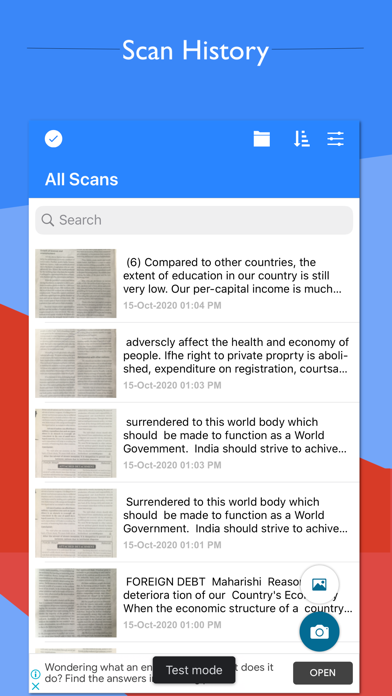
* Recent Scan history.
* Organize scans inside folder.
* Sort scans by date descending or ascending order.
* Search for words in saved scans.
* Share extension to share image to extract text.
* Multiple column selection on text of image.
. Backup and Restore Scans.
Please send mail if you find any bugs , issues or want any feature.
Subscription Plans
Unlimited Scans Monthly
-------------------------
Unlimited scans
No ads upto 50 scans per day.
for one month period.
monthly 7.99 $
Unlimited Scans Yearly
----------------------
Unlimited scans
No ads upto 50 scans per day.
for one year period.
yearly 60.99 $.
-----------------
Payment will be charged to iTunes Account at confirmation of purchase.
Subscription automatically renews unless auto-renew is turned off at least 24-hours before the end of the current period.
Account will be charged for renewal as per existing plan rate within 24-hours prior to the end of the current period.
Subscriptions may be managed by the user and auto-renewal may be turned off by going to the user's Account Settings after purchase.
Any unused portion of a free trial period, if offered, will be forfeited when the user purchases a subscription to that publication, where applicable.
-----------------
Privacy Policy:https://appsitesua.appspot.com/textscannerios/privacypolicy
Terms of Service:https://appsitesua.appspot.com/textscannerios/termsofuse
- iPhone หรือ iPad ที่ไม่ได้เจลเบรก/ไม่ได้เจลเบรก หรือเจลเบรกแล้ว
- Sideloadly หรือทางเลือกอื่น
- คอมพิวเตอร์ที่ใช้ Windows/macOS/Linux และติดตั้ง iTunes ไว้
ขั้นตอนที่ 1: ดาวน์โหลดไฟล์ .IPA ที่แฮกไว้ล่วงหน้าจากลิงก์ด้านบนลงในคอมพิวเตอร์ของคุณ หากต้องการดาวน์โหลดจากแอป iOSGods โปรดดู วิธีดาวน์โหลด IPA ในแอป iOSGods ซึ่งมีตัวอย่างวิดีโอประกอบ
ขั้นตอนที่ 2: ดาวน์โหลด Sideloadly แล้วติดตั้งบน Windows หรือ Mac ของคุณ
ขั้นตอนที่ 3: เปิด Sideloadly บนคอมพิวเตอร์ เชื่อมต่ออุปกรณ์ iOS แล้วรอจนกว่าชื่ออุปกรณ์ของคุณจะปรากฏใน Sideloadly
ขั้นตอนที่ 4: เมื่อ iDevice ของคุณถูกตรวจพบแล้ว ให้ลากไฟล์ .IPA ที่ม็อดมาวางลงในโปรแกรม Sideloadly
ขั้นตอนที่ 5: กรอกอีเมล Apple Account ของคุณ จากนั้นกด "Start" ระบบจะถามรหัสผ่าน กรอกข้อมูลที่จำเป็นให้เรียบร้อย
ขั้นตอนที่ 6: รอจนกว่า Sideloadly จะ sideload/ติดตั้งไฟล์ IPA ที่แฮกเสร็จ หากเกิดปัญหาระหว่างติดตั้ง โปรดอ่านหมายเหตุด้านล่าง
ขั้นตอนที่ 7: เมื่อการติดตั้งเสร็จสิ้นและเห็นแอปบนหน้าจอหลักแล้ว ให้ไปที่ การตั้งค่า → ทั่วไป → โปรไฟล์ / VPN และการจัดการอุปกรณ์ จากนั้นแตะที่อีเมลที่คุณกรอกในขั้นตอนที่ 6 แล้วแตะ "เชื่อถือ [email protected]"
ขั้นตอนที่ 8: จากนั้นไปที่หน้าจอหลักและเปิดแอปที่ติดตั้งใหม่ ทุกอย่างควรทำงานได้ปกติ คุณอาจต้องทำตามคำแนะนำเพิ่มเติมเฉพาะแอปในป๊อปอัปของม็อดในเกม
หมายเหตุ: สำหรับ iOS/iPadOS 16 ขึ้นไป คุณต้อง เปิดโหมดนักพัฒนา (Developer Mode) สำหรับบัญชี Apple Developer แบบฟรี คุณต้องทำขั้นตอนนี้ซ้ำทุก 7 วัน หากมีคำถามหรือพบปัญหา โปรดอ่าน หัวข้อ FAQ ของ Sideloadly ในกระทู้