تسجيل الدخول مطلوب
سجّل الدخول بحساب iOSGods للمتابعة.
سجّل الدخول بحساب iOSGods للمتابعة.
Dig Out! Free Hack يفتح الذهب غير المحدود والنجوم والأرواح لإتقان لعبة الألغاز الممتعة هذه بدون حدود. استمتع بتجربة التعديل الكاملة مع عمليات الشراء داخل التطبيق المجانية، 100 ضربة معدن في كل جلسة، وبدون إعلانات تقاطع لعبك.
- ذهب غير محدود → أنفق بحرية بدون نفاد
- نجوم غير محدودة → اجمع ما تحتاجه
- أرواح غير محدودة → العب بدون فقدان التقدم
- IAP مجاني (بمجرد التفعيل، انتقل لشراء IAP واضغط 'إلغاء' على نافذة Apple. سيتم إضافته في التحديث القادم) → الوصول إلى عمليات الشراء المميزة بدون تكلفة
- 100 ضربة معدن (تبدأ بـ 100 ضربة معدن) → احفر أعمق مع متانة أداة موسعة
- بدون إعلانات → تجربة لعب بدون انقطاع
يأتي هذا التطبيق أيضًا مع iGameGod، مما يتيح لك الوصول إلى Auto Touch لأتمتة المهام المتكررة، وApp Speed Manager لضبط سرعة اللعب، وتعديل القيم عبر Memory Engine، والمزيد من أدوات ألعاب iOS القوية.
قم بتنزيل Dig Out! - Free Hack modded IPA من الروابط أعلاه. اضغط على زر التثبيت واتبع التعليمات لتثبيت هذا التعديل لـ iOS على iPhone أو iPad أو Apple Silicon.
هل تحتاج إلى مزيد من المساعدة؟ راجع الأسئلة الشائعة لتطبيق iOSGods للحصول على إجابات مفصلة ونصائح لاستكشاف الأخطاء.
为荣耀,开挖吧!
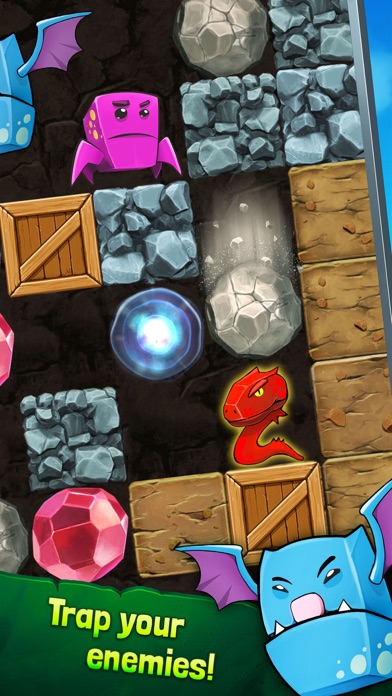
挖掘矿井,越深越好,收集宝石,多多益善!你的移动步数是有限的,等到你的鹤嘴锄损耗坏掉时就不能再移动了。你能打破好友的高分记录吗?让我们拭目以待吧!
先等等!挖掘的时候要小心,掉落的巨石会砸扁你的像素矿工。同时还要留神恐怖的地下怪物!用你的陷阱和武器来消灭它们,否则有你好受的。冲破无尽的地下矿井和巨石,成为最优秀的宝物猎人吧!
游戏特色:
— 随机生成的无尽地图
— 见所未见的新式怪物陷阱
— 和你的好友一起争夺“最佳挖掘者”头衔
— 专用的宝石挖掘工具可助你“更下层楼”
— 探寻失落的隐藏宝箱和宝石
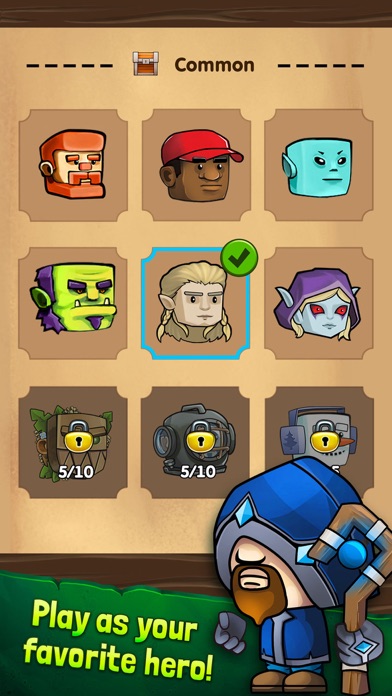
— 选择你的个人像素矿工英雄
--------------------------------------
Terms of Use URL: https://www.interactive360.info/TermsOfUse.html
Privacy URL: https://www.interactive360.info/privacy-policy-apps.html

- iPhone أو iPad بجيلبريك أو بدون جيلبريك.
- Sideloadly أو بدائلها.
- كمبيوتر يعمل بنظام Windows/macOS/Linux مع تثبيت iTunes.
الخطوة 1: قم بتنزيل ملف .IPA المعدّل مسبقًا من الرابط أعلاه إلى الكمبيوتر الخاص بك. للتنزيل من تطبيق iOSGods App، اطلع على دليل تنزيل IPA من تطبيق iOSGods App الذي يتضمن مثالًا بالفيديو.
الخطوة 2: قم بتنزيل Sideloadly وتثبيته على جهاز Windows أو Mac.
الخطوة 3: افتح Sideloadly على الكمبيوتر، ووصّل جهاز iOS الخاص بك، وانتظر حتى يظهر اسم جهازك داخل Sideloadly.
الخطوة 4: بمجرد التعرّف على جهاز iDevice الخاص بك، اسحب ملف .IPA المعدّل الذي قمت بتنزيله وأفلِته داخل تطبيق Sideloadly.
الخطوة 5: أدخل البريد الإلكتروني لحساب Apple Account الخاص بك، ثم اضغط على «Start». سيُطلب منك بعد ذلك إدخال كلمة المرور. تابع وأدخل المعلومات المطلوبة.
الخطوة 6: انتظر حتى ينتهي Sideloadly من تحميل/تثبيت ملف IPA المعدّل. في حال واجهت أي مشاكل أثناء التثبيت، يرجى قراءة الملاحظة أدناه.
الخطوة 7: بعد اكتمال التثبيت ورؤية التطبيق على الشاشة الرئيسية، انتقل إلى Settings → General → Profiles / VPN & Device Management. ثم اضغط على البريد الإلكتروني الذي أدخلته في الخطوة 6، ثم اضغط على «الوثوق بـ [email protected]».
الخطوة 8: الآن انتقل إلى الشاشة الرئيسية وافتح التطبيق الذي تم تثبيته للتو وسيعمل كل شيء بشكل صحيح. قد تحتاج إلى اتباع تعليمات إضافية خاصة بكل تطبيق داخل النافذة المنبثقة للتعديل أثناء اللعب.
ملاحظة: بدءًا من iOS/iPadOS 16 وما بعده، يجب تفعيل وضع المطور (Developer Mode). بالنسبة لحسابات Apple Developer المجانية، ستحتاج إلى تكرار هذه العملية كل 7 أيام. إذا كانت لديك أي أسئلة أو مشاكل، يرجى قراءة قسم الأسئلة الشائعة حول Sideloadly في الموضوع.