Inloggen vereist
Log in met je iOSGods-account om door te gaan.
Hack Features:
- Unlimited gold. Don't decrease.
- Unlimited potions.
- Unlimited lives.
- Unlimited boosters.
Deze app bevat iGameGod, waarmee je toegang krijgt tot Auto Touch om repetitieve taken te automatiseren, App Speed Manager voor een aanpasbare spelsnelheid, het bewerken van waarden met Memory Engine en andere krachtige iOS-gametools.
Download Viola's Quest - Marble Blast Hack modded IPA via de bovenstaande links. Tik op de installatieknop en volg de instructies om deze iOS-app-hack op je iPhone, iPad of Apple Silicon te installeren.
Meer hulp nodig? Bekijk onze Veelgestelde vragen over de iOSGods-app voor uitgebreide antwoorden en probleemoplossingstips.
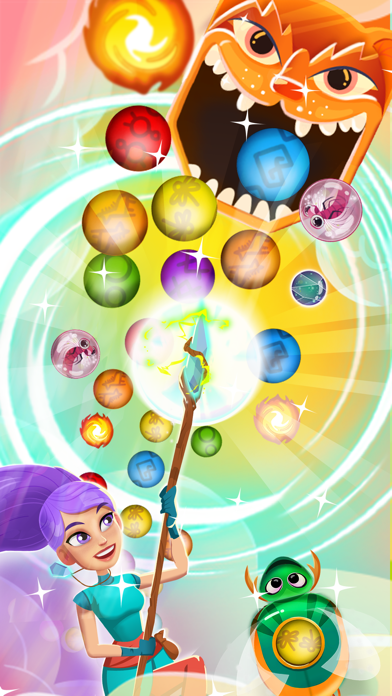
Experience the magic of MARBLE GAMES with this new MARBLE SHOOT GAME! Join Viola on her marble quest to defeat the evil Desmond and decorate you magic garden.
Violas Marble Quest is a marble shooting game that incorporates color blast puzzle solving skills into a magic quest!
How To Play:
Match 3 marbles or more of the same color and create a magic blast to pop those marbles! Collect and use special magic blast powers-ups like the Thunderbolt or Shockwave and blast marbles away!
If you’re looking for a free game that will relieve stress, Violas Marble Quest is the best game for you. This is a great game to play with friends or as great games for kids.
Key features:
- Match-3 or more to pop marbles in this exciting new adventure game!
- Save the dragonflies, clear all the marbles, beat the time and stop Desmond from stealing all the magic!
- Play engaging levels with unforgettable features that will make you completely addicted to the game! Release adorable dragonflies, blast marbles, let glowing fireflies help you win!
Play to discover even more outstanding features!
- Boss levels: will you manage to create a gap and defeat Desmond?
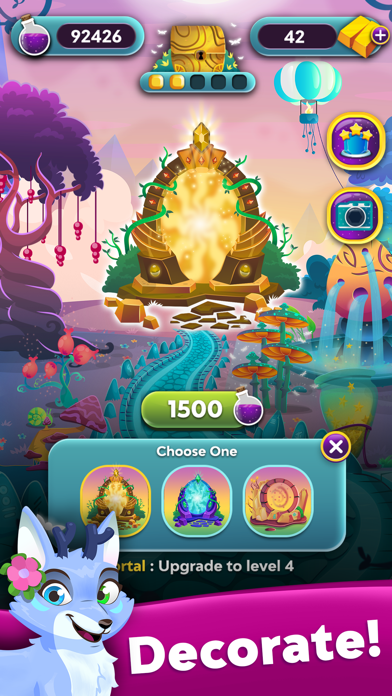
- Decorate your Garden with magic lantern, flowers, magic mushrooms & more!
- Spectacular, power-up boosters! Play marble games and unlock them all.
- Many deluxe powers to discover! Create combos to get amazing power-ups.
- Amazing graphics
- Play with friends: Connect your Facebook account & Play with FB Frineds!
- Easily sync the game between different devices when connected to the Internet
- No Wi-Fi connection required, but you unlock the full game features when connected to the Internet
Accept the challenge and have fun playing Marble Viola's Quest!
Follow us to get news and updates:
- Facebook: https://www.facebook.com/violasquest/
- Instagram: http://instagram.com/violasquest/
- Niet-jailbroken/jailed of jailbroken iPhone of iPad.
- Sideloadly of alternatieven.
- Computer met Windows/macOS/Linux en iTunes geïnstalleerd.
STAP 1: Download het vooraf gehackte .IPA-bestand via de link hierboven naar uw computer. Om het te downloaden vanuit de iOSGods App, bekijk onze iOSGods App IPA-downloadhandleiding met een videovoorbeeld.
STAP 2: Download Sideloadly en installeer het op uw Windows of Mac.
STAP 3: Open Sideloadly op uw computer, sluit uw iOS-apparaat aan en wacht tot de naam van uw apparaat in Sideloadly verschijnt.
STAP 4: Zodra uw iDevice is herkend, sleept u het gedownloade gemodde .IPA-bestand naar de Sideloadly-applicatie.
STAP 5: Voer het e-mailadres van uw Apple Account in en druk op “Start”. U wordt vervolgens gevraagd om uw wachtwoord in te voeren. Geef de gevraagde informatie op.
STAP 6: Wacht tot Sideloadly het sideloaden/installeren van de gehackte IPA heeft voltooid. Als er problemen zijn tijdens de installatie, lees dan onderstaande opmerking.
STAP 7: Zodra de installatie is voltooid en u de app op uw beginscherm ziet, gaat u naar Instellingen → Algemeen → Profielen / VPN- en apparaatbeheer. Tik daar op het e-mailadres dat u in stap 6 hebt ingevoerd en tik vervolgens op “Vertrouw [email protected]”.
STAP 8: Ga nu naar uw beginscherm en open de zojuist geïnstalleerde app; alles zou correct moeten werken. Mogelijk moet u verdere app-specifieke instructies volgen in de hack-popup in het spel.
OPMERKING: Op iOS/iPadOS 16 en later moet u Ontwikkelaarsmodus inschakelen. Voor gratis Apple Developer-accounts moet u dit proces elke 7 dagen herhalen. Als u vragen of problemen hebt, lees dan onze Sideloadly FAQ-sectie van het onderwerp.