Login Required
Sign in with your iOSGods account to continue.
Sign in with your iOSGods account to continue.

- Unlimited Coins -> Will increase instead of decrease.
- Unlimited Gems -> Will increase instead of decrease.
- Unlimited Items -> Will increase instead of decrease.
This app also comes with iGameGod, giving you access to Auto Touch to automate repetitive tasks, App Speed Manager for adjustable gameplay speed, Memory Engine value editing, and more powerful iOS game tools.
Download Coin Summoner: Coin Pusher RPG iOS Mod IPA from the links above. Tap the install button and follow the on-screen instructions to install this iOS app hack on your iPhone, iPad, or Apple Silicon.
Need more help? Check out our iOSGods App Frequently Asked Questions for detailed answers and troubleshooting tips.
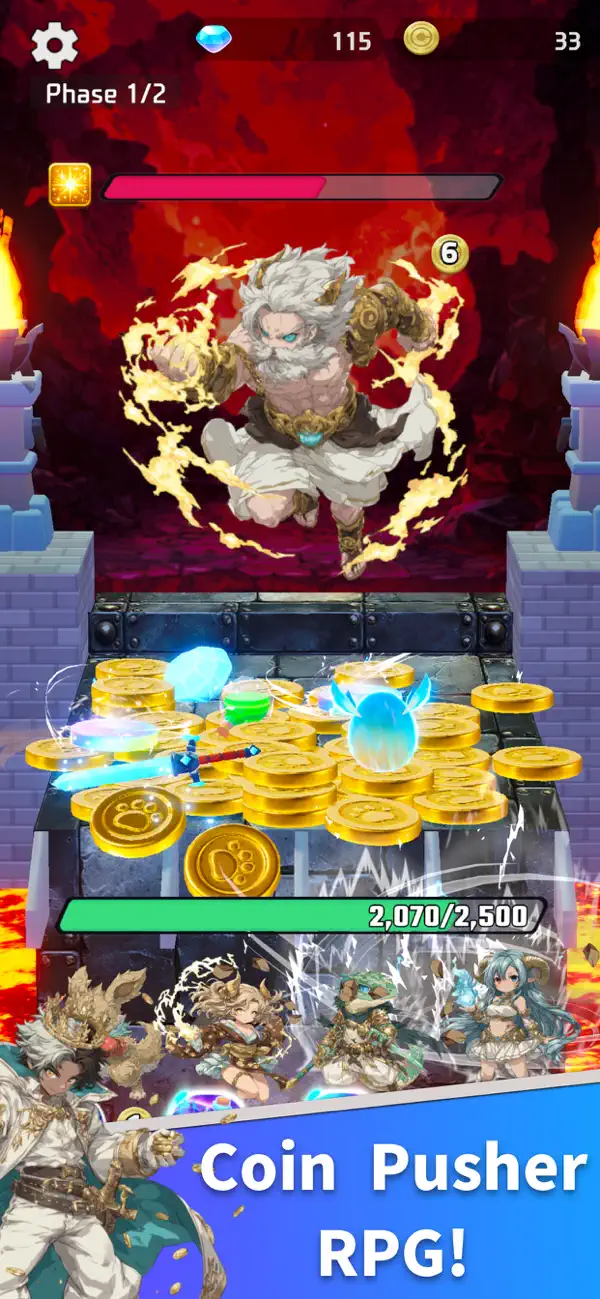
Aim for the drop and trigger massive combos! Experience a coin-pusher RPG that blends pure exhilaration with deep character growth!
Coin Summoner is a high-octane battle RPG where you drop coins to attack enemies and grow your monster allies. The key to victory is the "Chain Combo"—the more coins you drop, the more attacks you unleash. Experience the satisfying "clink and clatter" as you strategically clear piles of coins to shred your enemy's HP in one go.
■ Exhilarating Coin-Drop Battles
Drop coins exactly where you want and watch the board shift to set up massive combos. Your strategy changes based on where you aim and which ally you activate first. It’s simple to play and feels great, yet offers deep tactical depth.
■ Master the Board with Skills
Attack, endure, or turn the tables. Use unique skills to adapt to the situation and pull off a dramatic comeback. Whether you're flooding the board with coins to overwhelm the enemy, focusing on recovery, or converting coins into weapons for massive damage—the flow of battle is in your hands.
■ Evolve and Earn 100+ Powerful Allies
Acquiring characters isn't just about the gacha. By chaining attacks through coin drops, you can rank up the "Eggs" you receive as rewards. The better you grow your Egg, the more powerful the monster that hatches from it. It’s a rewarding cycle of collection and growth where playing more leads to stronger allies.
■ Collect Pals to Build the Ultimate Team
Support characters known as "Pals" expand your strategic horizons. From healing and attack buffs to drop assistance, their abilities are diverse. Collect, train, and experiment with different combinations to forge your own unstoppable team!
- Non-Jailbroken/Jailed or Jailbroken iPhone or iPad.
- Sideloadly or alternatives.
- Computer running Windows/macOS/Linux with iTunes installed.
STEP 1: Download the pre-hacked .IPA file from the link above to your computer. To download from the iOSGods App, see our iOSGods App IPA Download Tutorial which includes a video example.
STEP 2: Download Sideloadly and install it on your Windows or Mac.
STEP 3: Open Sideloadly on your computer, connect your iOS device, and wait until your device name appears in Sideloadly.
STEP 4: Once your iDevice is recognized, drag the modded .IPA file you downloaded and drop it into the Sideloadly application.
STEP 5: Enter your Apple Account email, then press “Start.” You’ll then be asked to enter your password. Go ahead and provide the required information.
STEP 6: Wait for Sideloadly to finish sideloading/installing the hacked IPA. If there are issues during installation, please read the note below.
STEP 7: Once the installation is complete and you see the app on your Home Screen, you will need to go to Settings → General → Profiles / VPN & Device Management. Once there, tap on the email you entered from step 6, and then tap on “Trust [email protected]”.
STEP 8: Now go to your Home Screen and open the newly installed app and everything should work fine. You may need to follow further per app instructions inside the hack's popup in-game.
NOTE: iOS/iPadOS 16 and later, you must enable Developer Mode. For free Apple Developer accounts, you will need to repeat this process every 7 days. If you have any questions or problems, read our Sideloadly FAQ section of the topic.






![Arrow Rush: Archer Roguelike [ Debug Menu ]](https://is1-ssl.mzstatic.com/image/thumb/Purple221/v4/de/03/b2/de03b286-0e30-58a7-14d2-1dedf1ac6bfb/AppIcon-0-0-1x_U007emarketing-0-8-0-85-220.png/100x100bb.jpg)


