Cần đăng nhập
Đăng nhập bằng tài khoản iOSGods để tiếp tục.
Mod Features
- PREMIUM
- Infinite Coin
Tải Paint by Number April Coloring Mod APK từ nút ở trên. Sau khi nhấn tải, chỉ cần làm theo hướng dẫn để cài APK đã mod lên thiết bị Android hoặc trình giả lập.
Cần trợ giúp? Hãy xem Câu hỏi thường gặp Android để có câu trả lời chi tiết và mẹo khắc phục sự cố.
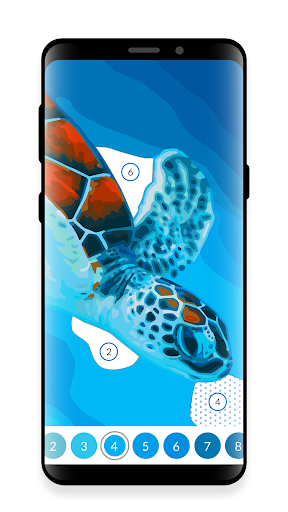
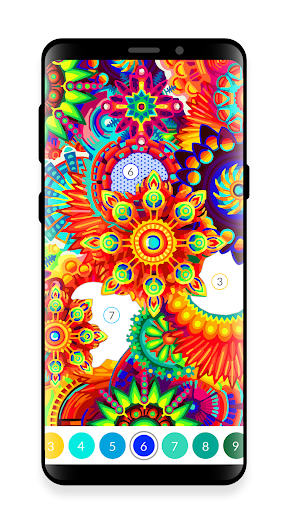
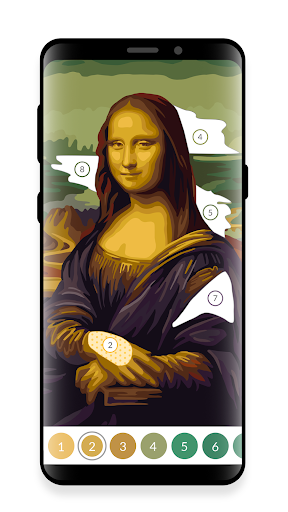
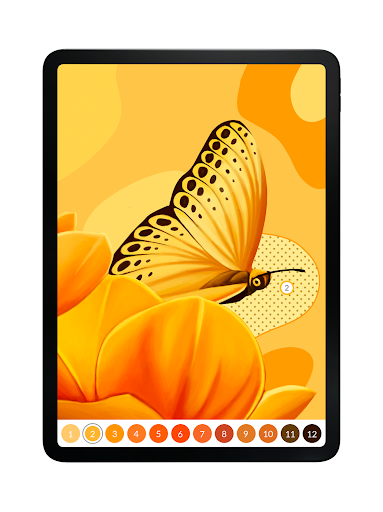
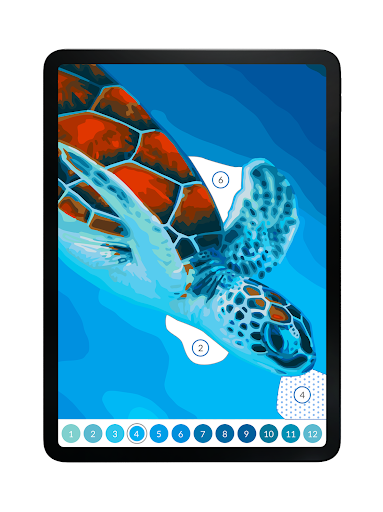
Color with swipes instead of taps! April Oil Painting by Number game for adults is completely unique - use swipes just like with a paintbrush! It’s all you ever wanted from an oil painting by number game for adults and it grants you even more!
Besides making your oil painting realistic and helping you become a more relaxed and creative person, April Oil Painting by Number game for adults provides you with top-notch, handcrafted free content and a feel of a premium game. You unlock more oil paintings as you level up. We don't hide any tiny paint by number spots from you (no magnifying glass needed!). We’re focused on the user experience, simplicity, and a great community around the oil painting by number game to make sure April brings you everything you want!
Why choose April - Oil Painting by Number game for adults?
● We know you appreciate oil painting activities and you probably use many other paint by number games. What we wanted to astound you with is a completely unique take on the way oil painting by number feels like. Just download the Oil Painting by Number game for adults and check it out for yourself!
● We'd like to make things easier for you. Just tap on the palette to immediately find the right paint by number spot. You can also tap on any spot on the main oil painting board to highlight all required fields in order to paint the color number needed.
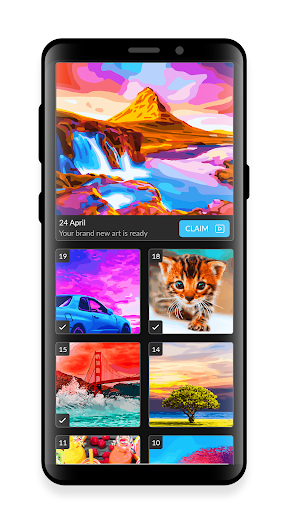
● Almost all paint by number content is free - you can unlock more oil painting pictures by earning experience points (stars), coins, and by leveling up. It makes the whole experience even more enjoyable!
● There is free oil painting by number content added every day in the game. Make sure to claim it regularly - otherwise, past paint by number daily pictures will be locked and available only to subscribed/premium users!
● If you subscribe you get plenty of goodies - exclusive content, access to past daily pictures, and you won’t have to watch ads. First of all, you will support our team and further development of the app. We don't treat the April Oil Painting by Number game for adults as a one-off, but as the latest innovation of an evergreen paint by number project!
People all over the world are already enjoying our unique approach to oil painting by number – with over 1.000.000 oil paintings colored every month! Join our coloring community!
If you see anything you'd like us to improve, please, let us know! Your emails and reviews are very helpful to make our game better! Contact us at [email protected]
- iPhone hoặc iPad chưa jailbreak/đã đóng hoặc đã jailbreak.
- Sideloadly hoặc các lựa chọn thay thế.
- Máy tính chạy Windows/macOS/Linux đã cài iTunes.
BƯỚC 1: Tải tệp .IPA đã được hack sẵn từ liên kết phía trên về máy tính của bạn. Để tải từ iOSGods App, hãy xem Hướng dẫn tải IPA bằng iOSGods App của chúng tôi, có kèm ví dụ bằng video.
BƯỚC 2: Tải Sideloadly và cài đặt trên Windows hoặc Mac của bạn.
BƯỚC 3: Mở Sideloadly trên máy tính, kết nối thiết bị iOS của bạn và chờ cho đến khi tên thiết bị hiển thị trong Sideloadly.
BƯỚC 4: Khi thiết bị iOS của bạn đã được nhận diện, hãy kéo tệp .IPA đã chỉnh sửa mà bạn tải về và thả vào ứng dụng Sideloadly.
BƯỚC 5: Nhập email Apple Account của bạn, sau đó nhấn "Start." Bạn sẽ được yêu cầu nhập mật khẩu. Hãy cung cấp các thông tin cần thiết.
BƯỚC 6: Chờ Sideloadly hoàn tất quá trình sideload/cài đặt tệp IPA đã hack. Nếu gặp sự cố trong quá trình cài đặt, vui lòng đọc lưu ý bên dưới.
BƯỚC 7: Khi cài đặt hoàn tất và bạn thấy ứng dụng trên Màn hình chính, bạn cần truy cập Cài đặt → Cài đặt chung → Hồ sơ / VPN & Quản lý thiết bị. Tại đó, nhấn vào email bạn đã nhập ở bước 6, rồi nhấn "Tin cậy [email protected]".
BƯỚC 8: Bây giờ hãy về Màn hình chính và mở ứng dụng vừa cài đặt, mọi thứ sẽ hoạt động bình thường. Bạn có thể cần làm theo hướng dẫn riêng của từng ứng dụng trong cửa sổ popup của bản hack trong game.
LƯU Ý: Trên iOS/iPadOS 16 trở lên, bạn phải bật Chế độ nhà phát triển. Với tài khoản Apple Developer miễn phí, bạn sẽ cần lặp lại quy trình này mỗi 7 ngày. Nếu bạn có thắc mắc hoặc gặp sự cố, hãy đọc mục FAQ về Sideloadly trong chủ đề của chúng tôi.