Login Required
Sign in with your iOSGods account to continue.
Sign in with your iOSGods account to continue.

Download Last Frontline Survival Mod APK from the button above. Once you tap on download, simply follow the on-screen instructions to install the modded APK on your Android device or emulator.
Need help? Check out our Android Frequently Asked Questions for detailed answers and troubleshooting tips.
Last Frontline Survival — Zombie War: Merge & Survive
A strategic zombie survival game where every move counts.
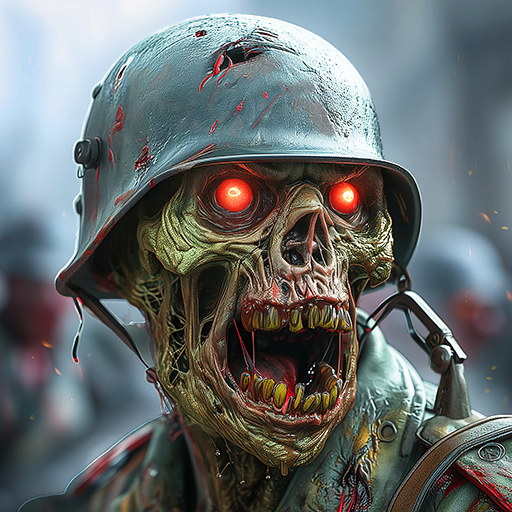
In the heart of a zombie-infested apocalypse, the undead are advancing and a new war for survival has begun. Your mission is clear: defend your base, merge your heroes, and survive the zombie journey.
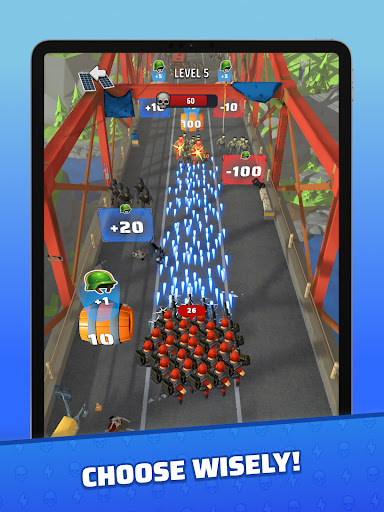
STRATEGIC ZOMBIE SURVIVAL
This is not just another zombie game.
Last Frontline combines survival, strategy, and tactical war decisions in a collapsing world.
Dodge incoming threats, choose your actions carefully, and push back endless zombie waves. Smart choices, perfect timing, and strategic thinking are the only way to survive the apocalypse.
BUILD & DEFEND YOUR BASE
Your base is humanity's last stand in this zombie war.
- Build and upgrade strategic structures
- Strengthen defenses to protect your shelter
- Prepare your base to survive increasingly powerful zombie attacks
A well-defended base is the key to surviving the apocalypse.
MERGE YOUR HEROES
Recruit unique heroes to form your survivor team.
Each hero brings special abilities that can change the outcome of every battle.
Merge heroes, combine strengths, and create a powerful team ready to face the undead. Adapt your strategy as the journey unfolds and the war intensifies.
ENDLESS ZOMBIE WAVES
Face relentless zombie hordes that grow stronger over time.
Defend your frontline, hold your ground, and prove you have what it takes to survive the apocalypse.
KEY FEATURES
- Strategic zombie survival with tactical decision-making
- Base building and defense against zombie hordes
- Hero merging to create powerful survivor teams
- Dodge mechanics — choose your path to avoid danger
- Endless waves that grow more challenging over time
- Multiple heroes with unique abilities
Every battle is part of the war. Every decision matters.