ログインが必要
iOSGodsアカウントでサインインして続けてください。
Hack Features
- Freeze Ammo
- Freeze Reserve Ammo
- Insane Fire Rate
- Unlimited Cash -> Earn or spend some.
- Cheats Menu -> Pause in-game and scroll to the bottom. See picture below for more!
Full Game unlock isn't possible. I've tried, trust me. Either pay or not, it's up to you.
Hitman: Blood Money — Reprisal Hack modded IPAを上のリンクからダウンロードします。インストールボタンをタップし、画面の指示に従ってiPhone、iPad、Apple SiliconにこのiOSアプリハックをインストールします。
さらにヘルプが必要ですか? 詳しい回答とトラブルシューティングはiOSGodsアプリ よくある質問をご覧ください。
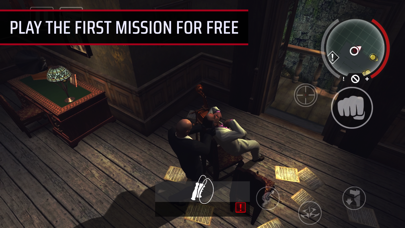
PLAY THE FIRST MISSION FOR FREE
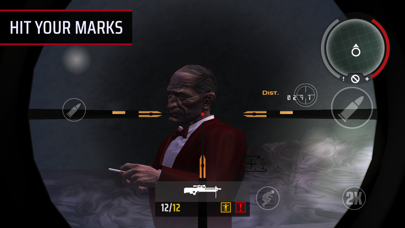
Begin your killer career with the first of Blood Money’s massively replayable sandbox missions, then unlock the complete game with a single in-app purchase.
===
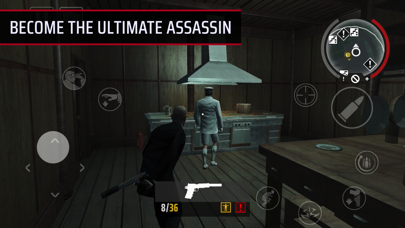
You are Agent 47 — a trained killer caught in the crosshairs of a rival agency, “The Franchise”.
Embark on an daring mission to take out a shadowy conspiracy’s lethal architects, and employ every tool at your disposal to get the job done while keeping a low profile. Infiltrate, execute, and escape undetected.
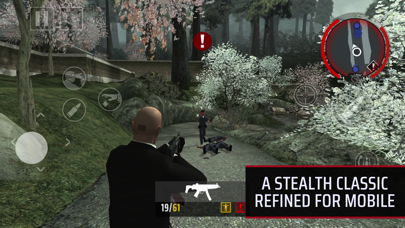
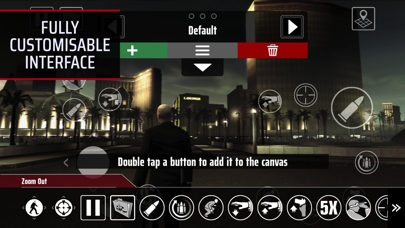
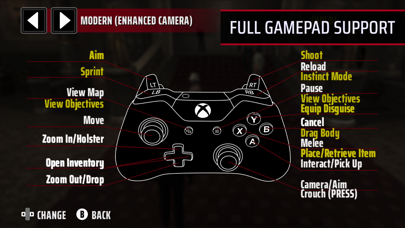
Featuring gameplay improvements inspired by later games in the series, Reprisal is an artful redesign of a stealth-action classic — complete with a fully customisable touchscreen interface and full gamepad support.
EXECUTION IS EVERYTHING
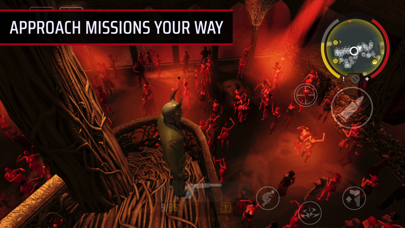
Become a master of disguise, ingenuity and improvisation. With multiple ways to approach each objective, Blood Money’s sandbox missions encourage experimentation, creativity, and repeat playthroughs.
THE ULTIMATE PROFESSIONAL
Hit hard with an arsenal of upgradable weapons. Perform silent, witness-free kills, or manipulate the environment to engineer tragic “accidents”. The cleaner the hit, the better the payoff.
INTRODUCING INSTINCT MODE
The devil is in the details. Inspired by later HITMAN games, Instinct Mode highlights targets, guards and mission-critical points of interest for stealthy kills and quick getaways — the hallmarks of a professional assassin.
ONE STEP AHEAD
An all-new minimap offers situational awareness in real-time, while added alerts warn players when 47 is trespassing or arousing suspicion.
COMPLETE CONTROL
Tailor the touchscreen controls, connect a gamepad, or utilise full keyboard and mouse support. Whatever your playstyle, complete control is always at your fingertips.
===
We recommend playing Hitman: Blood Money — Reprisal on iOS 16 or later. You need 3.9GB of free space on your device, though we recommend at least double this to avoid initial installation issues.
Supported iPhones:
• iPhone 8 Plus and later
• iPhone SE 2 (2020) and later
Supported iPads:
• iPad mini 5 (2019) and later
• iPad Air 3 (2019) and later
• iPad 7 (2019) and later
• iPad Pro 1st gen (2015), 12.9" model only
• iPad Pro 2nd gen (2017) and later
• If you require assistance, please contact our support team at [email protected]
Hitman: Blood Money © 2000-2025 IO Interactive A/S. IO Interactive, IOI, HITMAN are registered trademarks of IO Interactive A/S. Developed for and published on iOS by Feral Interactive. iOS and the iOS logo are trademarks of Apple Inc., registered in the U.S. and other countries. Feral and the Feral logo are trademarks of Feral Interactive Ltd. All other trademarks, logos and copyrights are property of their respective owners. All rights reserved.
- 脱獄/Jailed済みまたは脱獄済みのiPhoneまたはiPad。
- Sideloadlyまたは代替手段。
- iTunesがインストールされているWindows/macOS/Linuxを実行しているコンピュータ。
ステップ1: 上のリンクから事前にハックされた.IPAファイルをコンピュータにダウンロードします。iOSGodsアプリからダウンロードする方法は、ビデオ例付きのiOSGodsアプリIPAダウンロードチュートリアルをご覧ください。
ステップ2: SideloadlyをダウンロードしてWindowsまたはMacにインストールします。
ステップ3: コンピュータでSideloadlyを開き、iOSデバイスを接続して、デバイス名がSideloadlyに表示されるまで待ちます。
ステップ4: iDeviceが認識されたら、ダウンロードしたModされた.IPAファイルをSideloadlyアプリにドラッグ&ドロップします。
ステップ5: Apple Accountのメールアドレスを入力し、「Start」を押します。次にパスワードの入力を求められます。必要な情報を入力してください。
ステップ6: Sideloadlyがハックされたipaのサイドロード/インストールを完了するのを待ちます。インストール中に問題が発生した場合は、以下の注意事項をお読みください。
ステップ7: インストールが完了し、ホーム画面にアプリが表示されたら、設定 → 一般 → プロファイル / VPNとデバイス管理に移動する必要があります。そこで、ステップ6で入力したメールをタップし、「Trust [email protected]」をタップします。
ステップ8: ホーム画面に戻り、新しくインストールされたアプリを開けば、すべて正常に動作するはずです。ゲーム内のハックのポップアップで、アプリごとの追加指示に従う必要がある場合があります。
注意: iOS/iPadOS 16以降では、デベロッパモードを有効にするが必要です。無料のApple Developerアカウントの場合、このプロセスを7日ごとに繰り返す必要があります。質問や問題がある場合は、トピックのSideloadly FAQセクションをお読みください。