需要登入
請使用您的 iOSGods 帳戶登入以繼續。
請使用您的 iOSGods 帳戶登入以繼續。
- Gold Multiplier
- XP Multiplier
- Unlimited Gems -> Head into the Archers Pass and skip a level.
- Unlimited Chests
- All Avatar Items Unlocked -> Will show as locked but can equip.
-- Archers Premium Pass Enabled
-- Vault Premium Pass Enabled
-- No Forced Ads
此應用程式也內建 iGameGod,讓你可以使用 Auto Touch 自動執行重複操作、透過 App Speed Manager 調整遊戲速度、使用 Memory Engine 修改記憶體數值,以及更多強大的 iOS 遊戲工具。
從上方連結下載 Archers Online: PvP iOS Mod IPA。點選安裝按鈕並依照畫面指示在 iPhone、iPad 或 Apple Silicon 上安裝此 iOS 應用程式修改版。
需要更多協助?請查看我們的 iOSGods 應用程式常見問題 以獲得詳細解答與疑難排解。
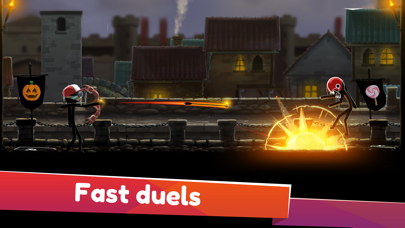
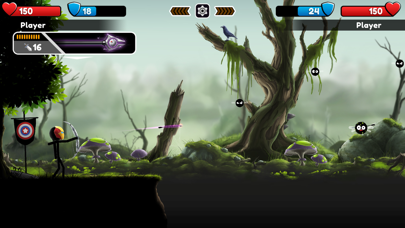
Get ready to master Archers Online, an epic PvP archery adventure game that puts you in the heat of archero duels, where only the best archer warrior wins!
Become the ultimate archer hero in a variety of PvP archer fights, facing off against shadow warriors and archery masters from around the world. Let's find out who has the strongest bow, the sharpest arrows, and the best aim in this challenging casual game!
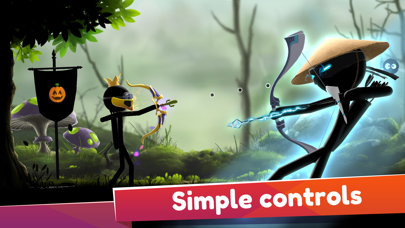
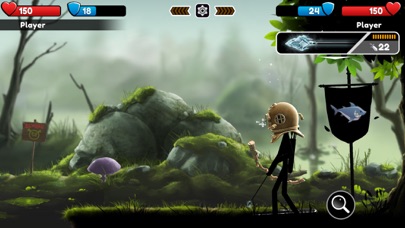
Engage in exciting two-player online duels, in which you can either face strangers or challenge your friends in bowman war. Stick fight your way through each level, carefully judging the wind and angles to ensure your arrows always hit their mark. Whether you're battling in a shadow fight or facing off in a bright arena, you'll need all your skill to win these archery duels.
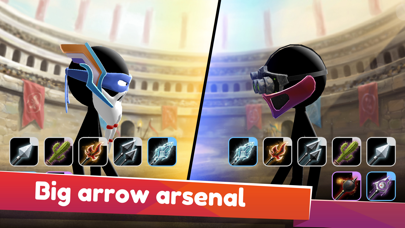
Show off your archery fighter prowess and conquer the bowman games with your powerful bows and diverse arrow arsenal. Whether you're slinging a bomb arrow, a burning arrowhead, or an armor-piercing cactus, you'll make your opponents quiver with fear. Every arrow game in this archers battle is a fresh and exciting challenge.
When you're not shooting, hit the anvil to upgrade your bow and shield, preparing your archer warrior for the next bow and arrow game. Your character's equipment can be the difference between victory and defeat, so make sure you're fully equipped before you enter the archery arena.
Victory in each archer fight brings spoils: coins and chests packed with resources. These can be used to upgrade your skins and equipment, making you an even more formidable archer fighter. Mastering these bowman games will reward you with even more bonuses, with daily quests and archery seasons offering a plethora of additional prizes.
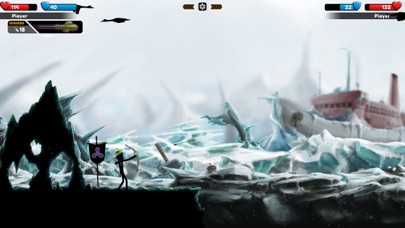
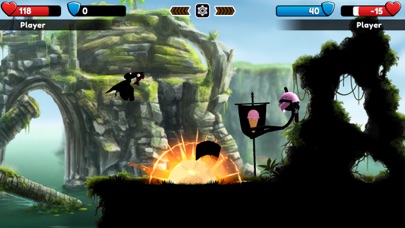
As you progress in this captivating casual game, you'll move across the map and unlock new arenas. Each arena brings tougher opponents, so stay sharp and continue upgrading your bow master skills. And with a diverse range of beautiful landscapes – from atmospheric jungles to rainy city streets and ancient vine-covered ruins – you'll always have a new stunning location to enjoy as you level up.
Archers Online also features a training arena, where you can refine your skills before you step into the bowman war. Here you can experiment with different bow types, learn how to compensate for wind speed, and perfect your arrow aim.
But Archers Online isn't just about fighting - you can also chat with your opponents during the battles, exchange archery emoji, and even make friends. Just because you're in a bowman battle, doesn't mean you can't enjoy some friendly banter!
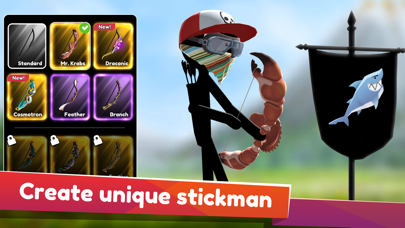
Your character can be customized with a variety of accessories, ensuring you always stand out in the crowd of archers games. Whether it's cool hats, flashy bow skins, or unique pennant stickers, there's plenty of ways to express your style.
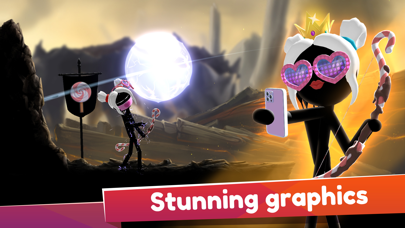
Archers Online combines addictive gameplay, gorgeous graphics, and rewarding progression in one immersive shooter adventure. So, what are you waiting for? Dive into a world of endless multiplayer mayhem and bow-slinging fun, and show everyone who the true archer hero is!
- 未越獄/受限或已越獄的 iPhone 或 iPad。
- Sideloadly 或替代方案。
- 執行 Windows/macOS/Linux 且已安裝 iTunes 的電腦。
步驟 1: 透過上方連結將已破解的 .IPA 檔案下載到您的電腦。若要從 iOSGods App 下載,請參閱我們的 iOSGods App IPA 下載教學,其中包含影片範例。
步驟 2: 下載 Sideloadly 並將其安裝在您的 Windows 或 Mac 上。
步驟 3: 在電腦上開啟 Sideloadly,連接您的 iOS 裝置,並等待裝置名稱出現在 Sideloadly 中。
步驟 4: 當 Sideloadly 辨識到您的 iOS 裝置後,將下載好的修改版 .IPA 檔案拖曳並放到 Sideloadly 應用程式中。
步驟 5: 輸入您的 Apple Account 電子郵件,然後按下「Start」。系統會要求您輸入密碼,請依指示提供所需資訊。
步驟 6: 等待 Sideloadly 完成已破解 IPA 的旁載/安裝。如果安裝過程中發生問題,請閱讀下方的注意事項。
步驟 7: 安裝完成並在主畫面上看到該應用程式後,您需要前往 設定 → 一般 → 描述檔 / VPN 與裝置管理。進入後,點選您在步驟 6 中輸入的電子郵件,然後點選「信任 [email protected]」。
步驟 8: 現在回到主畫面並開啟新安裝的應用程式,一切應該都能正常運作。您可能需要依照遊戲內破解彈出視窗中的進一步指示操作。
注意: 在 iOS/iPadOS 16 及更新版本上,您必須 啟用開發者模式。若使用免費的 Apple Developer 帳號,您將需要每 7 天重複此程序。如有任何疑問或問題,請閱讀我們的 主題中的 Sideloadly 常見問題區段。




![Among Us! iOS Mod IPA [ ESP Boxes, Lines ]](https://is1-ssl.mzstatic.com/image/thumb/Purple211/v4/57/dc/f8/57dcf861-9c14-e964-6f5b-09f8c4fff8d2/AppIcon-0-0-1x_U007emarketing-0-8-0-85-220.png/100x100bb.jpg)


