로그인 필요
계속하려면 iOSGods 계정으로 로그인하세요.
Hack Features
- Unlimited Rewinds
- Big Goals
- Free In-App Purchases
위의 링크에서 Soccer Superstar iOS Mod IPA을 다운로드합니다. 설치 버튼을 누르고 화면 안내에 따라 iPhone, iPad 또는 Apple Silicon에 이 iOS 앱 해킹을 설치합니다.
더 많은 도움이 필요하신가요? 자세한 답변과 문제 해결 팁은 iOSGods 앱 자주 묻는 질문을 확인하세요.
Play the brand new football game Soccer Super Star and enjoy the insanely real, ultra-fast and immersive football experience!
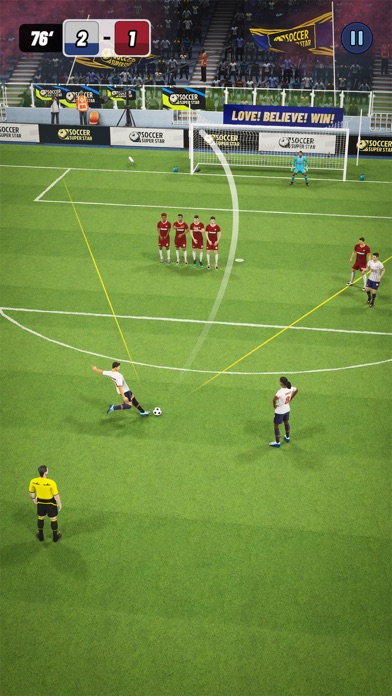
Love action arcade soccer but lack the time to practice? The new Soccer Super Star’s very easy to learn game controls allows you to jump-start the fun. Just flick your finger across the screen to kick the ball and score a goal!
Sounds easy, right? Wrong. As you progress through the game, shots become more challenging and you’ll need a solid strategy to bend shots and split defenses. Soccer Super Star doesn’t get overly complicated but maintains a steady increase in difficulty while offering the best flick to kick experience! Be the hero in every match.
Soccer Super Star’s gameplay concept is expertly done, the high degree of independence allows you to reflect your personal strategy in the game as you level up through your dream Leagues. Topnotch artwork and dynamic levels mean a truly world-class immersive football (soccer) game experience.
Download to play today and score big! Yes, you can even play offline.
GAME FEATURES:
• PLAY OFFLINE - FREE
It’s true, you can play and manage your team of eleven without the internet!
• STAR SOCCER PLAYERS TO UNLOCK
Utilizing the latest 2020 motion capture technology of real star players
• IMMERSIVE 3D MOBILE ENGINE & ADVANCED GAME A.I.
Intelligent game A.I. allows realistic freedom, powerful simulation with accurate ball physics. Make your way through the Leagues to be a Soccer Superstar!
• JOIN WEEKLY OFFLINE TOURNAMENTS
Be the hero for your country & Club and head for glory!
• SUPER SIMPLE GAME CONTROLS
Intuitive flick to pass and kick gameplay, sweep your finger across the ball to drive, curve and power the ball past walls of defenders.
• SUBSCRIPTION WEEKLY
VIP Subscription Weekly
- $5.99
Grants VIP status for a week.
1.Subscription content
Players who subscribe the Monthly Subscription will get NO ADS and exclusive trajectory.During the subscription period players will also get 5 free rewind tickets every day in game.
2.About automatic renewal
- All payment operations will be monitored and managed under platform.
- Payment will be charged to iTunes Account at confirmation of purchase.
- Subscription automatically renews unless auto-renew is turned off at least 24-hours before the end of the current period.
- Account will be charged for renewal within 24-hours prior to the end of the current period, and identify the cost of the renewal.
3.Unsubscribe process
If you want to unsubscribe in IOS,you can find the unsubscribe way as follows:
“Settings” -> “iTunes & App Store” ->”Apple ID” ->”view Apple ID” ->”Subscriptions”
You can also tap the in game button to find this interface.
Privacy Policy:https://realfreesoccer.tumblr.com/post/625874188082823168/gamegou-privacy-policy
Terms of Use:https://realfreesoccer.tumblr.com/post/652679147922096128/subscription-weekly
We love to hear from you! Please email us with your thoughts to [email protected]
- 탈옥/제일 또는 탈옥된 iPhone 또는 iPad가 필요합니다.
- Sideloadly 또는 대체 도구가 필요합니다.
- iTunes가 설치된 Windows/macOS/Linux 컴퓨터가 필요합니다.
1단계: 위 링크에서 미리 해킹된 .IPA 파일을 컴퓨터에 다운로드합니다. iOSGods App에서 다운로드하려면 동영상 예시가 포함된 iOSGods App IPA 다운로드 튜토리얼를 참고하십시오.
2단계: Sideloadly를 다운로드하여 Windows 또는 Mac에 설치합니다.
3단계: 컴퓨터에서 Sideloadly를 실행하고 iOS 기기를 연결한 후, Sideloadly에 기기 이름이 표시될 때까지 기다립니다.
4단계: iDevice가 인식되면, 다운로드한 모드된 .IPA 파일을 Sideloadly 애플리케이션에 끌어다 놓습니다.
5단계: Apple Account 이메일을 입력한 후 “Start”를 누릅니다. 그러면 비밀번호를 입력하라는 메시지가 표시됩니다. 요청된 정보를 제공해 주십시오.
6단계: Sideloadly가 해킹된 IPA의 사이드로드/설치를 완료할 때까지 기다리십시오. 설치 중 문제가 발생하면 아래 참고 사항을 읽어 주십시오.
7단계: 설치가 완료되어 홈 화면에서 앱이 보이면 설정 → 일반 → 프로파일 / VPN 및 기기 관리 경로로 이동해야 합니다. 그곳에서 6단계에서 입력한 이메일을 탭한 다음 “[email protected] 신뢰”를 탭하십시오.
8단계: 이제 홈 화면으로 돌아가 새로 설치된 앱을 열면 모든 것이 정상적으로 작동할 것입니다. 게임 내 해킹 팝업에서 앱별 추가 안내를 따라야 할 수도 있습니다.
참고: iOS/iPadOS 16 이상에서는 개발자 모드를 활성화해야 합니다. 무료 Apple Developer 계정의 경우 이 과정을 7일마다 반복해야 합니다. 질문이나 문제가 있는 경우 해당 토픽의 Sideloadly FAQ 섹션를 읽어보십시오.