Требуется вход
Войдите в учётную запись iOSGods, чтобы продолжить.

Hack Features:
- PREMIUM
Скачайте One4Wall 4K Wallpapers Modded modded IPA по ссылкам выше. Нажмите кнопку установки и следуйте инструкциям, чтобы установить этот хак iOS на iPhone, iPad или Mac с Apple Silicon.
Нужна помощь? Посмотрите наши Часто задаваемые вопросы по приложению iOSGods, чтобы получить подробные ответы и советы по устранению неполадок.
Elevate your device's aesthetics with One4Wall 4K Wallpapers – the ultimate choice for transforming your iPhone, iPad, and Mac personalization experience. Immerse yourself in a vast collection of stunning wallpapers, AI-generated and hand-edited for perfection to turn every glance into a visual delight, be it your home screen, lock screen, or desktop.
Key Features:
• Exclusive wallpapers that you can find only inside our app since all the walls are made by the One4Studio team.
• Daily Collection: Discover fresh, free wallpapers daily in our Daily collection. We add a minimum of three new wallpapers every day
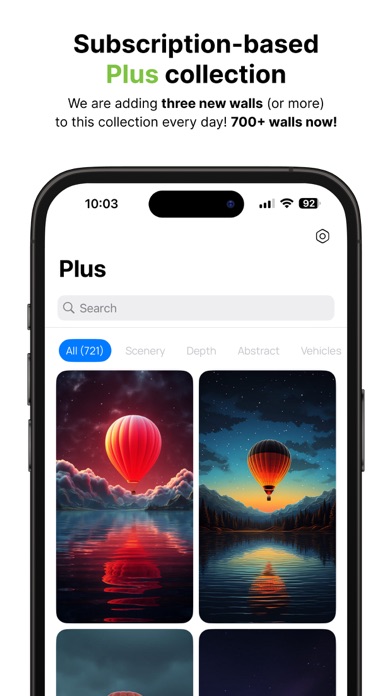
• Exclusive Plus Collection: Upgrade to Plus - a subscription-based collection featuring three or more new wallpapers daily.
• Pro and 8K Desktop: Explore different collections in Pro and 8K, with carefully curated wallpapers in various themes such as Scenery, Animals, Nature, and many more. Buy once, use forever. Purchase includes all future updates to the collections.
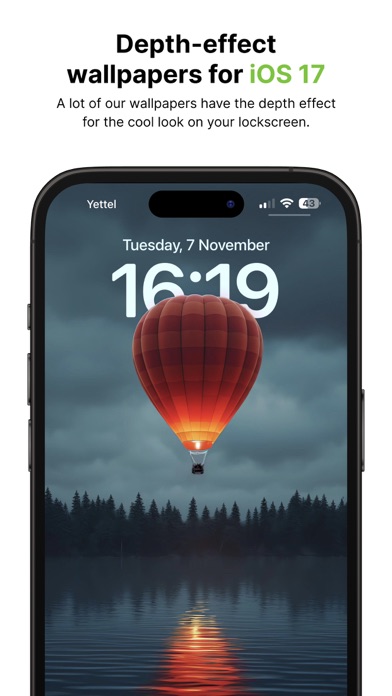
• Depth Effect Support: Enhance your iOS16 and iOS17 lock screens with wallpapers supporting the depth effect.
• Sync your favorite walls: Sign in with Google to sync your collection of favorites across multiple devices.
• Pay once – use on any iOS device: Just sign in with the same account on all devices and you will have access to all premium wallpapers that you purchased.
Why Choose One4Wall?
• Access thousands of AI-generated and hand-edited wallpapers. We put a lot of effort into every single wallpaper we publish, so you know you can expect only high-quality wallpapers!
• We upload new wallpapers every single day. Always have a fresh and aesthetically pleasing lock and home screen!
• Enjoy an intuitive app with a seamless user experience.
User-Friendly Interface:
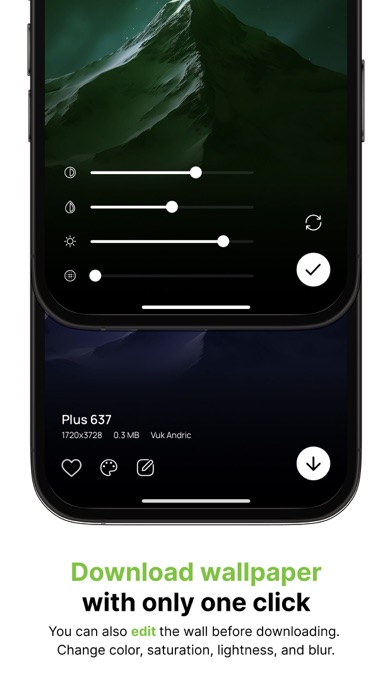
Effortlessly navigate through five tabs to explore Daily (Free), Plus, Pro, and 8K wallpapers. Access Favorites and adjust settings with a single click. Experience our game-changing photo editor, which allows customization of colors, saturation, lightness, and blur.
Categories for Every Taste:
Choose from diverse categories like Scenery, Nature, Cars, Abstract, Amoled, Games, Anime, Patterns, Holidays, Architecture, Depth, Space, Gradients, Animals, Food, and many more!
Connect With Us:
• Follow us on X: www.x.com/one4wallapp
• Instagram: www.instagram.com/one4wallapp
• TikTok: www.tiktok.com/@one4wall
• Telegram: https://t.me/one4studio
• Website: https://www.one4studio.com
Important Links:
• Terms of Use: https://www.one4studio.com/walls-terms
• Privacy Policy: https://www.one4studio.com/walls-privacy-policy
Have questions or suggestions?
Reach out to us at [email protected]. Please note that refund requests are not accepted as you can immediately access purchased wallpapers.
Download One4Wall 4K Wallpapers today and embrace a world of endless possibilities in wallpaper customization!
- iPhone или iPad без джейлбрейка/в обычном режиме или с джейлбрейком.
- Sideloadly или альтернативы.
- Компьютер с Windows/macOS/Linux и установленным iTunes.
ШАГ 1: Скачайте предварительно взломанный файл .IPA по ссылке выше на свой компьютер. Чтобы скачать его из приложения iOSGods, посмотрите наш Туториал по скачиванию IPA в приложении iOSGods, в котором есть видеопример.
ШАГ 2: Скачайте Sideloadly и установите его на Windows или Mac.
ШАГ 3: Откройте Sideloadly на компьютере, подключите iOS-устройство и дождитесь, пока его имя появится в Sideloadly.
ШАГ 4: Когда устройство будет распознано, перетащите скачанный модифицированный файл .IPA в окно Sideloadly.
ШАГ 5: Введите адрес электронной почты вашего Apple Account, затем нажмите «Start». После этого вас попросят ввести пароль. Укажите необходимые данные.
ШАГ 6: Дождитесь, пока Sideloadly завершит sideload/установку взломанного IPA. При возникновении проблем во время установки ознакомьтесь с примечанием ниже.
ШАГ 7: После завершения установки и появления приложения на главном экране перейдите в Настройки → Основные → Профили / VPN и управление устройством. Там нажмите на email, который вы ввели на шаге 6, а затем нажмите «Доверять [email protected]».
ШАГ 8: Теперь перейдите на главный экран и откройте установленное приложение — всё должно работать. Возможно, потребуется выполнить дополнительные инструкции в попапе мода внутри игры.
ПРИМЕЧАНИЕ: На iOS/iPadOS 16 и новее необходимо включить режим разработчика. Для бесплатных учётных записей Apple Developer этот процесс нужно повторять каждые 7 дней. Если возникнут вопросы или проблемы, ознакомьтесь с нашим разделом FAQ по Sideloadly в теме.