需要登录
请使用您的 iOSGods 账户登录以继续。
请使用您的 iOSGods 账户登录以继续。
Colorfy是一款放松身心的涂色书游戏,拥有超过2500万用户在绘制曼陀罗、动物、花卉和自定义绘画,现已通过此iOS Mod IPA解锁。访问高级功能并深入探索庞大的艺术设计库,从著名绘画到用户创建的图像,使用AR虚拟画廊在现实世界中可视化您的作品。
- 高级版本 → 所有高级功能已解锁
此应用还内置 iGameGod,让你能够使用 Auto Touch 自动执行重复操作、通过 App Speed Manager 调节游戏速度、使用 Memory Engine 修改内存数值,以及更多强大的 iOS 游戏工具。
从上方链接下载 Colorfy: Coloring Book Games iOS Mod IPA。点击安装按钮并按照屏幕提示在 iPhone、iPad 或 Apple Silicon 上安装此 iOS 应用修改版。
需要更多帮助?请查看我们的 iOSGods 应用常见问题解答 获取详细解答和故障排除技巧。
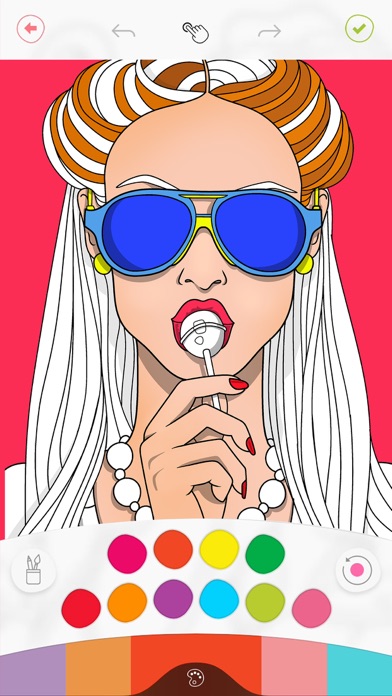
The ORIGINAL coloring book! Join over 25 million users in a relaxing experience. Paint mandalas, patterns, animals, florals, and thematic images from our artists - or upload your own drawings and give them even more life!
The new AR virtual gallery lets you visualize your drawings in the real world, as if they were a painting on your wall!
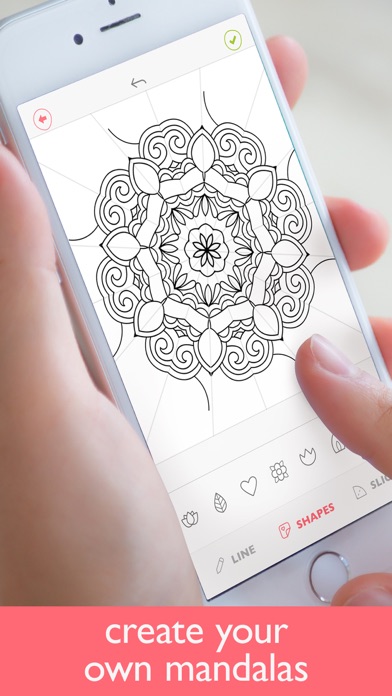
Colorfy also offers a "draw mandala" mode - with a few swipes, create beautiful mandalas! Let your imagination run wild.
Features:
- 1000+ pictures to paint: mandalas, florals, animals, patterns, cats, gardens, famous paintings and more.
- Easy to color: choose your color palette and tap to color.
- Select from different brush types for advanced effects.
- The best rated coloring app: over a million 5 star ratings!
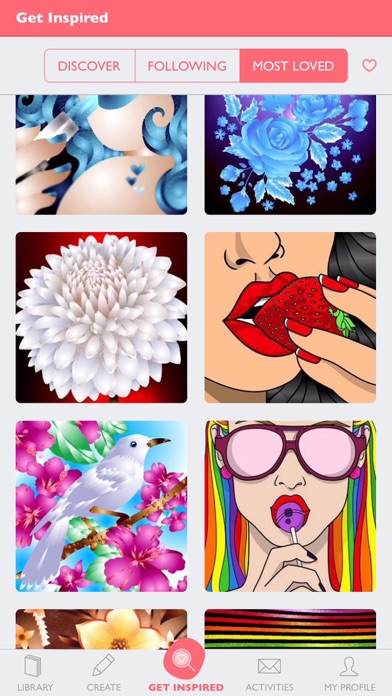
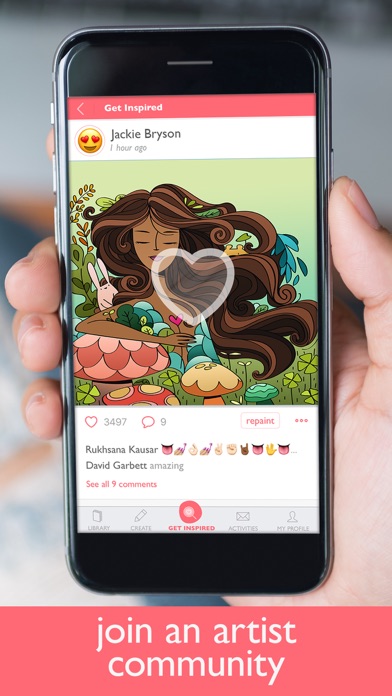
- Get inspired by the community - view and share drawings with people from around the world
- Easily share your drawings in your favorite social network
- Optimized for the newest iPhones
- Works offline! No wifi needed!
- Paint your own drawings! Draw on paper, take a picture of it, and give it the colors it deserves.
- Draw your own mandalas with an innovative new mode!
- The new AR virtual gallery lets you visualize your drawings in the real world, as if they were a painting on your wall!
Colorfy Plus subscription
- You can subscribe for new weekly updates (every week, new images will be available for download)
- All prices are subject to change without notification. We occasionally run promotion prices as incentives or limited time opportunities for qualifying purchases made during the promotional time period. Due to the time sensitive and promotional nature of these events, we are unable to offer price protection or retroactive discounts or refunds for previous purchases in the event of a price reduction or promotional offering.
- Payment will be charged to iTunes Account at confirmation of purchase
- You will be able to color all available images for the duration of the subscription
- Subscription automatically renews for the same price and duration period as the original "one week"/"one month"/"one year" package unless auto-renew is turned off at least 24-hours before the end of the current period
- Account will be charged for renewal within 24-hours prior to the end of the current period at the cost of the chosen package (weekly, monthly or yearly package)
- Subscriptions may be managed by the user and auto-renewal may be turned off by going to the user's iTunes Account Settings after purchase
- No cancellation of the current subscription is allowed during active subscription period
- You may cancel a subscription during its free trial period via the subscription setting through your iTunes account. This must be done 24 hours before the end of the subscription period to avoid being charged. Please visit http://support.apple.com/kb/ht4098 for more information
- You may turn off the auto-renewal of your subscription via your iTunes Account Settings. However, you are not able to cancel the current subscription during its active period
- Any unused portion of a free-trial period, will be forfeited when the user purchases a Colorfy Plus subscription
Links to our Terms of Service and Privacy Policy can be found below
Privacy Policy: https://wildlifestudios.com/privacy-policy/
Terms of Use: https://wildlifestudios.com/terms-of-service/
* Prices are equal to the value that "Apple's App Store Pricing Matrix" determines as the equivalent of the subscription price in $ USD

- 未越狱/受限或已越狱的 iPhone 或 iPad。
- Sideloadly 或替代方案。
- 运行 Windows/macOS/Linux 且已安装 iTunes 的电脑。
步骤 1: 通过上方链接将已破解的 .IPA 文件下载到您的电脑。如需从 iOSGods App 下载,请参阅我们的 iOSGods App IPA 下载教程,其中包含视频示例。
步骤 2: 下载 Sideloadly 并将其安装到您的 Windows 或 Mac 上。
步骤 3: 在电脑上打开 Sideloadly,连接您的 iOS 设备,等待设备名称在 Sideloadly 中显示。
步骤 4: 当 Sideloadly 识别到您的 iOS 设备后,将下载好的修改版 .IPA 文件拖放到 Sideloadly 应用中。
步骤 5: 输入您的 Apple Account 邮箱,然后点击 "Start"。系统会提示您输入密码,请按要求填写信息。
步骤 6: 等待 Sideloadly 完成已破解 IPA 的旁加载/安装。如果安装过程中出现问题,请阅读下方的注意事项。
步骤 7: 安装完成并在主屏幕上看到该应用后,您需要前往 设置 → 通用 → 描述文件 / VPN 与设备管理。进入后,点击您在第 6 步中输入的邮箱,然后点击 "信任 [email protected]"。
步骤 8: 现在返回主屏幕并打开新安装的应用,一切应可正常运行。您可能需要按照游戏内修改弹窗中的具体说明执行进一步操作。
注意: 在 iOS/iPadOS 16 及更高版本上,您必须 启用开发者模式。对于免费的 Apple Developer 账户,您需要每 7 天重复一次此操作。如有任何疑问或问题,请阅读我们的 主题中的 Sideloadly 常见问题部分。