Accesso richiesto
Accedi con il tuo account iOSGods per continuare.
Accedi con il tuo account iOSGods per continuare.

Colorfy è un gioco di colorazione rilassante con oltre 25 milioni di utenti che dipingono mandala, animali, fiori e disegni personalizzati, ora sbloccato con questo iOS Mod IPA. Accedi alle funzioni premium e immergiti in una vasta libreria di design artistici, dai dipinti famosi alle immagini create dagli utenti, con la galleria virtuale AR per visualizzare il tuo lavoro nel mondo reale.
- PREMIUM → tutte le funzioni premium sbloccate
Questa app include anche iGameGod, che ti offre accesso ad Auto Touch per automatizzare attività ripetitive, App Speed Manager per regolare la velocità di gioco, modifica dei valori con Memory Engine e altri potenti strumenti per giochi iOS.
Scarica Colorfy: Coloring Book Games iOS Mod IPA dai link sopra. Tocca il pulsante di installazione e segui le istruzioni per installare questo hack iOS sul tuo iPhone, iPad o Mac con Apple Silicon.
Hai bisogno di altro aiuto? Consulta le nostre Domande frequenti sull'app iOSGods per risposte dettagliate e consigli per la risoluzione dei problemi.
No.1 Coloring Book for Adults with 25,000,000 users!
Colorfy is the original and best coloring book for adults! Download now, it's FREE!
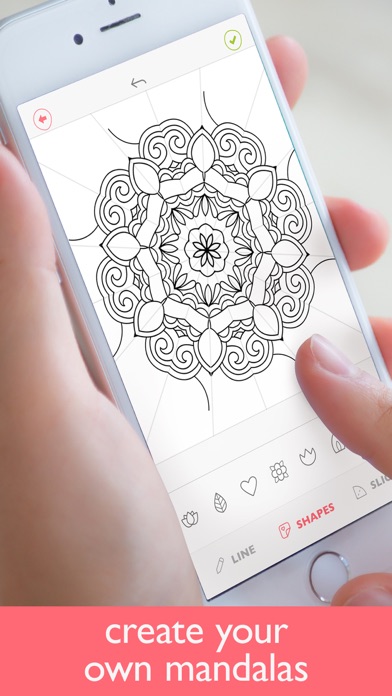
Have fun with the best coloring game. Start now your free coloring book therapy on your mobile. Paint mandalas, patterns or animals with this awesome free app!
Awesome features:
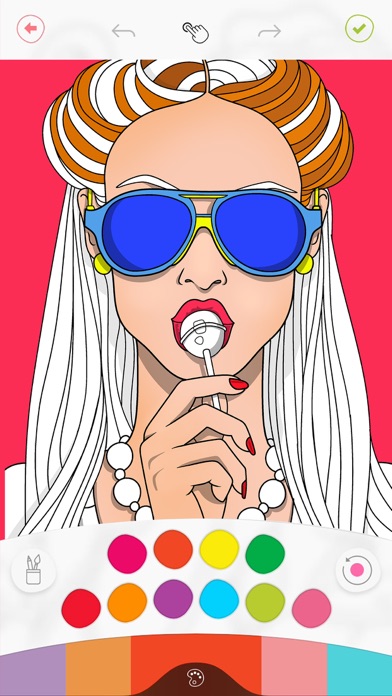
- Easy to color: simply choose your palette and tap to color. Choose from brushes, gradient colors, and harmonious colors!
- 1000+ pictures to paint: Mandala, florals, animals, patterns, cats, gardens, famous paintings and more.
- Best rated coloring app: 1 Million+ 5* ratings!
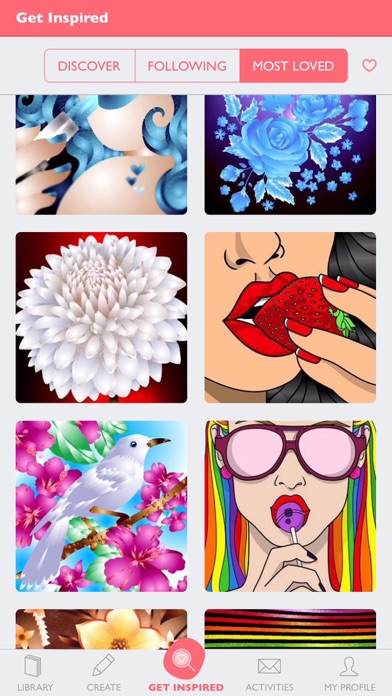
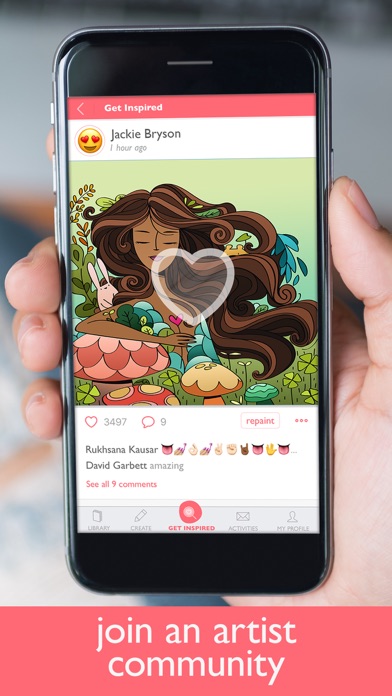
- Get inspired by the coloring of great artists
- Optimized for the new iPhone 7: it's 2016, enjoy the brightest colors on your mobile.
- Share your work with whoever you want via Instagram, Pinterest or messengers!
- Stress relief: focusing on finding the right color can also help with depression
- Works offline! No wifi needed to relax on the best coloring book.
- Paint your own drawings! Draw on paper, take a picture of it, and give it the colors it deserves.
What our users are saying:
"I just downloaded it and it's so fun and addictive! It's the best coloring book for me. And it's FREE" - MartinJoe245
"Cool app! It's so easy to use and you can recolor what you already have painted" - Marcus
"I just love coloring pages on this coloring app! AWESOME! Thank you!" - ArthRoy
"Sooo many pictures to choose from! " - Amanda
Colorfy Plus subscription
- You can subscribe for new weekly updates (every week, new images will be available for download)
- All prices are subject to change without notification. We occasionally run promotion prices as incentives or limited time opportunities for qualifying purchases made during the promotional time period. Due to the time sensitive and promotional nature of these events, we are unable to offer price protection or retroactive discounts or refunds for previous purchases in the event of a price reduction or promotional offering.
- Payment will be charged to iTunes Account at confirmation of purchase
- You will be able to color all available images for the duration of the subscription
- Subscription automatically renews for the same price and duration period as the original "one week"/"one month"/"one year" package unless auto-renew is turned off at least 24-hours before the end of the current period
- Account will be charged for renewal within 24-hours prior to the end of the current period at the cost of the chosen package (weekly, monthly or yearly package)
- Subscriptions may be managed by the user and auto-renewal may be turned off by going to the user's iTunes Account Settings after purchase
- No cancellation of the current subscription is allowed during active subscription period
- You may cancel a subscription during its free trial period via the subscription setting through your iTunes account. This must be done 24 hours before the end of the subscription period to avoid being charged. Please visit http://support.apple.com/kb/ht4098 for more information
- You may turn off the auto-renewal of your subscription via your iTunes Account Settings. However, you are not able to cancel the current subscription during its active period
- Any unused portion of a free-trial period, will be forfeited when the user purchases a Colorfy Plus subscription
Links to our Terms of Service and Privacy Policy can be found below
Privacy Policy: https://www.fungames-forfree.com/games/colorfy/legal/privacy
Terms of Use: http://www.fungames-forfree.com/terms_of_service
* Prices are equal to the value that "Apple's App Store Pricing Matrix" determines as the equivalent of the subscription price in $ USD
- iPhone o iPad non jailbroken/jailed oppure jailbroken.
- Sideloadly o alternative.
- Computer con Windows/macOS/Linux con iTunes installato.
PASSO 1: Scarica il file .IPA pre-modificato dal link sopra sul tuo computer. Per scaricarlo dall'iOSGods App, consulta il nostro Tutorial download IPA dell'iOSGods App, che include un esempio video.
PASSO 2: Scarica Sideloadly e installalo sul tuo Windows o Mac.
PASSO 3: Apri Sideloadly sul tuo computer, collega il tuo dispositivo iOS e attendi finché il nome del dispositivo non appare in Sideloadly.
PASSO 4: Una volta riconosciuto il tuo iDevice, trascina il file .IPA moddato che hai scaricato e rilascialo nell'applicazione Sideloadly.
PASSO 5: Inserisci l'email del tuo Apple Account, poi premi “Start”. Ti verrà quindi chiesto di inserire la password. Procedi e fornisci le informazioni richieste.
PASSO 6: Attendi che Sideloadly completi il sideload/installazione dell'IPA modificata. Se ci sono problemi durante l'installazione, leggi la nota qui sotto.
PASSO 7: Una volta completata l'installazione e vista l'app sulla schermata Home, dovrai andare in Impostazioni → Generali → Profili / Gestione VPN e dispositivi. Una volta lì, tocca l'email inserita al passo 6 e poi tocca “Autorizza [email protected]”.
PASSO 8: Ora vai sulla schermata Home e apri l'app appena installata: tutto dovrebbe funzionare correttamente. Potrebbe essere necessario seguire ulteriori istruzioni specifiche all'interno del popup dell'hack nel gioco.
NOTA: Per iOS/iPadOS 16 e versioni successive, devi attivare la Modalità sviluppatore. Per gli account Apple Developer gratuiti, dovrai ripetere questa procedura ogni 7 giorni. Se hai domande o problemi, leggi la nostra sezione FAQ Sideloadly del topic.