Потрібен вхід
Увійдіть у свій обліковий запис iOSGods, щоб продовжити.
Увійдіть у свій обліковий запис iOSGods, щоб продовжити.

- Free iAP (Turn on inside iOSGods Mod Menu first)
Цей застосунок також постачається з iGameGod, який надає доступ до Auto Touch для автоматизації повторюваних дій, App Speed Manager для регулювання швидкості гри, редагування значень за допомогою Memory Engine та інших потужних інструментів для iOS-ігор.
Завантажте Dungeon Quest Hack modded IPA за посиланнями вище. Натисніть кнопку встановлення та дотримуйтесь інструкцій, щоб встановити цей хак iOS на iPhone, iPad або Apple Silicon.
Потрібна додаткова допомога? Перегляньте наш Поширені запитання про застосунок iOSGods для детальних відповідей та порад з усунення несправностей.
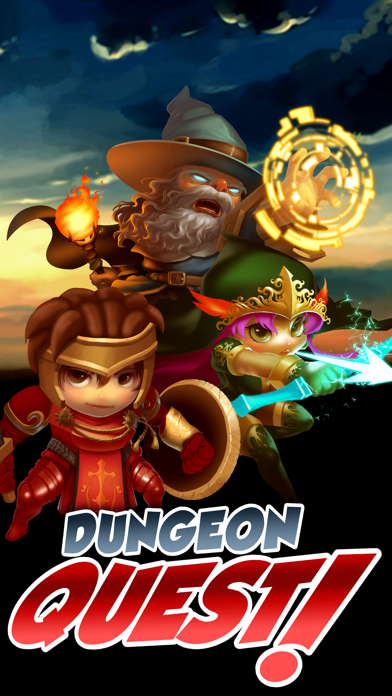
Embark on a journey to find the best loot and defeat all challengers in this truly free-to-play Offline Action RPG.
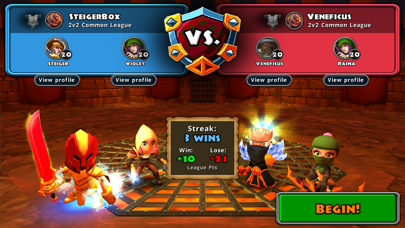
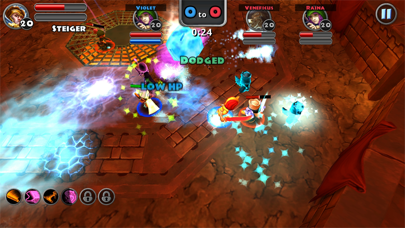
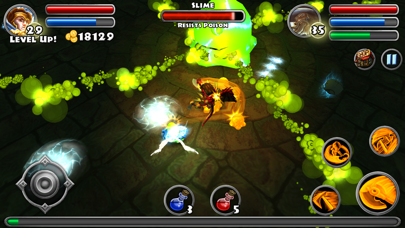
Featuring randomized loot, dynamically generated dungeons, and 4 acts each with their own legendary boss awaiting. Journey through unlimited floors of increasingly difficult enemies while collecting the best items possible and competing with your friends in our Battle Arena competitive leagues.
Equip your Wizard, Warrior, or Rogue with infinitely customizable weapons and armor to help destroy the elemental evils plaguing the land. There are always new ways to vanquish your foes! Upgrade your gear with our Crystal and Mythstone crafting system. Make your character even more powerful using our Gear-Based Skill and Talent system.
Tired of playing alone? Bring your other characters into combat with you to gain experience and loot alongside your hero using our Hireling system. Or maybe you'll come across one of the many endearing companions included in our Pet system!
Features Include:
• Play for as long as you want no content or pay walls
• Equip your Wizard, Warrior, or Rogue with amazing randomized loot you find on your adventure!
• Never fight in the same dungeon twice! Climb your way through unlimited randomly generated floors.
• Test your skill against one of 4 Legendary bosses at the end of every Act!
• Bring your other characters into your adventures using the new Hireling System!
•Manage your player AI to create your own army of Adventurers!
• Native Controller integration for iOS7 with full HUD support!
• Customize the Dungeons' difficulty and rewards by choose between 8 enemy power levels.
• New Pet System that lets you choose a follower to aid in your journey.
Devices Supported:
iPhone 4 and higher devices
iPod Touch 5th Gen and higher devices
iPad 2 and higher devices
We are dedicated to making Dungeon Quest the best ARPG on mobile! New content will be added regularly, so follow us on our forums, Twitter, or Facebook to get the latest news!
Please give us your feedback or comments, and help us make Dungeon Quest even BETTER!
Web: www.shinyboxgames.com/blog/
Email us for support: [email protected]
Talk with us and other players on our Forums: http://forums.dungeon-quest.com/
Follow our updates on Facebook: https://www.facebook.com/pages/Dungeon-Quest/532814623416543
Send us a Tweet: https://twitter.com/DungeonQuest_SB
- iPhone або iPad без джейлбрейку/у заводському стані або з джейлбрейком.
- Sideloadly або альтернативи.
- Комп'ютер під керуванням Windows/macOS/Linux із встановленим iTunes.
КРОК 1: Завантажте попередньо зламаний .IPA-файл за посиланням вище на свій комп'ютер. Щоб завантажити з iOSGods App, перегляньте наш Посібник із завантаження IPA в iOSGods App, який містить відеоприклад.
КРОК 2: Завантажте Sideloadly і встановіть його на своєму Windows або Mac.
КРОК 3: Відкрийте Sideloadly на комп'ютері, підключіть свій iOS-пристрій і зачекайте, поки назва пристрою з'явиться у Sideloadly.
КРОК 4: Коли ваш iDevice буде розпізнано, перетягніть завантажений модифікований .IPA-файл і відпустіть його в застосунок Sideloadly.
КРОК 5: Введіть електронну пошту вашого Apple Account, потім натисніть «Start». Після цього вас попросять ввести пароль. Введіть необхідні дані.
КРОК 6: Зачекайте, доки Sideloadly завершить sideload/встановлення зламаного IPA. Якщо під час встановлення виникнуть проблеми, прочитайте примітку нижче.
КРОК 7: Коли встановлення завершено й ви побачите застосунок на головному екрані, перейдіть до Налаштування → Загальні → Профілі / VPN і керування пристроєм. Там натисніть на електронну пошту, яку ви ввели на кроці 6, а потім натисніть «Довіряти [email protected]».
КРОК 8: Тепер перейдіть на головний екран і відкрийте щойно встановлений застосунок — усе має працювати належним чином. Можливо, доведеться виконати додаткові інструкції для конкретного застосунку в спливаючому вікні хака в грі.
ПРИМІТКА: У iOS/iPadOS 16 і пізніших версіях потрібно увімкнути режим розробника. Для безкоштовних облікових записів Apple Developer цей процес доведеться повторювати кожні 7 днів. Якщо у вас є запитання або проблеми, прочитайте наш розділ FAQ зі Sideloadly у темі.