Inloggning krävs
Logga in med ditt iOSGods-konto för att fortsätta.
Logga in med ditt iOSGods-konto för att fortsätta.

Slå samman och dekorera dig genom Party Project: Merge Makeover, ett pusselspel där du förvandlar vanliga platser till extraordinära evenemang tillsammans med Emily och hennes crew. Denna modifierade iOS-hack tar bort resursbegränsningar, så du kan fokusera på det kreativa nöjet att dra, släppa och slå samman föremål för att låsa upp snygga outfits, strålande dekorationer och överraskningsbelöningar utan att behöva slita för valuta eller vänta på att energin ska återställas.
- Obegränsade ädelstenar → spendera fritt på premiumartiklar
- Obegränsade mynt → köp dekorationer och outfits utan gränser
- Energi behövs inte → spela kontinuerligt utan att vänta
Den här appen levereras även med iGameGod, vilket ger dig tillgång till Auto Touch för att automatisera repetitiva uppgifter, App Speed Manager för justerbar spelhastighet, värdesredigering med Memory Engine och fler kraftfulla verktyg för iOS-spel.
Ladda ner Party Project: Merge Makeover Hack modded IPA från länkarna ovan. Tryck på installationsknappen och följ instruktionerna för att installera denna iOS-apphack på iPhone, iPad eller Apple Silicon.
Behöver du mer hjälp? Se våra iOSGods-appens vanliga frågor för detaljerade svar och felsökningstips.
Bienvenue dans Party Project: Merge Makeover
Rejoins Emily et son équipe talentueuse pour transformer des lieux ordinaires en événements extraordinaires ! Des podiums de la Fashion Week aux mariages de rêve, concerts glamour et soirées mémorables – l’aventure ne s’arrête jamais.
Fusion & Rénovation
Glisse, dépose et fusionne des objets pour accomplir des tâches amusantes. Débloque des tenues stylées, des décorations éblouissantes et des récompenses surprises à chaque fusion. Observe chaque détail transformer personnages et lieux en véritables merveilles.
Construis & Décore
Collabore avec Scarlett la styliste, Gordon le chef, John le constructeur et Emily l’organisatrice. Rénove, conçois et transforme les lieux en destinations festives spectaculaires où chaque choix fait briller la célébration.
Épisodes Passionnants
Pars dans des histoires uniques où chaque épisode se termine par une Grande Ouverture – une révélation glamour remplie de satisfaction ASMR et de transformations incroyables. Du rouge à lèvres appliqué avec des sons apaisants aux décorations placées pièce par pièce, chaque action est relaxante et gratifiante.
Une Histoire Inoubliable
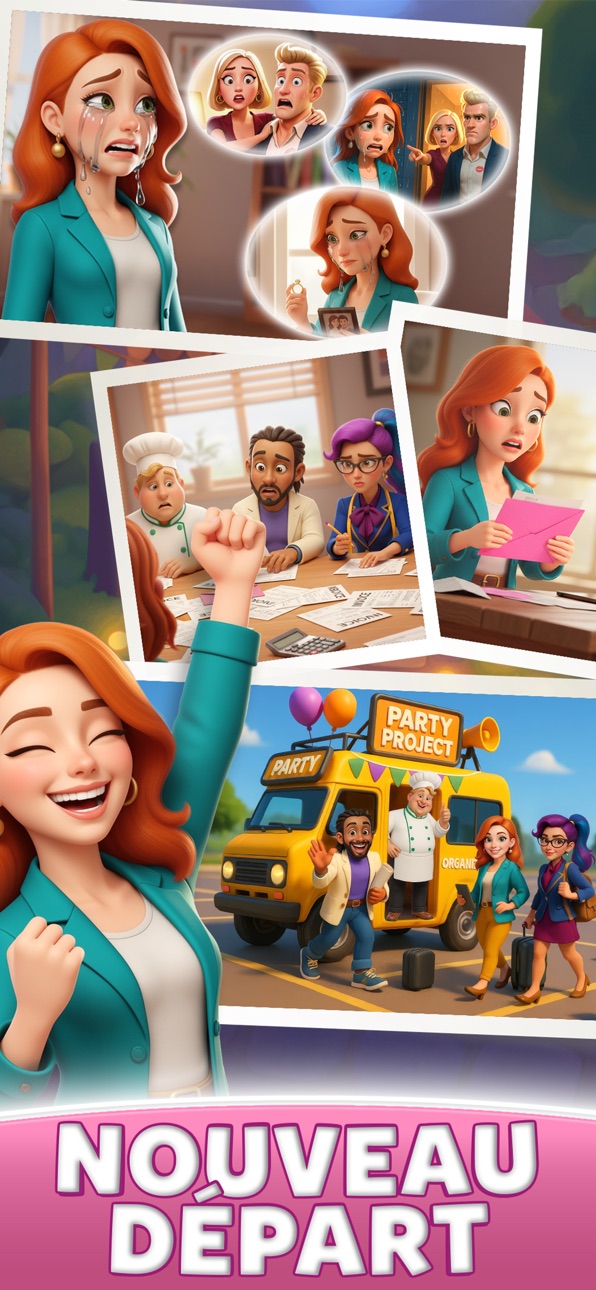
Après des peines de cœur et des difficultés financières, Emily reçoit une mystérieuse lettre demandant de l’aide. Avec ses amis à ses côtés, elle entreprend un voyage pour reconstruire, créer et redonner de la joie à chaque événement.
Pourquoi Tu Vas Adorer
Des moments ASMR relaxants à chaque tap, glissé et fusion.
Une histoire touchante pleine d’émotions, d’amitié et de secondes chances.
Des possibilités créatives infinies pour construire la fête parfaite.
Es-tu prêt à fusionner, créer et organiser les fêtes ultimes ? Commence ton aventure makeover maintenant et laisse la célébration commencer !
Skärmbilder © respektive ägare · App Store


iOSGods är inte anslutet till, godkänt av eller sponsrat av Apple Inc., Google LLC eller utvecklarna av apparna som listas här. Apple, iOS och App Store är varumärken som tillhör Apple Inc. Android och Google Play är varumärken som tillhör Google LLC. Alla övriga appnamn, ikoner, bilder och varumärken tillhör sina respektive ägare.
- iPhone eller iPad utan jailbreak/jailad eller med jailbreak.
- Sideloadly eller alternativ.
- Dator med Windows/macOS/Linux och iTunes installerat.
STEG 1: Ladda ner den förhackade .IPA-filen från länken ovan till din dator. För att ladda ner från iOSGods App, se vår Guide för att ladda ner IPA i iOSGods App som även innehåller ett videoexempel.
STEG 2: Ladda ner Sideloadly och installera det på din Windows eller Mac.
STEG 3: Öppna Sideloadly på din dator, anslut din iOS-enhet och vänta tills enhetens namn visas i Sideloadly.
STEG 4: När din iEnhet känns igen drar du den moddade .IPA-filen du laddat ner och släpper den i Sideloadly-programmet.
STEG 5: Ange e-postadressen till ditt Apple Account och tryck sedan på ”Start”. Du ombeds sedan ange ditt lösenord. Fyll i de uppgifter som krävs.
STEG 6: Vänta tills Sideloadly är klar med att sideloada/installera den hackade IPA-filen. Om problem uppstår under installationen, läs noten nedan.
STEG 7: När installationen är klar och du ser appen på din hemskärm behöver du gå till Inställningar → Allmänt → Profiler / VPN & enhetshantering. Tryck där på e-postadressen du angav i steg 6 och tryck sedan på ”Lita på [email protected]”.
STEG 8: Gå nu till din hemskärm och öppna den nyligen installerade appen — allt ska fungera som det ska. Du kan behöva följa ytterligare app-specifika instruktioner i hackets popup inne i spelet.
OBS: På iOS/iPadOS 16 och senare måste du aktivera Utvecklarläge. För gratis Apple Developer-konton behöver du upprepa processen var sjunde dag. Om du har frågor eller problem, läs vår Sideloadly FAQ-avsnitt i tråden.
Game Name iOS Mod IPA is an action adventure game enhanced with powerful gameplay boosts and quality-of-life improvements. Win battles faster, earn rewards quicker, and enjoy uninterrupted play without ads.
- Unlimited Gold - spend freely to unlock premium content
- Damage Multiplier - deal significantly more damage in combat
- Defense Multiplier - take less damage and survive longer
- Reward Multiplier - earn more loot from every battle
- Max Level - instantly reach the highest player rank
- No Ads - play without interruptions or advertisements
This app also comes with iGameGod, giving you access to Auto Touch to automate repetitive tasks, App Speed Manager for adjustable gameplay speed, Memory Engine value editing, and more powerful iOS game tools.
Ladda ner Game Name Mod IPA från länkarna ovan. Tryck på installationsknappen och följ instruktionerna för att installera denna iOS-apphack på iPhone, iPad eller Apple Silicon.
Behöver du mer hjälp Se våra iOSGods-appens vanliga frågor för detaljerade svar och felsökningstips.
----------------------------------------------------------
--------------------------------------------------