Connexion requise
Connectez-vous avec votre compte iOSGods pour continuer.
Connectez-vous avec votre compte iOSGods pour continuer.

Ce jeu d'action hybride FPS et défense de tour vous permet de manier 6 armes simultanément contre des hordes infinies de zombies, et ce hack Mod IPA supprime les publicités tout en déverrouillant la monnaie premium et les améliorations de combat pour dominer l'assaut des morts-vivants.
Avec le statut ViP actif et des gemmes, de l'or et des ressources illimités qui affluent, vous éviterez la corvée et vous plongerez directement dans le combat tactique, en équipant des armes légendaires sans plans, en maximisant les munitions et en accumulant des objets roguelike pour devenir une forteresse imparable contre les vagues de morts-vivants.
- ViP Actif → Statut de compte premium activé
- SANS PUBLICITÉS [ Récompenses Gratuites ] → Jeu sans publicités avec récompenses gratuites
- Gemmes [ Gagner Puis Obtenir ] → Monnaie premium illimitée
- Or [ Gagner Puis Obtenir ] → Monnaie de jeu illimitée
- Niveau & EXP [ Gagner Puis Obtenir ] → Gains instantanés de niveau et d'expérience
- Ressources [ Gagner Puis Obtenir ] → Tous les matériaux d'artisanat déverrouillés
- Intérêt Bleu [ Pour Actualisation de Compétence de Combat & Attribut ] → Amélioration de compétence de combat et d'attribut
- Diamant Avancé Gratuit [ Passe Actif ] → Passe de combat premium déverrouillé
- Réclamer Illimité [ Passe Diamant Avancé Gratuit ] → Récompenses de passe illimitées
- Récompenses Déverrouillées Toutes [ Passe Diamant Avancé Gratuit ] → Toutes les récompenses de passe disponibles
- Fonds de Niveau Actif [ Diamant Avancé Gratuit ] → Avantages des fonds de niveau activés
- Réclamer Illimité [ Fonds de Niveau Diamant Avancé Gratuit ] → Réclamations de fonds de niveau illimitées
- Récompenses Déverrouillées Toutes [ Fonds de Niveau Diamant Avancé Gratuit ] → Toutes les récompenses de fonds de niveau déverrouillées
- Déverrouillage d'Arme [ Pas Besoin de Plan ] Appuyez Simplement sur Déverrouiller & Achetez Avec des Gemmes → Équipez n'importe quelle arme instantanément
- Compétence d'Objets de Combat → Capacités d'objet améliorées au combat
- Munitions Max → Munitions infinies
- Pas de Rechargement → Les armes tirent sans recharger
- ATK HP DEF + Plus [ Lié Aux Attributs de Combat Obtenir Puis Fonctionner ] → Statistiques d'attaque, de santé et de défense renforcées
REMARQUE : Ouverture de Coffre Avec Gemmes N'Utilisez Pas & Obtenez des Clés Or Argent [ Gel du Jeu ]
Cette app est également livrée avec iGameGod, qui vous donne accès à Auto Touch pour automatiser les tâches répétitives, App Speed Manager pour ajuster la vitesse de jeu, à l'édition de valeurs avec Memory Engine, et à d'autres outils puissants pour les jeux iOS.
Téléchargez Bulletstorm: Zombie Waves Hack modded IPA depuis les liens ci-dessus. Appuyez sur le bouton d'installation et suivez les instructions pour installer ce hack iOS sur votre iPhone, iPad ou Apple Silicon.
Besoin de plus d'aide ? Consultez notre FAQ de l'app iOSGods pour des réponses détaillées et des conseils de dépannage.
DEVENEZ UNE FORTERESSE MOBILE ET DOMINEZ LA TEMPÊTE !
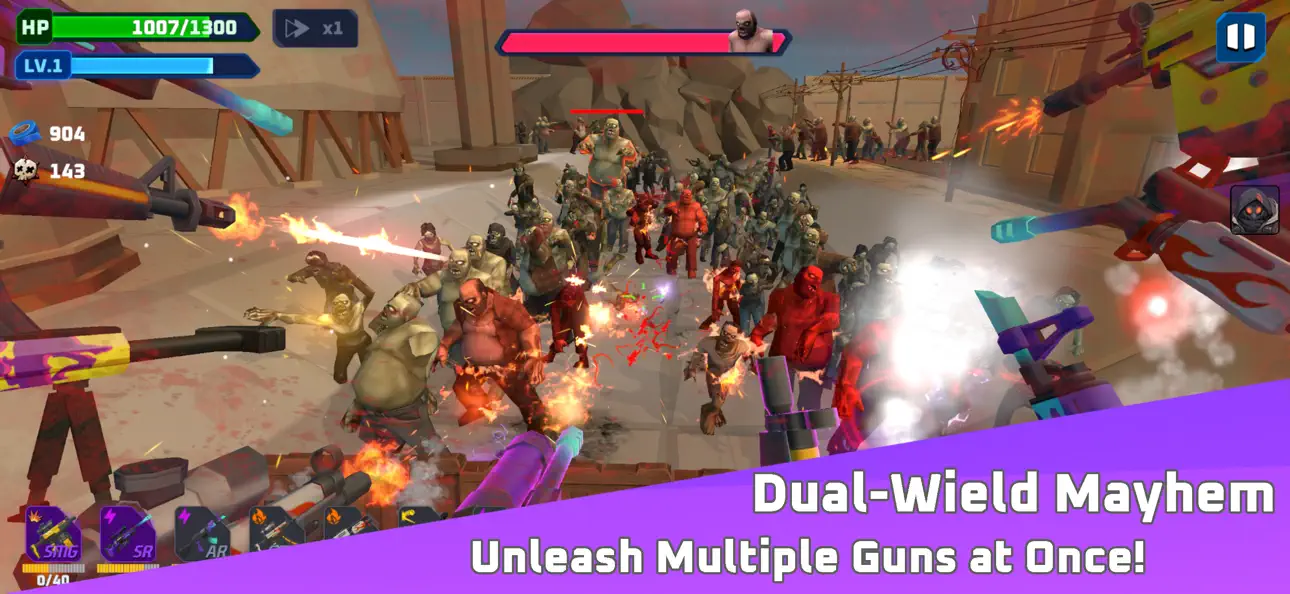
Bulletstorm: Zombie FPS TD est la fusion explosive entre le First-Person Shooter (FPS) et le Tower Defense. Oubliez le tir à deux mains : préparez-vous à gérer un arsenal de 6 armes simultanément pour anéantir des hordes massives de morts-vivants sur un champ de bataille tactique.
Construisez vos défenses, accumulez des objets roguelike et devenez l'ultime rempart contre l'apocalypse.
■ ARSENAL – 6 ARMES DANS UNE MAIN
Brisez les règles du genre FPS. Équipez et tirez avec jusqu'à 6 armes à feu simultanément. Combinez snipers, fusils à pompe, miniguns et lance-roquettes dans un seul build dévastateur. Chaque arme tire ensemble, vous transformant en une plateforme de défense imparable.
■ TACTICAL FPS TOWER DEFENSE
Découvrez un hybride unique entre shooter et stratégie. Défendez depuis une position tactique fixe, améliorez vos barricades et contrôlez les points de passage. Ce n'est pas seulement une question de visée, mais de placement intelligent et de gestion de la puissance de feu.
■ BUILDS ROGUELIKE ET SYNERGIES
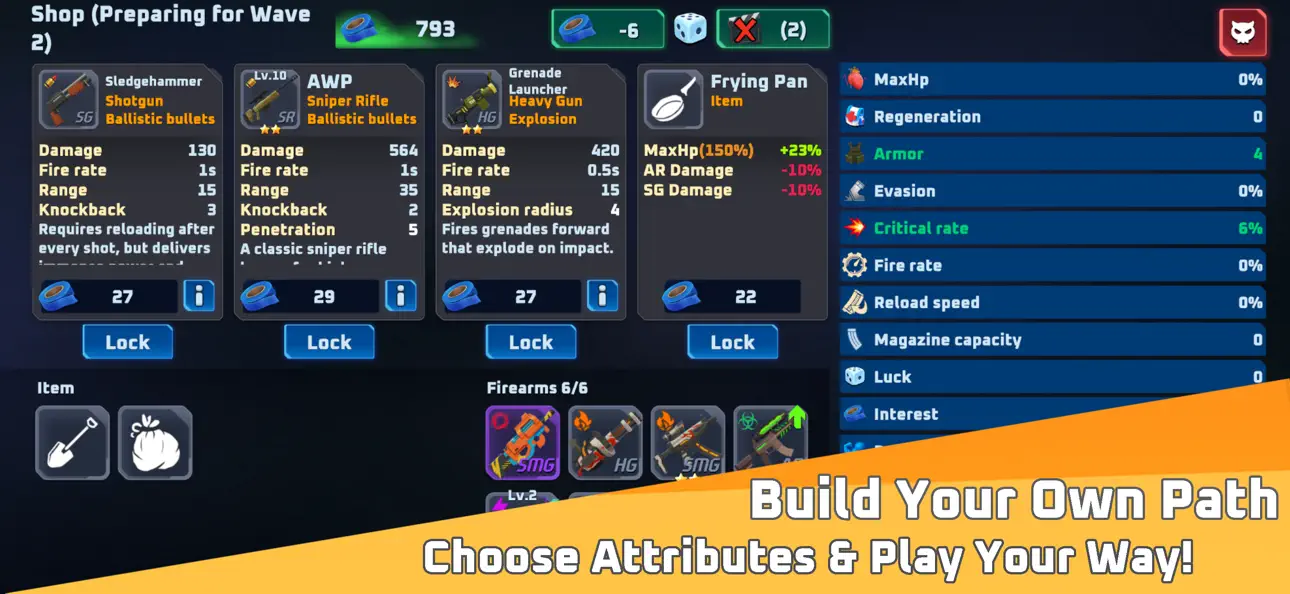
Chaque partie est différente. Découvrez plus de 200 objets et atouts pour créer des builds de survivant légendaires. Balles foudroyantes, explosions de glace et tirs perforants vous permettent de créer des synergies explosives qui dominent l'écran.
■ ACTION PURE SANS LIMITES
Aucun système d'énergie. Aucune attente. Jouez autant que vous voulez, quand vous voulez. L'apocalypse ne s'arrête jamais, et votre feu ne devrait pas non plus s'éteindre.
■ SURVIE CONTRE DES HORDES MASSIVES
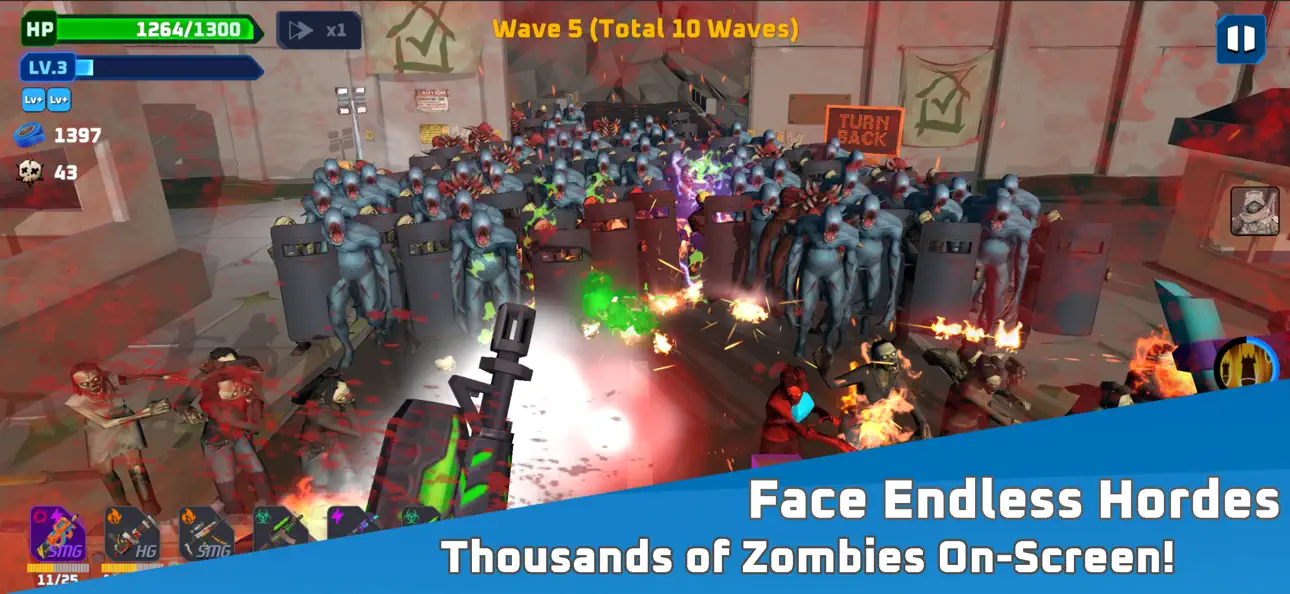
Affrontez des milliers de zombies simultanément à l'écran. Combattez des mutants d'élite et des boss géants qui mettront votre stratégie à l'épreuve. C'est la véritable intensité "Bullet Heaven" dans une perspective immersive à la première personne.
■ CE JEU EST POUR VOUS SI VOUS AIMEZ :
- Les jeux de survie zombie
- Les First-Person Shooters (FPS)
- La stratégie Tower Defense (TD)
- Les jeux de style Survivor et Roguelike
- Les shooters d'action rapides
Téléchargez Bulletstorm: Zombie FPS TD dès maintenant et devenez le dernier espoir de l'humanité !
- iPhone ou iPad avec ou sans Jailbreak.
- Sideloadly ou alternatives.
- Ordinateur sous Windows/macOS/Linux avec iTunes installé.
ÉTAPE 1: Téléchargez le fichier .IPA pré-modifié depuis le lien ci-dessus sur votre ordinateur. Pour le télécharger depuis l'iOSGods App, consultez notre Tutoriel de téléchargement de l'IPA depuis l'iOSGods App qui comprend un exemple en vidéo.
ÉTAPE 2: Téléchargez Sideloadly et installez-le sur votre Windows ou Mac.
ÉTAPE 3: Ouvrez Sideloadly sur votre ordinateur, connectez votre appareil iOS et attendez que le nom de votre appareil apparaisse dans Sideloadly.
ÉTAPE 4: Une fois votre iDevice reconnu, glissez le fichier .IPA modifié que vous avez téléchargé et déposez-le dans l'application Sideloadly.
ÉTAPE 5: Saisissez l'adresse e-mail de votre Apple Account, puis appuyez sur « Start ». Il vous sera ensuite demandé d'entrer votre mot de passe. Fournissez les informations requises.
ÉTAPE 6: Attendez que Sideloadly termine le sideloading/l'installation de l'IPA modifié. En cas de problème durant l'installation, veuillez lire la remarque ci-dessous.
ÉTAPE 7: Une fois l'installation terminée et l'app visible sur votre écran d'accueil, vous devez aller dans Réglages → Général → Profils / VPN et gestion de l'appareil. Là, appuyez sur l'adresse e-mail saisie à l'étape 6, puis appuyez sur « Faire confiance à [email protected] ».
ÉTAPE 8: Allez maintenant sur votre écran d'accueil et ouvrez l'app nouvellement installée ; tout devrait fonctionner correctement. Vous devrez peut-être suivre des instructions supplémentaires propres à chaque app, dans la fenêtre du hack en jeu.
REMARQUE : À partir d'iOS/iPadOS 16, vous devez activer le mode Développeur. Pour les comptes Apple Developer gratuits, vous devrez répéter ce processus tous les 7 jours. Pour toute question ou problème, lisez notre section FAQ Sideloadly du sujet.