تسجيل الدخول مطلوب
سجّل الدخول بحساب iOSGods للمتابعة.
Hack Features:
قم بتنزيل Pixelwoods: Coloring & Decor Hack modded IPA من الروابط أعلاه. اضغط على زر التثبيت واتبع التعليمات لتثبيت هذا التعديل لـ iOS على iPhone أو iPad أو Apple Silicon.
هل تحتاج إلى مزيد من المساعدة؟ راجع الأسئلة الشائعة لتطبيق iOSGods للحصول على إجابات مفصلة ونصائح لاستكشاف الأخطاء.

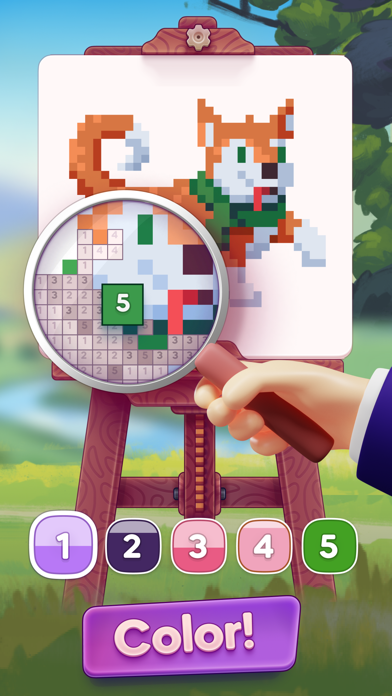
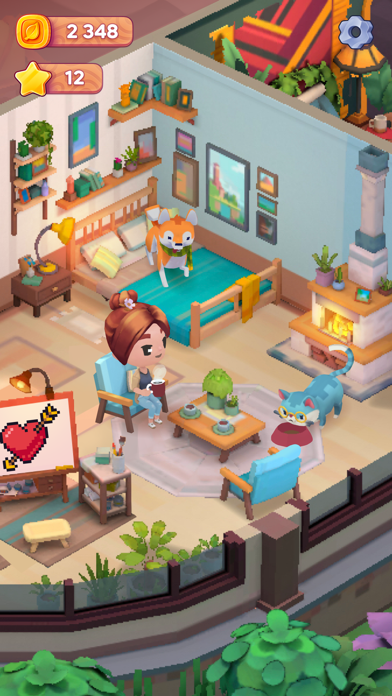
Pixelwoods is a charming coloring game from Beresnev. It features hundreds of signature Color By Number pictures, an old mansion in need of makeover and new design, cute pixel art, and a captivating story!
Ellie's parents disappeared when she was very young. Now the aspiring artist returns home to solve the mystery of their disappearance, restore the old house, and learn about the special magic of Pixelwoods...
This cozy forest world and its funny characters will appeal both to fans of mysteries and puzzle games, and to those who appreciate homey comfort and good comedy humor. Talking animals, smart plants, a machine for interdimensional travels coexist here with home design talks, a love triangle and, of course, coloring by numbers!
We offer:
- Easy and relaxing paint by numbers gameplay: making art here in Pixelwoods is easy and pleasant. Your inner artist will be happy to have a chance to express himself!
- Unique pixel graphics and visual style: cozy, unusual, fascinating. Pixelwoods makes you want to come back time and time again to explore this little world.
- A fascinating plot with elements of mysticism, detective and comedy: this art game knows how to tell a story!
- Cozy atmosphere and touching characters: drawn in a cute chibi-style, they will soon become your friends. The logical Ellie, the naive and romantic Sean, the strange but lovable Luke-the-hermit... Come and meet them!
- Dozens of coloring books for you to fill with hundreds of paintings: all hand-crafted by professional artists.
- A variety of room and garden makeover options: to decorate one’s home has never been more pleasant! Choose from furniture, wallpaper, appliances, and even materials.
...and much more!
Help Ellie settle into her new place, make friends, recognize enemies, and find out WHAT really happened to her parents!
Welcome to Pixelwoods, a gorgeous 3 in 1: it’s a **makeover game**, a **painting game** and **puzzle game** at the same time!
Check it out!
Links to our Terms of Service and Privacy Policy can be found below:
Privacy Policy: https://beresnev.games/privacyPolicy/
Terms of Use: https://beresnev.games/termofuse/
Follow us:
Facebook: Pixelwoodsthegame
Instagram: pixelwoodsgame
- iPhone أو iPad بجيلبريك أو بدون جيلبريك.
- Sideloadly أو بدائلها.
- كمبيوتر يعمل بنظام Windows/macOS/Linux مع تثبيت iTunes.
الخطوة 1: قم بتنزيل ملف .IPA المعدّل مسبقًا من الرابط أعلاه إلى الكمبيوتر الخاص بك. للتنزيل من تطبيق iOSGods App، اطلع على دليل تنزيل IPA من تطبيق iOSGods App الذي يتضمن مثالًا بالفيديو.
الخطوة 2: قم بتنزيل Sideloadly وتثبيته على جهاز Windows أو Mac.
الخطوة 3: افتح Sideloadly على الكمبيوتر، ووصّل جهاز iOS الخاص بك، وانتظر حتى يظهر اسم جهازك داخل Sideloadly.
الخطوة 4: بمجرد التعرّف على جهاز iDevice الخاص بك، اسحب ملف .IPA المعدّل الذي قمت بتنزيله وأفلِته داخل تطبيق Sideloadly.
الخطوة 5: أدخل البريد الإلكتروني لحساب Apple Account الخاص بك، ثم اضغط على «Start». سيُطلب منك بعد ذلك إدخال كلمة المرور. تابع وأدخل المعلومات المطلوبة.
الخطوة 6: انتظر حتى ينتهي Sideloadly من تحميل/تثبيت ملف IPA المعدّل. في حال واجهت أي مشاكل أثناء التثبيت، يرجى قراءة الملاحظة أدناه.
الخطوة 7: بعد اكتمال التثبيت ورؤية التطبيق على الشاشة الرئيسية، انتقل إلى Settings → General → Profiles / VPN & Device Management. ثم اضغط على البريد الإلكتروني الذي أدخلته في الخطوة 6، ثم اضغط على «الوثوق بـ [email protected]».
الخطوة 8: الآن انتقل إلى الشاشة الرئيسية وافتح التطبيق الذي تم تثبيته للتو وسيعمل كل شيء بشكل صحيح. قد تحتاج إلى اتباع تعليمات إضافية خاصة بكل تطبيق داخل النافذة المنبثقة للتعديل أثناء اللعب.
ملاحظة: بدءًا من iOS/iPadOS 16 وما بعده، يجب تفعيل وضع المطور (Developer Mode). بالنسبة لحسابات Apple Developer المجانية، ستحتاج إلى تكرار هذه العملية كل 7 أيام. إذا كانت لديك أي أسئلة أو مشاكل، يرجى قراءة قسم الأسئلة الشائعة حول Sideloadly في الموضوع.